

Quidly: Daily Expense Tracker
Wasim Raja Finance iPhoneiPadiPod touch
Quidly: Daily Expense Tracker is a free Finance app for iPhone and iPad by Wasim Raja. Requires iOS 18.0. Updated August 29, 2026.
- Price
- Free
- on the App Store
- Size
- 4 MB
- Age 4+
- Updated
- Aug 29
- 2026 · v1.3
Screenshots

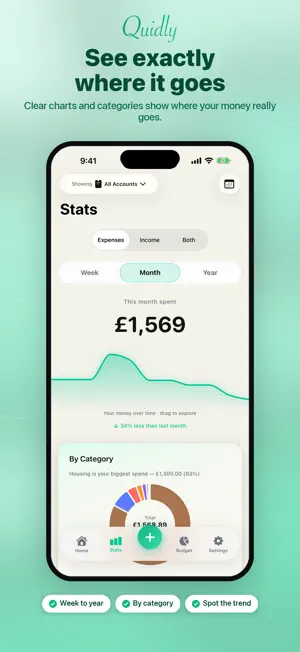


About Quidly: Daily Expense Tracker
Log what you spend in a few taps, and see exactly where your money went this month. No account. No sign-up. No bank connection. Nothing is sent to a server, because Quidly has no server. Type the amount, tap a category, done. WHAT YOU GET FOR FREE - Unlimited expenses and income. There is no cap on how much you log. - This month's spending, and how it compares with last month - A category ring that names your biggest spend - A spending calendar: darker days are heavier days. Tap a day to see what you bought. - Your whole history, searchable by note, category, amount or account, with filters and sorting - 18 built-in categories (11 spending, 7 income), and add your own - Save everything as a spreadsheet whenever you like. Getting your own data out is never charged for. - Light or dark, and your own currency - Clear your data, or start completely fresh, any time QUIDLY PRO - A monthly budget with a live ring, what is left, and what is safe to spend today - A nudge at 80%, at 100%, and when you go over - Week and Year views, on top of the free monthly one - Recurring bills and a subscription tracker, with a reminder before each one is due - Add your own accounts, and move money between them PRIVACY, PLAINLY Quidly has no login screen, no cloud account, no ads, and no outside code inside it. It never asks for your bank. Apple's own privacy label on this page reads "Data Not Collected". Everything lives on this iPhone only, so save a spreadsheet copy somewhere safe in case you lose the phone. THE PRICE Quidly Pro is an auto-renewing subscription: £1.99 a month, or £14.99 a year. Prices are shown in pounds; the App Store shows you the exact price in your own money before you confirm anything. Payment is taken by your Apple Account when you confirm, and the subscription renews at the same price unless you turn renewal off at least 24 hours before the current period ends. You can manage it or cancel it any time in iOS Settings, under your Apple Account, then Subscriptions. Terms of Use (EULA): https://quidly.pages.dev/terms Privacy Policy: https://quidly.pages.dev/privacy Questions, or something broken: [email protected]
What’s new
Version 1.3 · Updated August 29, 2026
Everything is easier to read. Turn your text size up and Quidly follows you properly now. The balance card, the Week/Month/Year buttons, the category chart and every row in Settings lay themselves out instead of squeezing words in half. Small print is darker against the cream background, so it is easier on the eye. The bar along the bottom used to sit on top of the last rows of your list. It doesn't any more, so nothing is hidden behind it. A brand-new install opens on something useful instead of three empty cards, and each row leads with what you typed rather than repeating the category. There is no trial any more. Logging your spending is free for as long as you like, with no countdown and nothing switching itself off. Pro is a subscription you start whenever you want to, and everything you have already saved stays exactly where it is. Questions: [email protected]
App privacy
The developer, Wasim Raja, reported these privacy practices to Apple.
Data Not Collected
The developer does not collect any data from this app.
Alternatives to Quidly: Daily Expense Tracker
Looking for apps like Quidly: Daily Expense Tracker? Here are 6 similar apps on the App Store.
-
 Quids In - Simple Budget
-
 Duesday Budget Tracker
-
 Money Manager Budget Planner
-
 Budgitrack: Budget Planner
-
 Keep Above: Bills & Budget
-
 Expenses - Budget Tracker
| App | Rating | Price | Last updated | Compare |
|---|---|---|---|---|
| Quidly: Daily Expense Tracker | – | Free | August 29, 2026 | |
| Quids In - Simple Budget | – | Free | Oct 22, 2026 | Compare |
| Duesday Budget Tracker | – | Free | Oct 19, 2026 | Compare |
| Money Manager Budget Planner | – | 4.19 USD | Oct 19, 2026 | Compare |
| Budgitrack: Budget Planner | – | Free | Oct 24, 2026 | Compare |
| Keep Above: Bills & Budget | – | Free | Oct 23, 2026 | Compare |
| Expenses - Budget Tracker | – | Free | Apr 20, 2026 | Compare |