

NimbleRead: Speed Reading
Yeap Digital Productivity iPhoneiPadiPod touch
NimbleRead: Speed Reading is a free Productivity app for iPhone and iPad by Yeap Digital. Rated 4.5/5 from 2 ratings. Requires iOS 15.1.
- Rating
- 4.5
- 2 ratings
- Price
- Free
- on the App Store
- Size
- 67 MB
- Age 4+
- Updated
- Aug 11
- 2026 · v1.0.5
Screenshots

About NimbleRead: Speed Reading
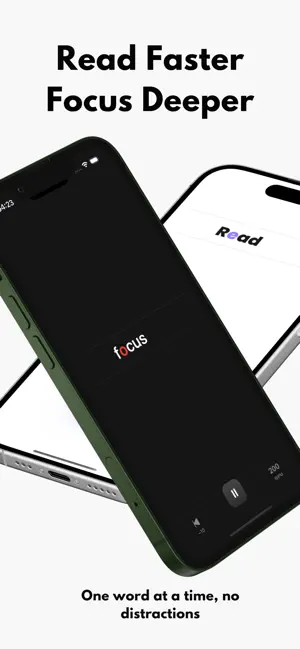
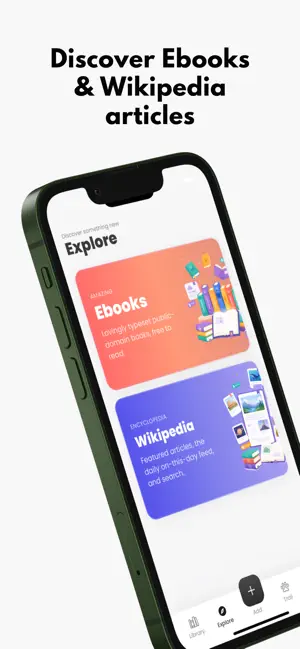
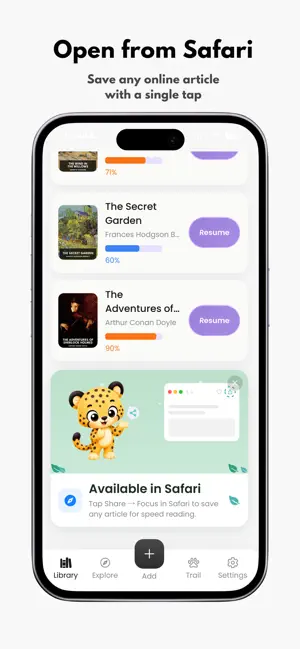
Read More. Scroll Less. Do you have a huge stack of books you want to finish, or long documents you need to get through for work? Reading on a phone screen can quickly make your eyes tired, and it is incredibly easy for your mind to wander. Whether you want to read more books, improve your focus, try speed reading, or build a calm self-care routine, this Rapid Serial Visual Presentation app makes reading easy. Instead of forcing your eyes to scan back and forth across a page, we bring the words directly to you. Our reader flashes words on your screen one at a time, perfectly centered. Because your eyes stay in one place, you stop accidentally re-reading the same lines and you never have to scroll. You just look straight ahead and let the story flow. You will train your brain to lock in on the text. Over time, you will naturally cut out distractions, reduce eye strain, and comfortably double your reading speed. The app is designed for readers who find traditional pages overwhelming or distracting. By showing one word at a time in a clean, focused reading view, it may be helpful for people who have difficulty staying focused, including some readers with ADHD, dyslexia, or attention challenges. Adjustable reading speed, minimal visual clutter, and short daily sessions make it easier to start reading, keep momentum, and enjoy books without the distractions of a typical ebook page. RSVP speed reader app Cheetah is here for you. What You Can Do: Bring Your Own Reading: Easily open your own PDFs, ePubs, and text files right in the app. Send from the Web: Found a long article on your phone? Use the share button to send it to the app with just one tap so you can read it instantly. Free Books: Don't have a file ready? Dive into free classic books and Wikipedia articles built right in. Zero Scrolling: Give your thumb a rest. The words come to you, which means no more swiping and no screen fatigue. Track Your Progress: Start at a comfortable pace and slowly turn up the speed as your focus gets sharper. Stop letting long texts slow you down. Try a quick reading sprint today and see how much time you can save! The app uses Apple’s Standard Terms of Use (EULA). The EULA link and Privacy Policy link are included in the App Store description and are also available as tappable links on the subscription paywall. EULA: https://www.apple.com/legal/internet-services/itunes/dev/stdeula/ Privacy Policy: https://www.yeapdigital.co.uk/speed-reader-cheetah-privacy-policy/
What’s new
Version 1.0.5 · Updated August 11, 2026
Improved user experience.
App privacy
The developer, Yeap Digital, reported these privacy practices to Apple.
Data Used to Track You
The following data may be used to track you across apps and websites owned by other companies:
- Identifiers: Device ID
Data Not Linked to You
The following data, which may be collected but is not linked to your identity, may be used for the following purposes:
- Identifiers: Device ID
- Usage Data: Product Interaction
- Diagnostics: Crash Data
- Purchases: Purchase History
Used for: Third-Party Advertising, Analytics, App Functionality
Alternatives to NimbleRead: Speed Reading
Looking for apps like NimbleRead: Speed Reading? Here are 6 similar apps on the App Store. The highest rated is BLACKCELL (5.0/5), and all 6 are free to download.
-
 BLACKCELL
5.0
BLACKCELL
5.0
-
 BreakThru - ADHD
3.5
BreakThru - ADHD
3.5
-
 Document Reader: PDF Scan
-
 ReadReflect AI Reading Journal
5.0
ReadReflect AI Reading Journal
5.0
-
 Unlock U: Focus & Grow
5.0
Unlock U: Focus & Grow
5.0
-
 LearnPass: English Vocabulary
5.0
LearnPass: English Vocabulary
5.0
| App | Rating | Price | Last updated | Compare |
|---|---|---|---|---|
| NimbleRead: Speed Reading | 4.5 / 5 (2 ratings) | Free | August 11, 2026 | |
| BLACKCELL | 5.0 / 5 (1) | Free | Aug 22, 2026 | Compare |
| BreakThru - ADHD | 3.5 / 5 (2) | Free | Sep 28, 2026 | Compare |
| Document Reader: PDF Scan | – | Free | Jul 23, 2026 | Compare |
| ReadReflect AI Reading Journal | 5.0 / 5 (2) | Free | Sep 8, 2026 | Compare |
| Unlock U: Focus & Grow | 5.0 / 5 (2) | Free | Aug 24, 2026 | Compare |
| LearnPass: English Vocabulary | 5.0 / 5 (1) | Free | Oct 2, 2026 | Compare |