

Seal Maker - PDF Stamp Tool
钦元 邓 Graphics & Design iPhoneiPadiPod touch
Seal Maker - PDF Stamp Tool is a free Graphics & Design app for iPhone and iPad by 钦元 邓. Requires iOS 16. Updated August 27, 2026.
- Price
- Free
- on the App Store
- Size
- 85 MB
- Age 4+
- Updated
- Aug 27
- 2026 · v1.4.2
Screenshots



About Seal Maker - PDF Stamp Tool
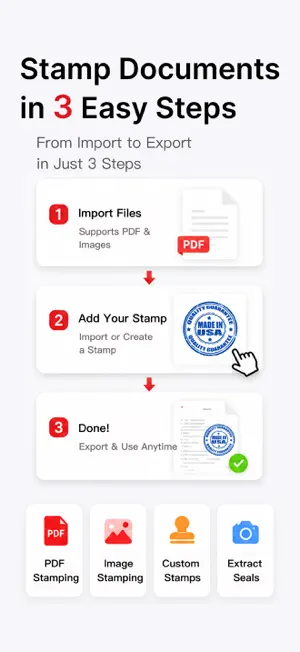
Turn your iPhone into a complete document stamping and signing tool. Create digital seals, generate electronic signatures, scan documents, and add stamps directly to PDFs or images — all from your mobile device. Whether you're handling contracts, approvals, receipts, certificates, business documents, or study materials, everything can be completed in just a few taps without switching between multiple apps. Create custom circular and oval seals with personalized text, fonts, colors, thickness, and opacity. You can also import real seals from photos, extract seals from scanned documents, and instantly convert them into reusable digital seals. Once created, seals and signatures can be freely moved, resized, and rotated for precise placement on any document or image. Export your files in high quality and share them whenever needed. FEATURES • Create circular and oval seals • Create electronic signatures • Customize seal text, fonts, colors, and opacity • Move, resize, and rotate seals freely • Add seals to PDF documents • Add seals to image files • Support for multi-page PDF stamping • Scan paper documents and save them as PDFs • Extract seals from scanned documents • Create digital seals from real seals • Merge multiple images into a PDF • Convert PDF pages into images • High-quality export and sharing PRIVACY FIRST • All files are processed locally on your device • No document uploads required • Better privacy and security PERFECT FOR • Contract signing and approvals • Business and office documents • Agreements, receipts, and certificates • Image watermarking and annotations • Study notes and learning materials • Mobile office work • Remote collaboration From seal creation and signature generation to PDF stamping and document export, everything can be completed directly on your phone. Work smarter. Stamp documents anywhere. 【Auto-Renewable Subscription Terms】 - Subscription Period: 1 Week - Subscription Price: ¥16 per week. - Payment will be charged to your iTunes Account upon confirmation of purchase. Subscriptions can be managed by the user, and auto-renewal may be turned off in the user's Account Settings after purchase. To avoid renewal, turn off auto-renewal at least 24 hours before the end of the current subscription period. Your Apple ID account will be charged for renewal within 24 hours prior to the end of the current period. Upon successful renewal, the subscription period will be extended by one subscription cycle. Terms of Use: https://gigglebro.github.io/protocols/sealsimulator_terms_of_use.html Privacy Policy: https://gigglebro.github.io/protocols/sealsimulator_privacy_policy.html
What’s new
Version 1.4.2 · Updated August 27, 2026
- bug fix
App privacy
The developer, 钦元 邓, reported these privacy practices to Apple.
Data Not Collected
The developer does not collect any data from this app.
Alternatives to Seal Maker - PDF Stamp Tool
Looking for apps like Seal Maker - PDF Stamp Tool? Here are 6 similar apps on the App Store. The highest rated is 印章制作-公章合同章萝卜章生成 (5.0/5), and all 6 are free to download.
-
 印章制作-公章合同章萝卜章生成
5.0
-
 萝卜章 - 很刑很逼真印章
5.0
-
 掌上印章 - 制作与文件盖章
-
 印章大师-电子印章在线助手
-
 Seals Assistant
5.0
-
 Seal Designer
5.0
| App | Rating | Price | Last updated | Compare |
|---|---|---|---|---|
| Seal Maker - PDF Stamp Tool | – | Free | August 27, 2026 | |
| 印章制作-公章合同章萝卜章生成 | 5.0 / 5 (1) | Free | Oct 21, 2026 | Compare |
| 萝卜章 - 很刑很逼真印章 | 5.0 / 5 (3) | Free | Apr 24, 2025 | Compare |
| 掌上印章 - 制作与文件盖章 | – | Free | Nov 13, 2025 | Compare |
| 印章大师-电子印章在线助手 | – | Free | Sep 8, 2026 | Compare |
| Seals Assistant | 5.0 / 5 (2) | Free | Sep 3, 2026 | Compare |
| Seal Designer | 5.0 / 5 (1) | Free | Oct 7, 2026 | Compare |