

inkScript
Nikolay Nikiforov Productivity iPhoneiPadiPod touchMac
inkScript is a free Productivity app for iPhone and iPad by Nikolay Nikiforov. Requires iOS 13.0. Updated September 21, 2026.
- Price
- Free
- on the App Store
- Size
- 22 MB
- Age 4+
- Updated
- Sep 21
- 2026 · v1.4
Screenshots
About inkScript
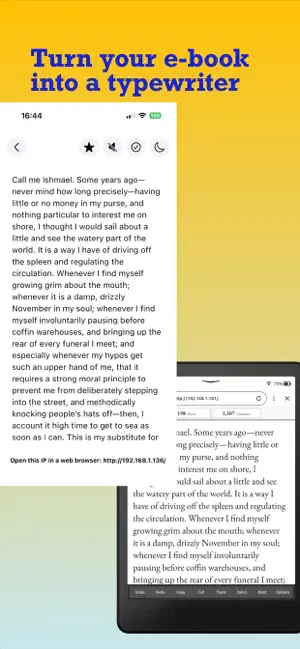
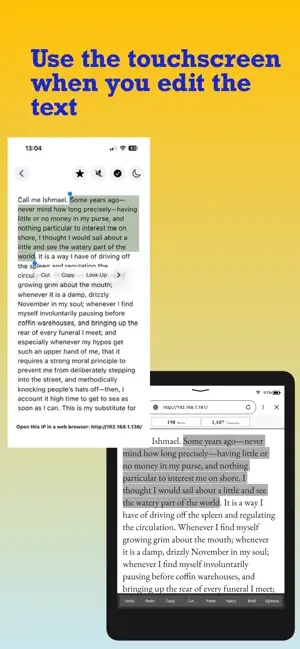
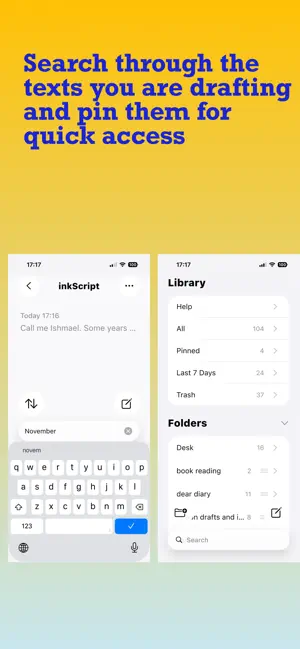
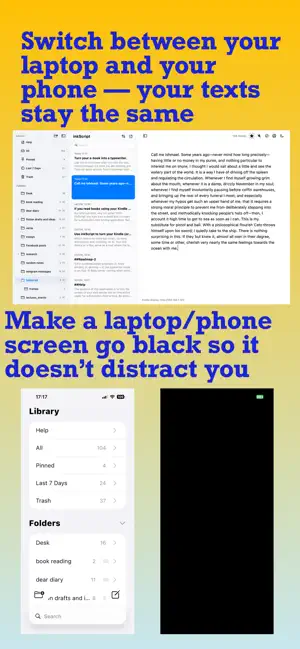
Use inkScript to turn your e-book device into a screen you look at as you type your text. This means no more eye-strain, no more distractions and, certainly, no AI. Your iOS device or a Mac serves as a host where the texts are stored, but you don’t ever have to look at its screen while typing. Setup takes a couple of minutes, and if you’re not yet ready to get a Bluetooth keyboard to connect to your iPhone, start with the Mac version; switching between iOS and Mac is seamless. Just push an icon to turn the laptop’s screen off so it doesn’t distract you. Your Kindle is not just a screen when writing with inkScript: you touch it to scroll through the text, move the cursor or select a fragment, to copy, paste, undo and redo the changes, etc. With a subscription active, you also have a wide choice of fonts; you can turn “flow mode” on to write the first draft with minimal editing and have the application imitate typewriter sounds. Your app is not there just to write drafts; you have a fully functional system to organise the texts into folders, preview them, search, pin the text you’re working on, etc. When you’re in a hurry and have trouble reaching for your Kindle, just use inkScript to jot down your thoughts the way you use a regular note-taking app. Every writer’s flow is personal, but if you are still looking for that perfect tool — one that lets your imagination step away from the digital noise but doesn’t feel ancient — try inkScript: this might well be it! Terms of Service: https://www.apple.com/legal/internet-services/itunes/dev/stdeula/
What’s new
Version 1.4 · Updated September 21, 2026
Added "indent paragraphs" and "justify text" to option
App privacy
The developer, Nikolay Nikiforov, reported these privacy practices to Apple.
Data Not Collected
The developer does not collect any data from this app.
Alternatives to inkScript
Looking for apps like inkScript? Here are 6 similar apps on the App Store. The highest rated is Chapters by TzYi (5.0/5), and all 6 are free to download.
-
 Writeros
-
 ZenSlate: Just Write
-
 Still Writing
-
 Tori Baduk – Play Go with AI
-
 A5 Journal
-
 Chapters by TzYi
5.0
Chapters by TzYi
5.0
| App | Rating | Price | Last updated | Compare |
|---|---|---|---|---|
| inkScript | – | Free | September 21, 2026 | |
| Writeros | – | Free | May 1, 2026 | Compare |
| ZenSlate: Just Write | – | Free | Oct 19, 2026 | Compare |
| Still Writing | – | Free | Apr 26, 2026 | Compare |
| Tori Baduk – Play Go with AI | – | Free | Jul 27, 2026 | Compare |
| A5 Journal | – | Free | Oct 22, 2026 | Compare |
| Chapters by TzYi | 5.0 / 5 (2) | Free | Oct 14, 2026 | Compare |
Compare inkScript with the top alternatives: ratings, updates, ASO score and keyword gaps →