

Screen Mirroring | Cast TV
Trusted Brands UG (haftungsbeschrankt) Utilities iPhoneiPadiPod touch
Screen Mirroring | Cast TV is a free Utilities app for iPhone and iPad by Trusted Brands UG (haftungsbeschrankt). Requires iOS 18.6. Updated June 15, 2026.
- Price
- Free
- on the App Store
- Size
- 20 MB
- Age 4+
- Updated
- Jun 15
- 2026 · v1.0.2
Screenshots
About Screen Mirroring | Cast TV
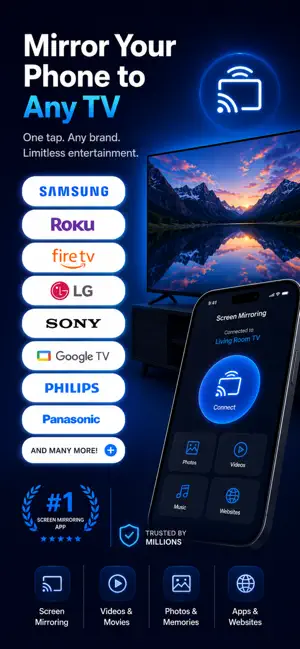
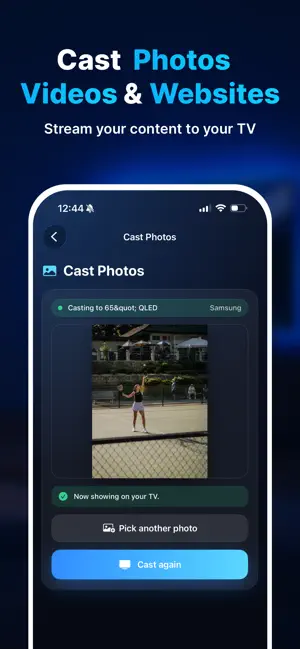
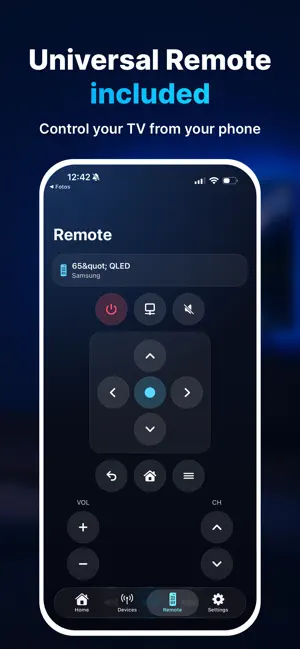
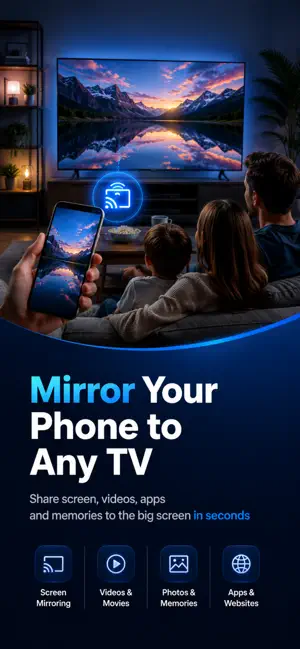
Mirror your phone to any TV in seconds. Castr makes it simple to share your screen, photos, videos, websites and more on the big screen. Whether you want to show family memories, stream a video, open a website, present documents or control your TV from your phone, Castr gives you a clean and easy way to connect. No complicated setup. No extra cables. Just open the app, find your TV and start casting. What you can do with Castr: Screen Mirroring Mirror your iPhone screen to your TV and enjoy apps, websites, videos and memories on a larger display. Cast Photos Share vacation pictures, family moments and special memories directly on the big screen. Cast Videos Stream videos from your library and enjoy them comfortably on your TV. Cast Websites Open websites, online videos and web content and send them to your TV. Mini Browser Browse inside the app and cast what you find. Cast Documents Show PDFs, presentations and slideshows on your TV. Simple TV Remote Use your phone as a clean remote control for connected TVs. Fast TV Discovery Scan your home network and find supported TVs quickly. Big Button Mode Enable larger controls for easier reach and more comfortable use. Castr is designed for everyday moments: family nights, photo sharing, sports clips, web videos, presentations, travel memories and quick TV control. Upgrade to Premium to unlock unlimited HD mirroring and casting. Disclaimer: This app is not affiliated with or endorsed by Samsung, LG, Roku, Google, Amazon, Apple or any other TV manufacturer. Compatibility and features may vary by device model, TV software and network setup. Subscription Information: Payment will be charged to your Apple ID account at confirmation of purchase. Subscriptions automatically renew unless canceled at least 24 hours before the end of the current period. You can manage or cancel your subscription in your App Store account settings after purchase. Terms of Use / EULA: https://www.apple.com/legal/internet-services/itunes/dev/stdeula/
What’s new
Version 1.0.2 · Updated June 15, 2026
Added support for older iOS versions
App privacy
The developer, Trusted Brands UG (haftungsbeschrankt), reported these privacy practices to Apple.
Data Not Collected
The developer does not collect any data from this app.
Alternatives to Screen Mirroring | Cast TV
Looking for apps like Screen Mirroring | Cast TV? Here are 6 similar apps on the App Store. The highest rated is Computer Remote. Okeke Control (5.0/5), and all 6 are free to download.
-
 Smart Cast TV: Mirror & View
-
 TV Cast for Screen Mirroring+
-
 ScanSeek - Document Scanner
-
 Smart Cast TV: Screen Share
-
 Computer Remote. Okeke Control
5.0
-
 Cast TV & Screen Mirroring
5.0
| App | Rating | Price | Last updated | Compare |
|---|---|---|---|---|
| Screen Mirroring | Cast TV | – | Free | June 15, 2026 | |
| Smart Cast TV: Mirror & View | – | Free | Jun 17, 2026 | Compare |
| TV Cast for Screen Mirroring+ | – | Free | Sep 5, 2024 | Compare |
| ScanSeek - Document Scanner | – | Free | Oct 20, 2026 | Compare |
| Smart Cast TV: Screen Share | – | Free | Dec 11, 2025 | Compare |
| Computer Remote. Okeke Control | 5.0 / 5 (1) | Free | Oct 21, 2026 | Compare |
| Cast TV & Screen Mirroring | 5.0 / 5 (3) | Free | Sep 12, 2026 | Compare |