

NICE - Habit Accountability
Kihyun Choi Productivity iPhoneiPadiPod touch
NICE - Habit Accountability is a free Productivity app for iPhone and iPad by Kihyun Choi. Rated 5.0/5 from 1 ratings. Requires iOS 17.0.
- Rating
- 5.0
- 1 ratings
- Price
- Free
- on the App Store
- Size
- 2 MB
- Age 9+
- Updated
- Sep 9
- 2026 · v1.0.1
Screenshots
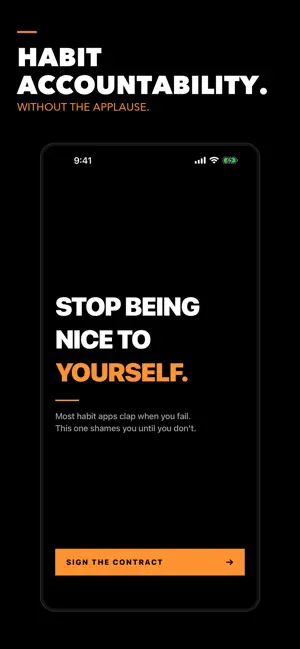
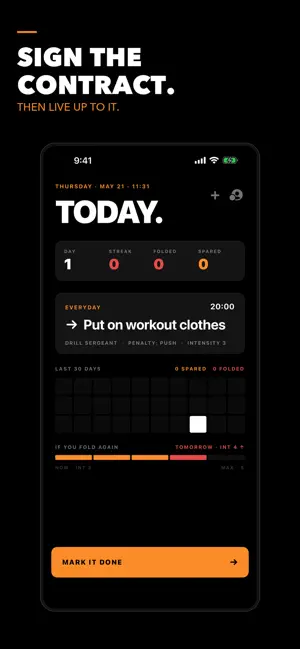
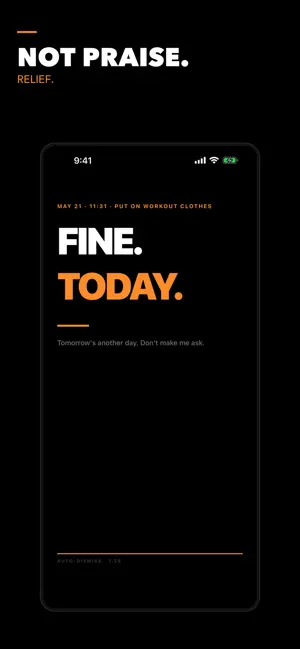
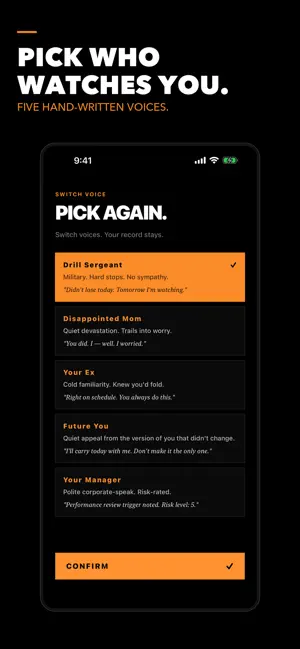
About NICE - Habit Accountability
NICE 1.0.1 is a reliability and habit-management update. No account, sign-in, server connection, analytics SDK, advertising, or in-app purchase is used. All habit data remains in the local SwiftData store shared with the widget through the app group. What changed: • Users can edit an existing habit without deleting its completion history. • Users can pause and resume a habit. Paused days are displayed as rest days and are not counted as failures. • Local notifications are refreshed when the app opens or a habit changes. • Completing a habit removes its remaining reminders for that day while preserving future reminders. • Widget completion state now changes correctly when the calendar day changes. • Multi-habit selection and completion are separate actions. • Accidental completions can be undone. • The previously shown “pinned lock-screen” penalty has been removed because the app cannot programmatically pin a widget. Suggested review flow: 1. Create a habit and allow notifications. 2. On the Today screen, tap Edit to change its action, deadline, persona, intensity, or penalty. 3. Tap Pause, then Resume. 4. Mark the habit complete and use the undo option. 5. Add another habit to review the multi-habit selection and completion controls. Notification content and timing vary according to the selected persona, deadline, and intensity. Notifications are generated locally. No special account or review credentials are required.
What’s new
Version 1.0.1 · Updated September 9, 2026
NICE 1.0.1 is a reliability and habit-management update. No account, sign-in, server connection, analytics SDK, advertising, or in-app purchase is used. All habit data remains in the local SwiftData store shared with the widget through the app group. What changed: • Users can edit an existing habit without deleting its completion history. • Users can pause and resume a habit. Paused days are displayed as rest days and are not counted as failures. • Local notifications are refreshed when the app opens or a habit changes. • Completing a habit removes its remaining reminders for that day while preserving future reminders. • Widget completion state now changes correctly when the calendar day changes. • Multi-habit selection and completion are separate actions. • Accidental completions can be undone. • The previously shown “pinned lock-screen” penalty has been removed because the app cannot programmatically pin a widget. Suggested review flow: 1. Create a habit and allow notifications. 2. On the Today screen, tap Edit to change its action, deadline, persona, intensity, or penalty. 3. Tap Pause, then Resume. 4. Mark the habit complete and use the undo option. 5. Add another habit to review the multi-habit selection and completion controls. Notification content and timing vary according to the selected persona, deadline, and intensity. Notifications are generated locally. No special account or review credentials are required.
App privacy
The developer, Kihyun Choi, reported these privacy practices to Apple.
Data Not Collected
The developer does not collect any data from this app.
Alternatives to NICE - Habit Accountability
Looking for apps like NICE - Habit Accountability? Here are 6 similar apps on the App Store. The highest rated is ToDoD: ToDo List + Focus Timer (5.0/5), and all 6 are free to download.
-
 AskNote : On-Device AI Notes
-
 NowTodo: Lock Screen Tasks
-
 Tarte - Daily Time Tracker
-
 워너비 : 5분 루틴, 오늘 습관, 하루 회고
-
 ToDoD: ToDo List + Focus Timer
5.0
ToDoD: ToDo List + Focus Timer
5.0
-
 Quick Memo+ToDo - PinDeck
| App | Rating | Price | Last updated | Compare |
|---|---|---|---|---|
| NICE - Habit Accountability | 5.0 / 5 (1 rating) | Free | September 9, 2026 | |
| AskNote : On-Device AI Notes | – | Free | Oct 5, 2026 | Compare |
| NowTodo: Lock Screen Tasks | – | Free | Aug 17, 2026 | Compare |
| Tarte - Daily Time Tracker | – | Free | Jun 15, 2026 | Compare |
| 워너비 : 5분 루틴, 오늘 습관, 하루 회고 | – | Free | Apr 25, 2024 | Compare |
| ToDoD: ToDo List + Focus Timer | 5.0 / 5 (2) | Free | Jul 18, 2026 | Compare |
| Quick Memo+ToDo - PinDeck | – | Free | Oct 3, 2026 | Compare |