

Focus Timer Screen Time
Yuliia Yevhenieva Productivity iPhoneiPadiPod touch
Focus Timer Screen Time is a free Productivity app for iPhone and iPad by Yuliia Yevhenieva. Requires iOS 17.6. Updated August 13, 2026.
- Price
- Free
- on the App Store
- Size
- 26 MB
- Age 4+
- Updated
- Aug 13
- 2026 · v1.0.3
Screenshots

About Focus Timer Screen Time
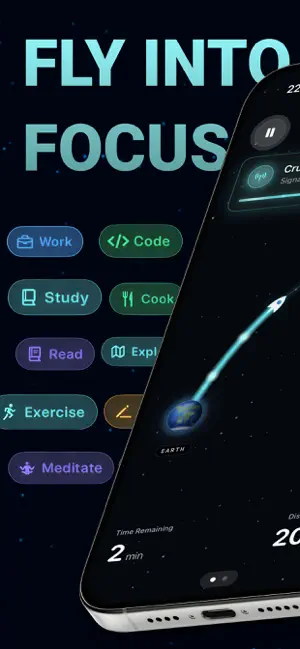
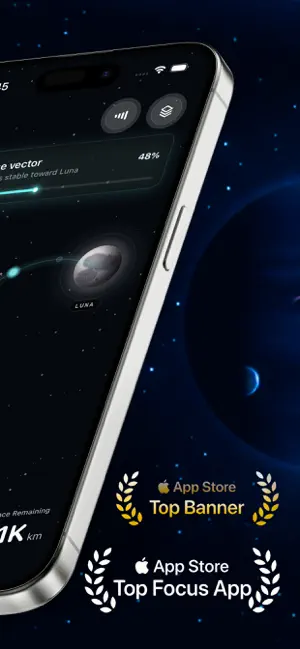
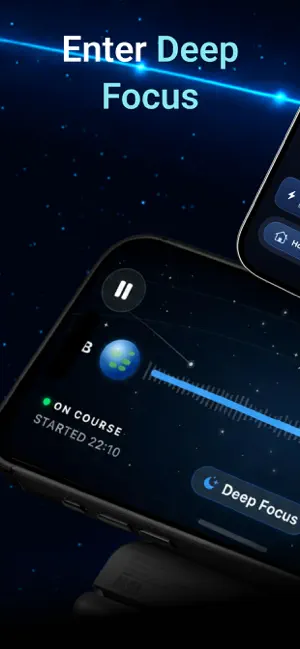
Focus Moon turns every focus session into a small mission. Pick a destination, lock the apps that pull you off course, and stay on board until you land. Most timers only say “go.” Focus Moon gives you a ritual: a route, a quiet cabin, a clear horizon, and a Mission Log that proves the work happened. HOW A MISSION WORKS • Pick a destination: Moon Orbit, Mars Transfer, Europa Flyby, Titan Research, or Deep Space Drift. • Choose what you are working on: Deep Work, Study, Code, Read, Write, Design, or a custom mission type. • Engage Focus Shield to lock distracting apps via Screen Time. • Hit launch. The cabin goes quiet, the route appears, and the rocket starts its run. • Stay on course until you land. Your focused time is logged. STAY ON COURSE • Live Activity and Dynamic Island show progress without unlocking the phone. • Ambient soundscapes such as Spaceship Hum, Deep Space, Rain on Station, Solar Wind, and Command Deck set the cabin mood. • Calm haptics mark launch, countdown, and landing. • Cabin Silence works with iOS Focus modes so notifications stay outside. • Landscape Cockpit View turns iPhone into a flight window for long sessions. AFTER THE MISSION • Mission Log records route, duration, focused time, and apps blocked. • Telemetry tracks total focus hours, streaks, destinations discovered, and weekly progress. • Mission Recap is shareable as a clean card. • Polarity Drift adds a short arcade run after each mission to earn extra flight time. MADE FOR FOCUS, NOT NOISE • No ads. No social pressure. No notification spam. • Works fully offline. Your mission data stays on your device. • No account required. Subscription and purchase information: Premium Monthly — auto-renewable subscription for 1 month. Premium Annually — auto-renewable subscription for 1 year, includes a 7-day free trial. Premium Lifetime — one-time purchase for lifetime access. Premium Lifetime Pro — one-time purchase for lifetime Pro access. Price: the current price is shown on the App Store purchase screen before confirmation and may vary by country or region. Terms of Use (EULA): https://www.apple.com/legal/internet-services/itunes/dev/stdeula/ Privacy Policy: https://docs.google.com/document/d/1EShS5aKs9cigvYYlV9mvCpTJBLoPLorADeMMAbR14qU/edit?usp=sharing
What’s new
Version 1.0.3 · Updated August 13, 2026
Bug fixes and performance improvements
App privacy
The developer, Yuliia Yevhenieva, reported these privacy practices to Apple.
Data Not Collected
The developer does not collect any data from this app.
Alternatives to Focus Timer Screen Time
Looking for apps like Focus Timer Screen Time? Here are 6 similar apps on the App Store. The highest rated is Arc Cycle - Build Discipline. (5.0/5), and all 6 are free to download.
-
 SportSketch
-
 Aqua Focus
-
 Clariox: App & Website Blocker
-
 Pomodoro - Be Focused
-
 Arc Cycle - Build Discipline.
5.0
-
 Focus Timer Game - Time Miner
5.0
| App | Rating | Price | Last updated | Compare |
|---|---|---|---|---|
| Focus Timer Screen Time | – | Free | August 13, 2026 | |
| SportSketch | – | Free | Jul 1, 2026 | Compare |
| Aqua Focus | – | Free | Jan 6, 2026 | Compare |
| Clariox: App & Website Blocker | – | Free | Oct 16, 2026 | Compare |
| Pomodoro - Be Focused | – | Free | Aug 31, 2026 | Compare |
| Arc Cycle - Build Discipline. | 5.0 / 5 (1) | Free | Jan 4, 2026 | Compare |
| Focus Timer Game - Time Miner | 5.0 / 5 (2) | Free | Sep 14, 2026 | Compare |