

Dozy - Task Manager
David Kelen Productivity iPhoneiPadiPod touch
Dozy - Task Manager is a free Productivity app for iPhone and iPad by David Kelen. Requires iOS 15.0. Updated October 16, 2026.
- Price
- Free
- on the App Store
- Size
- 15 MB
- Age 4+
- Updated
- Oct 16
- 2026 · v1.0.0
Screenshots


About Dozy - Task Manager
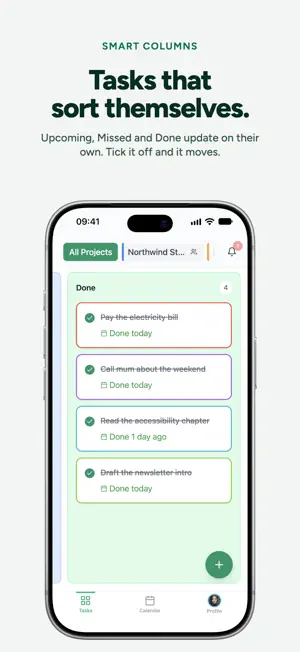
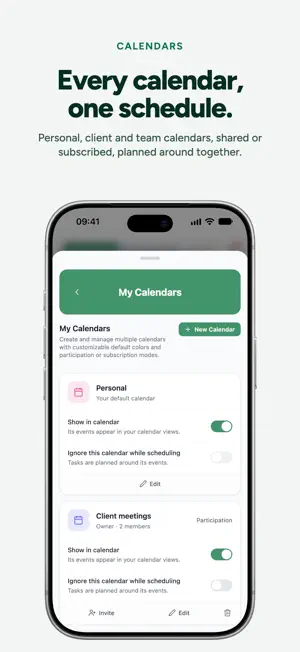
Dozy turns your task list into a plan. Add what you need to get done, connect your calendar, and Dozy fits each task into the free time around your meetings, lunch and breaks. When a meeting moves or ends early, the plan updates on its own. Planned around your real day - Tasks are placed into open slots by due date, priority and how long they take - Lunch and your own break times are always kept free - Long tasks are split into focused sessions across the week - Day, 3-day, week and month views on iPhone and iPad Tasks that sort themselves - Upcoming, Missed, Longer Tasks and Done columns update automatically as due dates come and go - Tick a task off and it moves to Done - Colour-coded labels for deep work, admin, quick wins or anything you like Projects and shared work - Group tasks into colour-coded projects - Share a project with your team and work on it together in real time - Keep briefs, decks, contracts and other files in each project's resource folders - Mention teammates in task notes and see a full history of every change Every calendar, one schedule - Personal, client and team calendars side by side - Shared and subscribed calendars, each with its own colour - Choose which calendars your tasks should be planned around - Works with Google Calendar and Microsoft Outlook Made for iPhone, iPad and iPhone Duo - A native layout for each screen size, with light and dark mode - Home Screen widgets for today's calendar and upcoming tasks - Notifications before tasks and events start Your Dozy account works across the web, iPhone and iPad, so your plan is always in sync. Some features, such as automatic scheduling, file storage and sharing, depend on your Dozy plan.
App privacy
The developer, David Kelen, reported these privacy practices to Apple.
Data Linked to You
The following data, which may be collected and linked to your identity, may be used for the following purposes:
- Purchases: Purchase History
- Contact Info: Email Address, Name
- User Content: Photos or Videos, Other User Content
- Identifiers: User ID
- Other Data: Other Data Types
Used for: App Functionality
Data Not Linked to You
The following data, which may be collected but is not linked to your identity, may be used for the following purposes:
- Usage Data: Product Interaction
- Diagnostics: Crash Data
Used for: Analytics, App Functionality