

SecureFile – File Encryption
Code Stars Productivity iPhoneiPadiPod touch
SecureFile – File Encryption is a free Productivity app for iPhone and iPad by Code Stars. Requires iOS 13.0. Updated May 19, 2026.
- Price
- Free
- on the App Store
- Size
- 32 MB
- Age 4+
- Updated
- May 19
- 2026 · v1.0.0
Screenshots
About SecureFile – File Encryption
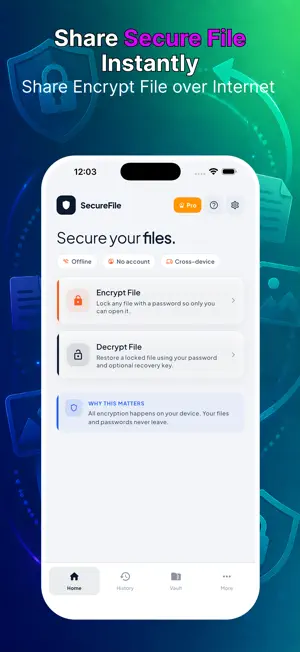
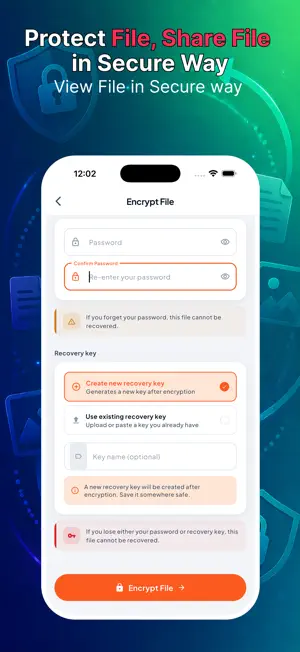
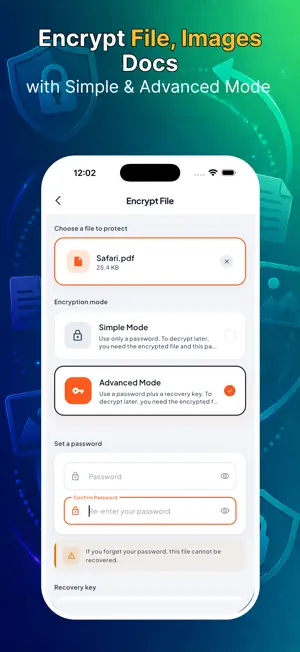
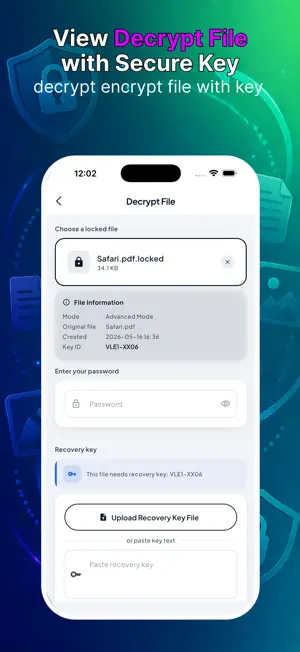
SecureFile lets you encrypt and decrypt any file directly on your device. Photos, documents, PDFs, videos — if it's a file, SecureFile can lock it behind a password so only you can open it. HOW IT WORKS SecureFile uses AES-256-GCM authenticated encryption with PBKDF2-HMAC-SHA256 key derivation. That means your password is never stored — instead it's used to derive a strong encryption key. If someone gets your encrypted file without the password, they get nothing readable. TWO ENCRYPTION MODES Simple Mode Protect a file with just a password. Pick a file, set a password, tap Encrypt. To decrypt later: the encrypted file plus the same password is all you need. Advanced Mode Add a second layer with a recovery key. Decryption requires the encrypted file, your password, AND the recovery key file. Even if someone learns your password, they still can't open the file without the key. COMPLETELY PRIVATE • No internet connection required — ever • No account or sign-up needed • No data sent to any server • Everything happens on your device, offline HISTORY Every encryption and decryption is logged locally in the History tab so you always know which files you've protected and when. HONEST SECURITY We don't hide what we use. AES-256-GCM is the same cipher used by banks, governments, and security professionals worldwide. PBKDF2 with 300,000 iterations makes brute-forcing your password computationally impractical. You can verify every detail in the Settings screen. IMPORTANT NOTE SecureFile uses standard encryption as defined under U.S. export regulations (EAR). It qualifies for the encryption exemption (ENC) and does not require an Encryption Registration Number (ERN) — it implements only publicly available, standard cryptographic algorithms and is not designed for confidentiality of communications. If you lose your password (and your recovery key in Advanced Mode), your files cannot be recovered. There is no "forgot password." Store your credentials safely. Terms of Use: https://www.apple.com/legal/internet-services/itunes/dev/stdeula/ Privacy Policy: http://codstars.com/policy.html
App privacy
The developer, Code Stars, reported these privacy practices to Apple.
Data Not Collected
The developer does not collect any data from this app.
Alternatives to SecureFile – File Encryption
Looking for apps like SecureFile – File Encryption? Here are 6 similar apps on the App Store. The highest rated is CalmCatch: ADHD Planner (5.0/5), and all 6 are free to download.
-
 CalmCatch: ADHD Planner
5.0
CalmCatch: ADHD Planner
5.0
-
 NousPDF: AI PDF Reader & Chat
-
 DocuFlow: AI Document Manager
-
 AnyTask: To Do & Reminders
5.0
AnyTask: To Do & Reminders
5.0
-
 Pique: Keep thoughts afloat
-
 PDF Scanner: AI OCR
5.0
PDF Scanner: AI OCR
5.0
| App | Rating | Price | Last updated | Compare |
|---|---|---|---|---|
| SecureFile – File Encryption | – | Free | May 19, 2026 | |
| CalmCatch: ADHD Planner | 5.0 / 5 (1) | Free | Jul 30, 2026 | Compare |
| NousPDF: AI PDF Reader & Chat | – | Free | Jun 11, 2026 | Compare |
| DocuFlow: AI Document Manager | – | Free | Sep 27, 2026 | Compare |
| AnyTask: To Do & Reminders | 5.0 / 5 (6) | Free | Aug 9, 2026 | Compare |
| Pique: Keep thoughts afloat | – | Free | Feb 27, 2026 | Compare |
| PDF Scanner: AI OCR | 5.0 / 5 (1) | Free | Sep 14, 2026 | Compare |