

TapFocus: App Blocker
Matthew Davies Productivity iPhoneiPadiPod touch
TapFocus: App Blocker is a free Productivity app for iPhone and iPad by Matthew Davies. Requires iOS 17.0. Updated May 21, 2026.
- Price
- Free
- on the App Store
- Size
- 4 MB
- Age 4+
- Updated
- May 21
- 2026 · v1.0.1
Screenshots
About TapFocus: App Blocker
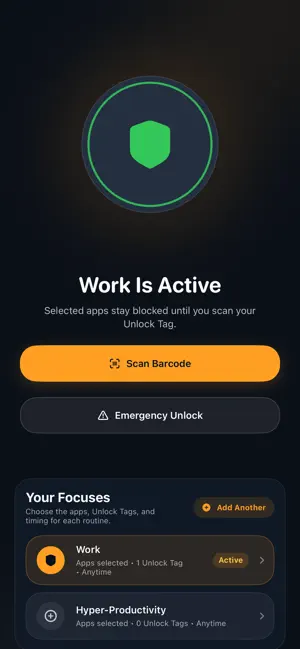
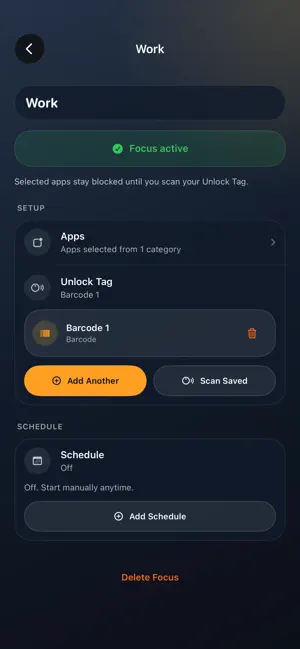
Block distracting apps, then unlock them with a real-world key. TapFocus makes focus physical. Instead of relying on willpower alone, you can turn an NFC tag, QR code, or barcode into a Focus Key — a small real-world step between you and your most distracting apps. Place a Focus Key on your desk, by your bed, across the room, or anywhere you want to create intentional friction. Start a focus session, block the apps you choose, and unlock again when you scan your key. Use an NFC tag for a simple tap-to-unlock ritual, print a QR code for a low-cost setup, or scan a barcode on an object you already own. No special hardware required. Build your own focus system • Block distracting apps during focus sessions • Unlock with NFC tags, QR codes, or barcodes • Create Focus Keys for different routines • Put your unlock key across the room, at your desk, or away from your bed • Build simple rituals for work, studying, sleep, reading, or deep focus • Add intentional friction before you open distracting apps Useful for • Staying off social media while working • Keeping your phone away from bed • Reducing impulsive app checking • Creating a DIY focus setup with NFC tags • Printing QR keys for rooms, notebooks, or desks TapFocus is not another focus timer. It is a physical ritual that makes focus easier to start — and harder to break. Tap. Scan. Focus.
What’s new
Version 1.0.1 · Updated May 21, 2026
Minor bugs ironed out
App privacy
The developer, Matthew Davies, reported these privacy practices to Apple.
Data Not Linked to You
The following data, which may be collected but is not linked to your identity, may be used for the following purposes:
- Identifiers: Device ID
- Usage Data: Product Interaction
Used for: Analytics, App Functionality