

Breathly - Screen Time Control
PAU BERENGUER LABELLA Productivity iPhoneiPadiPod touch
Breathly - Screen Time Control is a free Productivity app for iPhone and iPad by PAU BERENGUER LABELLA. Requires iOS 16.0. Updated May 21, 2026.
- Price
- Free
- on the App Store
- Size
- 55 MB
- Age 4+
- Updated
- May 21
- 2026 · v1.0
Screenshots
About Breathly - Screen Time Control
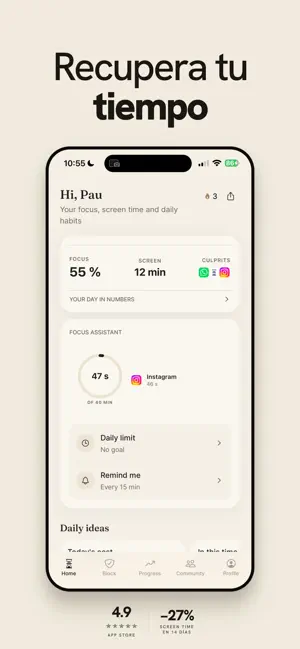
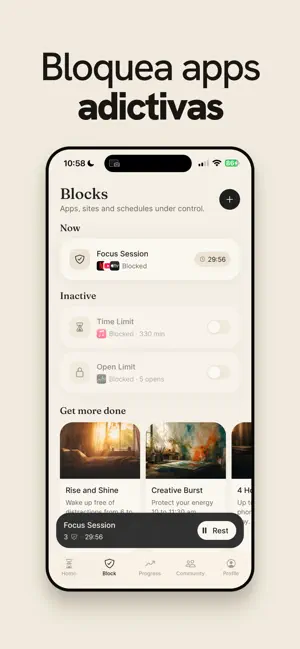
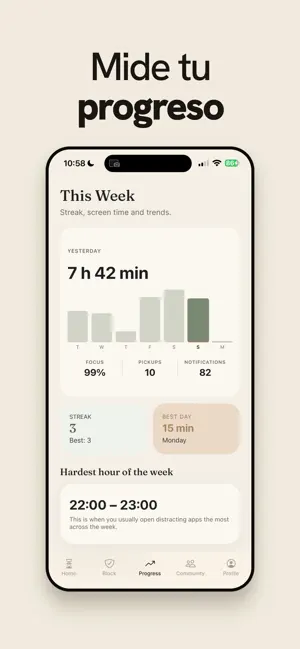
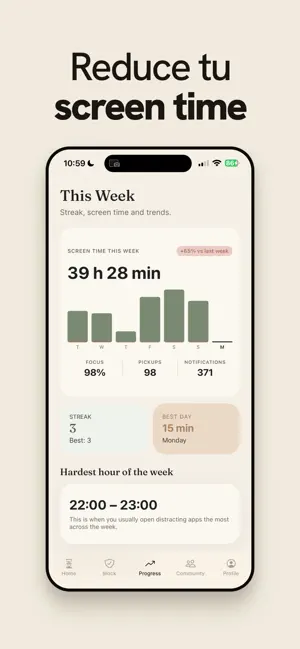
Reclaim your attention. Breathly turns the impulsive moment of opening Instagram, TikTok, or any distracting app into a chance to pause, breathe, and decide. The problem isn't your phone. It's the apps designed to hijack your attention. Breathly puts a friction layer between you and the apps you want to use less — without locking you out. — HOW IT WORKS — 1. Pick the apps that distract you. 2. When you try to open them, Breathly shows up first. 3. Take a guided breath, wait a few seconds, or answer a quick question. 4. Then choose: open the app, or move on with your day. — FEATURES — • Screen Time blocks powered by Apple Family Controls — private, on-device, secure. • Breathing sessions: 5, 10, 20, or 30 seconds — your choice. • Focus sessions: block apps for a set duration (Pomodoro-style). • Scheduled blocks: silence distractions during work hours, sleep, or family time. • Daily limits: cap how many times or how many minutes per day. • Smart interventions: a breath, a wait, a question, an alternative, or a delay. • Streaks and stats: see exactly how much time you reclaim. • Built for iOS — beautifully simple, warmly designed. — PRIVACY FIRST — Breathly uses Apple's Family Controls to manage app access on your device. We never see which apps you block. Your data lives on your device or in your private account — never sold, never shared. — BREATHLY PRO — Unlock the full experience with Breathly Pro: • Unlimited app blocks • Strict mode (locked sessions you can't bypass) • Advanced interventions (alternatives, delayed open, smart questions) • Detailed weekly reports • Community challenges and shared streaks Subscription options: • Yearly — best value • Monthly • Weekly Payment will be charged to your Apple ID account at confirmation of purchase. Subscriptions automatically renew unless cancelled at least 24 hours before the end of the current period. You can manage and cancel your subscriptions in your Apple ID account settings. — SUPPORT — Questions, feedback, ideas? We read every email: [email protected] Privacy Policy: https://breathly.me/privacy Terms of Service: https://breathly.me/terms Use your phone with intention. Not by accident.
App privacy
The developer, PAU BERENGUER LABELLA, reported these privacy practices to Apple.
Data Linked to You
The following data, which may be collected and linked to your identity, may be used for the following purposes:
- Usage Data: Product Interaction
- Purchases: Purchase History
- Contact Info: Email Address, Name
- User Content: Other User Content
- Identifiers: User ID
Used for: Analytics, App Functionality
Alternatives to Breathly - Screen Time Control
Looking for apps like Breathly - Screen Time Control? Here are 6 similar apps on the App Store.
-
 Noiseless - Focus Timer
-
 Cala: App Blocker, Screen Time
-
 AllTime - Focus Tracker
-
 Announcement Useful Timer PRO
-
 Owloop - Focus Timer
-
 NoMo: App Blocker, Focus Timer
| App | Rating | Price | Last updated | Compare |
|---|---|---|---|---|
| Breathly - Screen Time Control | – | Free | May 21, 2026 | |
| Noiseless - Focus Timer | – | Free | Aug 13, 2026 | Compare |
| Cala: App Blocker, Screen Time | – | Free | Sep 17, 2026 | Compare |
| AllTime - Focus Tracker | – | Free | Oct 30, 2025 | Compare |
| Announcement Useful Timer PRO | – | 5.99 USD | Sep 27, 2026 | Compare |
| Owloop - Focus Timer | – | Free | Feb 11, 2026 | Compare |
| NoMo: App Blocker, Focus Timer | – | Free | Sep 25, 2026 | Compare |