

Kidsit AI - Parent Coach
Gal Etrog Education iPhoneiPadiPod touch
Kidsit AI - Parent Coach is a free Education app for iPhone and iPad by Gal Etrog. Rated 5.0/5 from 1 ratings. Requires iOS 15.0. Updated November 14, 2026.
- Rating
- 5.0
- 1 ratings
- Price
- Free
- on the App Store
- Size
- 13 MB
- Age 12+
- Updated
- Nov 14
- 2026 · v1.0.14
Screenshots
Save to Pinterest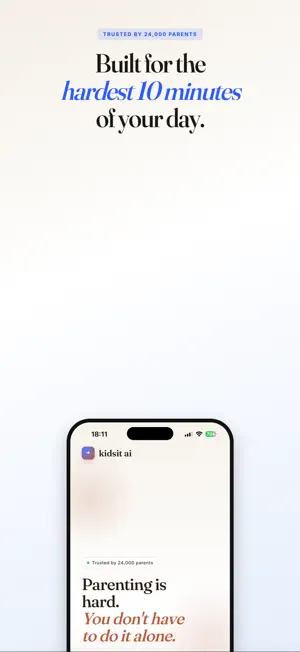


About Kidsit AI - Parent Coach
Kidsit AI is the parenting companion you reach for at 6 PM when your toddler is on the floor and you've run out of ideas. WHAT IT DOES Press and hold the mic. Tell Kidsit AI what just happened in plain language — no journaling, no forms. In about ten seconds you'll get back four things you can actually use: • WHAT HAPPENED — a clear, judgment-free recap in your own register • WHY IT HAPPENED — the developmental and emotional read, with a kinder second interpretation • WHAT TO TRY NEXT TIME — three specific actions, including a literal sentence you can say out loud • TONIGHT, BEFORE BED — one warm thing to say at bedtime to reconnect Grounded in the Adlerian, Haim Ginott, and Faber–Mazlish parenting tradition. The tone is a calm friend with a developmental-psych background — not a clinical report, not a moralizing lecture. PER-CHILD MEMORY Each child gets their own profile. Kidsit AI remembers past moments for that specific kid and feeds them back into the next answer so the guidance gets smarter over time. When you mark something as "didn't help," the next answer won't repeat it — it tries a different angle instead. PRIVATE BY DESIGN Your moments and child profiles are stored on your device. The story you send is used to write the answer. We don't sell data, we don't run ads, and we don't train models on what you write. FEATURES • Press-and-hold voice or type — your choice • One profile per child, with past moments informing the next answer • "How did it go?" feedback after each response so the coach learns • Beautifully readable history of every moment you logged • Two flow styles: guided (one question at a time) or dense (all on one page) • Three themes: warm cream, clinical blue, dusk navy START FREE — YOUR FIRST 3 ANSWERS Your first 3 guidance answers are free, with one child and no account. After that, new guidance needs Premium, which also adds unlimited children. Premium starts with a 7-day free trial for new subscribers. SUBSCRIPTION • Kidsit AI Premium Yearly — $59.99/year (7-day free trial for new subscribers) • Kidsit AI Premium Monthly — $9.99/month Subscriptions auto-renew unless cancelled at least 24 hours before the end of the current period. Payment is charged to your Apple ID. Manage or cancel anytime in Settings → Apple ID → Subscriptions. IMPORTANT Kidsit AI is not a medical or psychological service. It is a reflective parenting companion. It does not diagnose, treat, or replace care from a qualified professional. If you're worried about your child's safety, development, or mental health — or your own — please speak with a pediatrician, therapist, or licensed clinician. Built by a parent, for parents. Privacy: https://kidsit.ai/privacy Terms: https://kidsit.ai/terms
What’s new
Version 1.0.14 · Updated November 14, 2026
Your first 3 answers are free. Open the app, tell Kidsit what happened, and get guidance before you see any subscription screen. The subscription screen now appears once, after your first answer, and you can close it and keep going. The home screen shows how many free answers you have left. When they run out, the subscription screen opens instead of an error. Premium starts with a 7-day free trial for new subscribers. Guidance and voice transcription now run on newer OpenAI models. The app now sends anonymous usage counts, such as how many people finish setup or see the subscription screen. They carry no name, no story, and no account or device id. After the first moment you mark as helpful, the app may ask you for a rating.
App privacy
The developer, Gal Etrog, reported these privacy practices to Apple.
Data Linked to You
The following data, which may be collected and linked to your identity, may be used for the following purposes:
- Purchases: Purchase History
- User Content: Audio Data, Other User Content
Used for: App Functionality
Alternatives to Kidsit AI - Parent Coach
Looking for apps like Kidsit AI - Parent Coach? Here are 6 similar apps on the App Store. The highest rated is Kindred: Parent Support (5.0/5), and all 6 are free to download.
-
 Power Parent
-
 AmyNest AI:Smart Parenting
-
 Parenta AI
-
 AIPrentice
-
 Kindred: Parent Support
5.0
-
 Kidooo AI
4.9
| App | Rating | Price | Last updated | Compare |
|---|---|---|---|---|
| Kidsit AI - Parent Coach | 5.0 / 5 (1 rating) | Free | November 14, 2026 | |
| Power Parent | – | Free | Oct 31, 2026 | Compare |
| AmyNest AI:Smart Parenting | – | Free | Aug 20, 2026 | Compare |
| Parenta AI | – | Free | Jun 9, 2026 | Compare |
| AIPrentice | – | Free | Oct 24, 2026 | Compare |
| Kindred: Parent Support | 5.0 / 5 (3) | Free | Jun 7, 2026 | Compare |
| Kidooo AI | 4.9 / 5 (11) | Free | Jul 25, 2026 | Compare |