

Retro Pal - DS, GBA Emulator
Antoine Ghiassi Entertainment iPhoneiPadiPod touch
Retro Pal - DS, GBA Emulator is a free Entertainment app for iPhone and iPad by Antoine Ghiassi. Rated 4.9/5 from 15 ratings. Requires iOS 16.0.
- Rating
- 4.9
- 15 ratings
- Price
- Free
- on the App Store
- Size
- 34 MB
- Age 4+
- Updated
- Oct 5
- 2026 · v1.3.3
Screenshots
About Retro Pal - DS, GBA Emulator
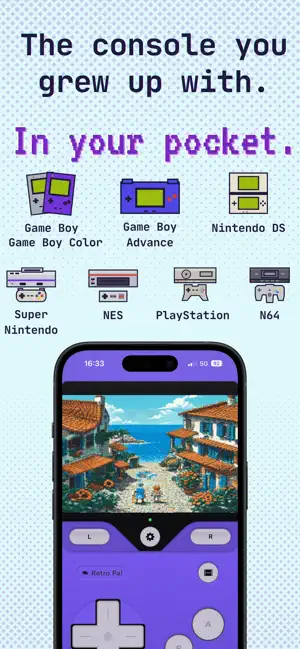
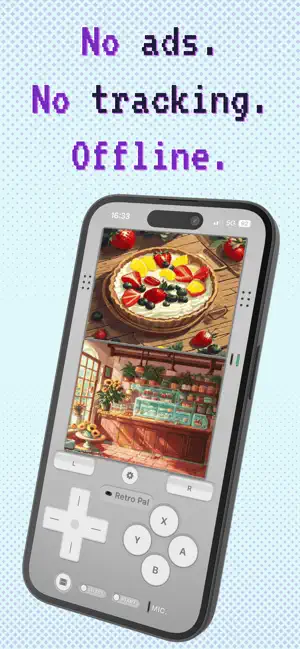
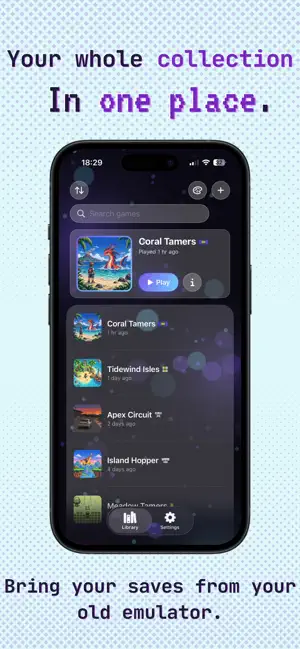
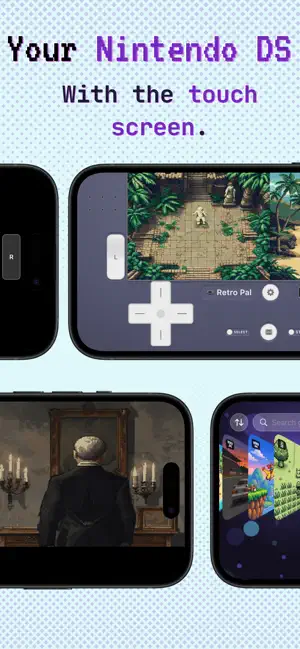
The console of your childhood, now in your pocket. Retro Pal plays your Game Boy, Game Boy Color, Game Boy Advance, Nintendo DS, Super Nintendo, NES, PlayStation and Nintendo 64 ROMs on your iPhone and iPad. Your old games, on the screen you always have with you. No ads. Free to use. Pro is optional: pay once for life, or month by month if you prefer. WHAT'S INCLUDED (FOR FREE) • Native emulation via mGBA, melonDS, MesenCE, PCSX-ReARMed and Mupen64Plus-Next • Eight consoles: Game Boy, Game Boy Color, Game Boy Advance, Nintendo DS, Super Nintendo, NES, PlayStation, Nintendo 64 • 60fps Metal rendering • Bluetooth and USB-C controllers (Xbox, PlayStation, MFi): up to four players, and the app's menus work with one too • Local-first iCloud save sync across your devices • Save import from other emulator apps • PlayStation discs as .chd, as a .cue with its .bin, or as a zip, with the discs of one game grouped into a single entry • PlayStation memory cards, kept in sync like every other save • Stereo sound, mixable with background music (Spotify, Apple Music, podcasts) • Touch controls: D-pad and action buttons • Console skins: pick a built-in look, or import and share custom ones • Portrait and landscape modes • Two save slots + auto-save with image preview • Rewind up to 5 seconds, on all eight consoles • Capture and share gameplay clips as a video card • Screenshot sharing with a styled card • Your Retro Story: a shareable recap of your play stats LOCALIZED, NOT TRANSLATED Retro Pal is available in fifteen languages, from French and German through to Japanese, Korean and Traditional Chinese. Each is written, not run through a translator at the last minute. RETRO PAL PRO (OPTIONAL) One-time purchase, yours forever. Or a yearly or monthly subscription if you prefer to spread the cost. You will see the price on the app's page. • All speeds (0.25× to 4×) • Five save slots • 30-second rewind • Cheat codes (GameShark, CodeBreaker, Action Replay, Action Replay DS) • Full controls editor: move, resize, fade or hide every button and the screens, with unlimited presets per console • Create and edit your own custom console skins A subscription can be cancelled at any time from the App Store. You can switch from a subscription to the lifetime purchase whenever you want. Terms of Use: https://retropal.fr/en/terms Privacy Policy: https://retropal.fr/en/privacy MADE IN EUROPE. No ads, no ad profiling. To improve the app, Retro Pal sends only anonymous usage statistics, no personal data, no advertising IDs. Your ROMs, your saves and your progress stay on your device. The app contains no games. You must provide your own ROM files, which you certify you legally own. Need to reach us? We reply within a day: [email protected] Website: retropal.fr Retro Pal integrates the open-source emulator cores mGBA (MPL-2.0 license), melonDS (GPL-3.0), MesenCE (GPL-3.0), PCSX-ReARMed (GPL-2.0 or later) and Mupen64Plus-Next (GPL-2.0 or later). melonDS, MesenCE and Mupen64Plus-Next are used with changes of ours, each published as a patch file alongside the source. The app's complete source code is published under GPL-3.0: github.com/Larvouu/RetroPal. Game Boy, Game Boy Color, Game Boy Advance, Nintendo DS, Super Nintendo Entertainment System, Nintendo Entertainment System and Nintendo 64 are trademarks of Nintendo Co., Ltd. This application is not affiliated with, sponsored by, or endorsed by Nintendo. PlayStation is a trademark of Sony Interactive Entertainment Inc. This application is not affiliated with, sponsored by, or endorsed by Sony Interactive Entertainment.
Ratings & reviews
4.9
15 ratings
What’s new
Version 1.3.3 · Updated October 5, 2026
The Nintendo 64 • Nintendo 64 games play in Retro Pal now, and the console is free for everyone. • Saves, save states, cheat codes, achievements and official box art all work from the first day. • On screen, the stick, A, B, Z and the four C buttons sit under your thumbs. With a controller, the right stick plays the C buttons. • It wears its own shell around the game, in portrait and in landscape. Pro repaints it in your own colours. Up to four controllers • Connect up to four controllers and play together: two players on the NES, the Super Nintendo and the PlayStation, four on the Nintendo 64. Free. • In Settings, the Players section sets their order. Player 1 plays the one-player consoles and controls the menus; press a button on a controller to light up its row. • The library bar shows each controller's battery. The whole app with a controller • Move through the library, a game's page, RetroAchievements and Settings with the D-pad: A opens, B goes back, L and R switch between Library and Settings, and a frame shows where you are. • In a game, the controller's Home button, or Start and Select held for a second, opens the pause menu, where you can save, load and quit without touching the screen. Covers • Choose the cover of every game at once with the palette button, under Covers: official box art, RetroAchievements image or screenshot. A cover you picked for one game stays as it is. • A game whose cover had become its RetroAchievements image can go back to its official box art, and the RetroAchievements image is offered before you even open a game. Also • On the DS, the pause menu can close the console for the rare puzzle that asks you to. It stays closed until you press any button. • DS games run more smoothly, above all in Low Power Mode, and their sound no longer breaks up during play. • DS save states take about a third of the space. The ones you already have still load; a new one opens on your other devices once they have this update too.
App privacy
The developer, Antoine Ghiassi, reported these privacy practices to Apple.
Data Not Linked to You
The following data, which may be collected but is not linked to your identity, may be used for the following purposes:
- Usage Data: Product Interaction
- Diagnostics: Other Diagnostic Data
Used for: Analytics
Alternatives to Retro Pal - DS, GBA Emulator
Looking for apps like Retro Pal - DS, GBA Emulator? Here are 6 similar apps on the App Store. The highest rated is MyGBA-Retro Game Emulator (5.0/5), and all 6 are free to download.
-
 MyGBA-Retro Game Emulator
5.0
MyGBA-Retro Game Emulator
5.0
-
 GBAEmu: Retro Games Emulator
5.0
GBAEmu: Retro Games Emulator
5.0
-
 Let's NES
5.0
Let's NES
5.0
-
 Nova Emulator
3.0
Nova Emulator
3.0
-
 EmuCool - Retro Game Emulator
4.0
EmuCool - Retro Game Emulator
4.0
-
 Bear Emu
3.5
Bear Emu
3.5
| App | Rating | Price | Last updated | Compare |
|---|---|---|---|---|
| Retro Pal - DS, GBA Emulator | 4.9 / 5 (15 ratings) | Free | October 5, 2026 | |
| MyGBA-Retro Game Emulator | 5.0 / 5 (2) | Free | Sep 9, 2026 | Compare |
| GBAEmu: Retro Games Emulator | 5.0 / 5 (2) | Free | Aug 27, 2026 | Compare |
| Let's NES | 5.0 / 5 (2) | Free | Sep 21, 2026 | Compare |
| Nova Emulator | 3.0 / 5 (2) | Free | May 21, 2026 | Compare |
| EmuCool - Retro Game Emulator | 4.0 / 5 (4) | Free | Jun 3, 2026 | Compare |
| Bear Emu | 3.5 / 5 (2) | Free | Feb 14, 2026 | Compare |