

SonicVibe Music Player
JOSEPH JAMES L BARON Entertainment iPhoneiPadiPod touch
SonicVibe Music Player is a free Entertainment app for iPhone and iPad by JOSEPH JAMES L BARON. Requires iOS 17.0. Updated July 3, 2026.
- Price
- Free
- on the App Store
- Size
- 5 MB
- Age 4+
- Updated
- Jul 3
- 2026 · v1.3.0
Screenshots
About SonicVibe Music Player
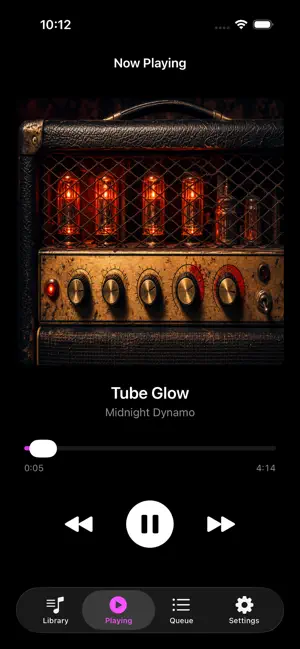
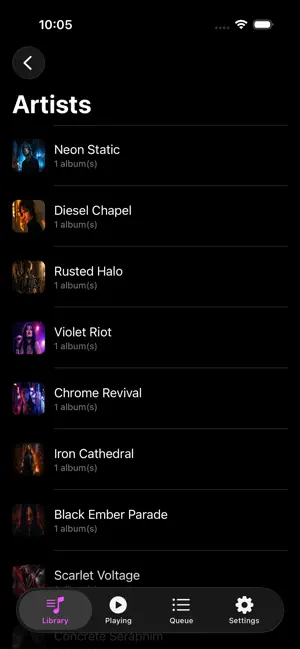
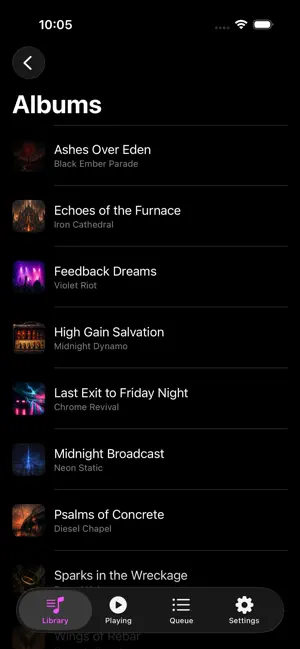
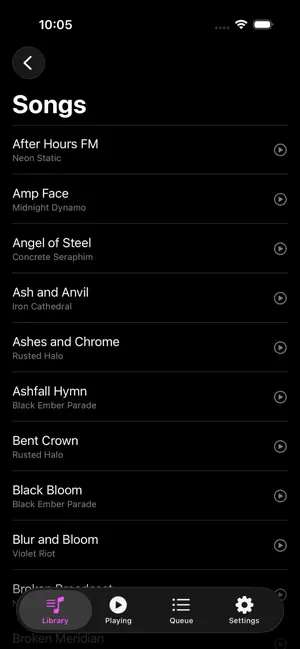
SonicVibe brings your real music collection to iPhone. Browse and play tracks from your local library or Subsonic servers with a fast, touch friendly interface, automatic artwork, and a persistent mini player that stays with you across the app. Your music, your way • Connect to your Subsonic server and stream your existing library anywhere. • Browse and play local content on device (where supported by your setup). • Built to handle large libraries, so serious collections don’t feel cramped on a phone. Automatic artwork for a better library • Automatically download missing album and artist artwork for a richer browsing experience. • Clean up bare or generic covers in older libraries—no manual tagging required. • Artwork is cached so covers stay visible even when you’re offline. Mini player that follows you • A compact mini player stays pinned at the bottom of the screen while you browse Home, Library, and Search. • See the current track, artist, and cover art at a glance. • Control playback with play/pause and next track buttons without leaving what you’re doing. • Tap the mini player to jump into the full Now Playing view for more detailed control. Favorites and focused listening • Mark favorite tracks from the Now Playing screen or the Songs view with a simple heart tap. • Return to your “Favorite Songs” module to play your personal best of list in seconds. • Favorites stay in sync with the SonicVibe library model, so they’re easy to manage across views. Navigation built for one hand use • Bottom navigation for Home, Library, and Search keeps core sections one tap away. • Search quickly across large libraries so you can find the song you’re thinking of, not just what a service wants to promote. • A clean, modern layout that feels native to iOS and stays out of your way. Why SonicVibe instead of another music app? • Works with your local music and your Subsonic servers—no re buying or re uploading required. • Automatically fills in missing artist and album artwork so big collections look as good as they sound. • Consistent design and playback behavior across macOS and iOS, so your experience feels unified at your desk and on the go.
What’s new
Version 1.3.0 · Updated July 3, 2026
Added support for Siri and Apple CarPlay.
App privacy
The developer, JOSEPH JAMES L BARON, reported these privacy practices to Apple.
Data Not Collected
The developer does not collect any data from this app.
Alternatives to SonicVibe Music Player
Looking for apps like SonicVibe Music Player? Here are 6 similar apps on the App Store. The highest rated is Zen Lines (5.0/5), and 5 of the 6 are free to download.
-
 Player Solo
-
 Zen Lines
5.0
Zen Lines
5.0
-
 TeeVee - TVHeadend Client
-
 Sober MP3 Player
5.0
Sober MP3 Player
5.0
-
 FlickLists
5.0
FlickLists
5.0
-
 Ultimate Media Player
| App | Rating | Price | Last updated | Compare |
|---|---|---|---|---|
| SonicVibe Music Player | – | Free | July 3, 2026 | |
| Player Solo | – | Free | May 21, 2026 | Compare |
| Zen Lines | 5.0 / 5 (2) | Free | Aug 13, 2026 | Compare |
| TeeVee - TVHeadend Client | – | 2.99 USD | Sep 12, 2026 | Compare |
| Sober MP3 Player | 5.0 / 5 (1) | Free | Aug 17, 2026 | Compare |
| FlickLists | 5.0 / 5 (1) | Free | Sep 30, 2026 | Compare |
| Ultimate Media Player | – | Free | Sep 9, 2026 | Compare |