

Captivox
Novantic AI Entertainment iPhoneiPadiPod touch
Captivox is a free Entertainment app for iPhone and iPad by Novantic AI. Requires iOS 15.1. Updated August 29, 2026.
- Price
- Free
- on the App Store
- Size
- 59 MB
- Age 4+
- Updated
- Aug 29
- 2026 · v1.2.0
Screenshots


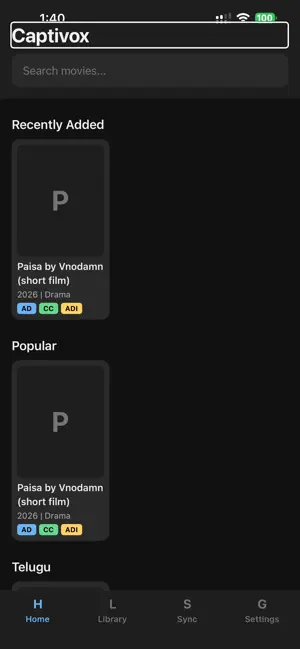
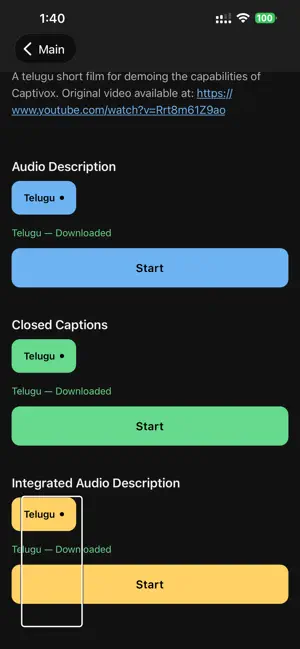
About Captivox
Captivox brings audio descriptions (AD) and closed captions (CC) to any screen — your TV, cinema, or a friend's device. Before your viewing session, download the AD or CC track for the content you want to watch. Then open the app, press Start Listening, and Captivox will sync your downloaded track to what's playing using acoustic fingerprinting — no Bluetooth, no HDMI, no special hardware needed. Features: • Automatic sync in under 2 seconds • Audio descriptions for blind and low-vision users • Closed captions for deaf and hard-of-hearing users • Works offline after content is downloaded • Full VoiceOver and TalkBack accessibility support • Haptic feedback throughout the interface Captivox works with content from participating providers. Download the track in advance and enjoy fully accessible viewing anywhere.
What’s new
Version 1.2.0 · Updated August 29, 2026
• Screen no longer locks during AD/CC playback • New home tabs: Movies, Series, Trailers, Ads • Browse titles by genre • Sign in for early access to prerelease titles • Delete paired AD+caption downloads together • Improved caption defaults & playback reliability
App privacy
The developer, Novantic AI, reported these privacy practices to Apple.
Data Not Collected
The developer does not collect any data from this app.
Alternatives to Captivox
Looking for apps like Captivox? Here are 6 similar apps on the App Store. The highest rated is LogicTV (5.0/5), and all 6 are free to download.


| App | Rating | Price | Last updated | Compare |
|---|---|---|---|---|
| Captivox | – | Free | August 29, 2026 | |
| ADX by PostX | – | Free | Jul 15, 2026 | Compare |
| Stream MSC | – | Free | Jun 15, 2026 | Compare |
| Kinosync | – | Free | May 22, 2026 | Compare |
| Reeloid | – | Free | Oct 3, 2026 | Compare |
| INPLAY | 3.0 / 5 (2) | Free | Jan 21, 2026 | Compare |
| LogicTV | 5.0 / 5 (2) | Free | May 21, 2024 | Compare |
Compare Captivox with the top alternatives: ratings, updates, ASO score and keyword gaps →