

Mirror App: Screen Mirroring
MARKCON MANAGEMENT CONSULTANCY W.L.L Utilities iPhoneiPadiPod touch
Mirror App: Screen Mirroring is a free Utilities app for iPhone and iPad by MARKCON MANAGEMENT CONSULTANCY W.L.L. Rated 4.3/5 from 28 ratings.
- Rating
- 4.3
- 28 ratings
- Price
- Free
- on the App Store
- Size
- 116 MB
- Age 4+
- Updated
- Oct 18
- 2026 · v1.0.6
Screenshots

About Mirror App: Screen Mirroring
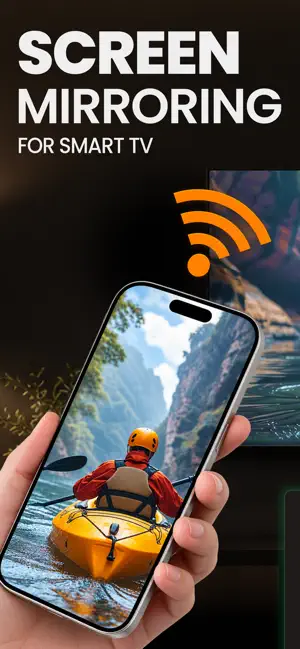
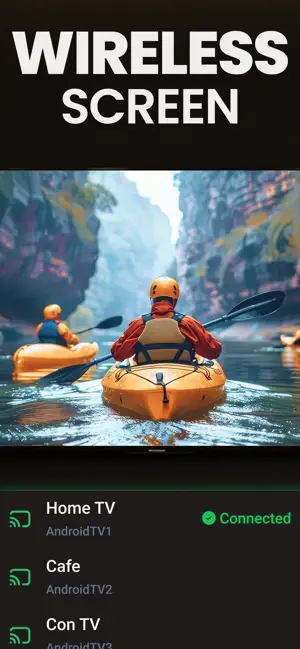
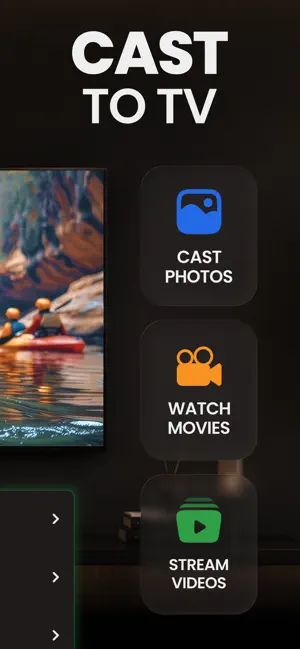
Mirror App lets you share supported content from your iPhone or iPad with compatible Smart TVs and streaming devices connected to the same Wi-Fi network. Use the app to mirror your screen, cast your own photos and videos, display slides and documents, browse supported web content, and control supported TVs. HOW IT WORKS Connect your iPhone or iPad and your TV or streaming device to the same Wi-Fi network. Open the app, allow Local Network access when requested, and select a compatible device from the detected list. FEATURES SCREEN MIRRORING Share your device screen with a compatible TV or streaming device. Screen mirroring is available with Premium. Availability and performance depend on the receiving device, network, and supported connection method. VIDEO AND PHOTO CASTING Select photos and videos from your own library and cast supported media to a compatible device. PHOTO SLIDESHOW Display selected photos from your library on a larger screen. PHONE AS REMOTE Use your iPhone or iPad as a remote for supported TVs. Available controls may include playback, volume, and navigation depending on the TV model and supported connection method. WEB CASTING Open web pages inside the app and cast supported web content to a compatible device. The app does not download protected media or bypass DRM or other content-protection systems. COMPATIBILITY A compatible Smart TV, display, or streaming device is required. Both devices must be connected to the same Wi-Fi network. Feature availability varies by device model, network conditions, content type, and supported connection method. FREE & PREMIUM Free features include photo, video, music, and web casting. Premium unlocks Screen Mirroring and Remote Control. SUBSCRIPTION Premium is available through auto-renewing weekly, monthly, or annual subscriptions. Payment is charged to your Apple Account at confirmation of purchase. Subscriptions renew automatically unless cancelled at least 24 hours before the end of the current period. You can manage or cancel your subscription in your Apple Account settings. IMPORTANT INFORMATION Protected or DRM-restricted content may not be available for screen mirroring or casting. Mirror App does not bypass content-protection systems. PERMISSIONS Local Network access is used to discover and connect to compatible devices on your Wi-Fi network. Photos and Files access is used when you choose media or files to cast. Microphone access may be used to include microphone audio during a supported screen broadcast. You can decline microphone access and continue using other supported casting features. Privacy Policy: https://www.markconapps.com/privacy-policy.php Terms of Use: https://www.markconapps.com/terms-conditions.php
Ratings & reviews
4.3
28 ratings
What’s new
Version 1.0.6 · Updated October 18, 2026
Bug Fixes and App flow improved
App privacy
The developer, MARKCON MANAGEMENT CONSULTANCY W.L.L, reported these privacy practices to Apple.
Data Used to Track You
The following data may be used to track you across apps and websites owned by other companies:
- Purchases: Purchase History
- Location: Precise Location, Coarse Location
- Identifiers: User ID, Device ID
- Usage Data: Product Interaction, Advertising Data, Other Usage Data
- Diagnostics: Crash Data, Performance Data, Other Diagnostic Data
Data Linked to You
The following data, which may be collected and linked to your identity, may be used for the following purposes:
- Purchases: Purchase History
- Identifiers: Device ID
Used for: Third-Party Advertising, Analytics
Data Not Linked to You
The following data, which may be collected but is not linked to your identity, may be used for the following purposes:
- Location: Precise Location, Coarse Location
- Identifiers: User ID
- Usage Data: Advertising Data, Product Interaction, Other Usage Data
- Diagnostics: Crash Data, Performance Data, Other Diagnostic Data
Used for: Third-Party Advertising, Analytics, App Functionality
Alternatives to Mirror App: Screen Mirroring
Looking for apps like Mirror App: Screen Mirroring? Here are 6 similar apps on the App Store. The highest rated is Screen Mirroring & CastConnect (4.7/5), and all 6 are free to download.
-
 Smart Connect Stream Instantly
4.2
Smart Connect Stream Instantly
4.2
-
 VidBrowse - All Video Player
3.3
VidBrowse - All Video Player
3.3
-
 Cast To TV Screen Mirror
2.0
Cast To TV Screen Mirror
2.0
-
 Screen Mirroring & CastConnect
4.7
Screen Mirroring & CastConnect
4.7
-
 Camera Detector: Device Finder
4.3
Camera Detector: Device Finder
4.3
-
 Carsole Car Widget
3.4
Carsole Car Widget
3.4
| App | Rating | Price | Last updated | Compare |
|---|---|---|---|---|
| Mirror App: Screen Mirroring | 4.3 / 5 (28 ratings) | Free | October 18, 2026 | |
| Smart Connect Stream Instantly | 4.2 / 5 (316) | Free | Aug 29, 2026 | Compare |
| VidBrowse - All Video Player | 3.3 / 5 (19) | Free | Aug 17, 2026 | Compare |
| Cast To TV Screen Mirror | 2.0 / 5 (43) | Free | Oct 24, 2026 | Compare |
| Screen Mirroring & CastConnect | 4.7 / 5 (255) | Free | Jul 25, 2026 | Compare |
| Camera Detector: Device Finder | 4.3 / 5 (144) | Free | Oct 2, 2026 | Compare |
| Carsole Car Widget | 3.4 / 5 (55) | Free | Sep 24, 2026 | Compare |