

eSign PDF: Sign Documents
Jyoti Vaidya Productivity iPhoneiPadiPod touch
eSign PDF: Sign Documents is a free Productivity app for iPhone and iPad by Jyoti Vaidya. Requires iOS 17.0. Updated July 6, 2026.
- Price
- Free
- on the App Store
- Size
- 19 MB
- Age 4+
- Updated
- Jul 6
- 2026 · v1.2
Screenshots


About eSign PDF: Sign Documents
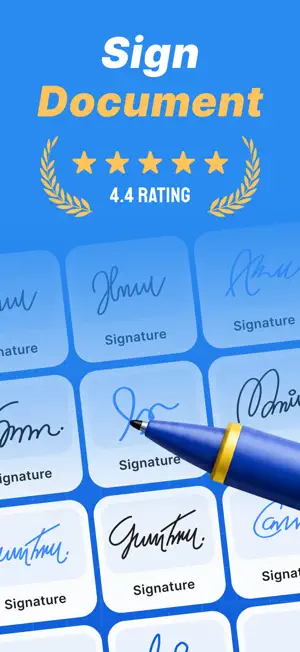
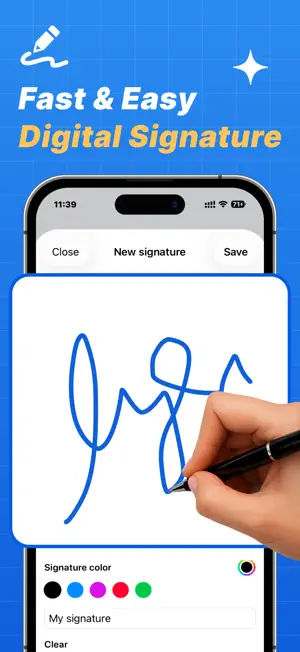
eSign PDF makes signing documents fast, secure, and effortless. Import PDF files, create electronic signatures, place signatures anywhere on documents, and export signed PDFs in seconds. Designed with a modern and premium experience, eSign PDF helps you manage contracts, agreements, forms, and important documents directly from your iPhone. KEY FEATURES • Import PDF documents from Files app • Draw electronic signatures with smooth gesture support • Save and reuse unlimited signatures • Add signatures anywhere on PDF pages • Resize and move signatures easily • Real-time PDF preview • Export signed PDFs instantly • Share signed documents securely • Save signed files locally • Manage signed document history • Dark Mode support • Fast and smooth PDF rendering • Premium modern UI experience PREMIUM FEATURES • Unlimited PDF signing • Unlimited saved signatures • Faster exports • Ad-free experience • Premium features and future updates WHY CHOOSE eSign PDF? • Simple and easy to use • Clean productivity-focused design • Secure local storage • Perfect for business, office, and personal use • Works seamlessly on iPhone Subscription Information Payment will be charged to your Apple ID account at confirmation of purchase. Subscriptions automatically renew unless auto-renew is turned off at least 24 hours before the end of the current period. You can manage or cancel subscriptions anytime in your App Store account settings. • Terms of Use: https://sites.google.com/view/jyotivaidya/terms-conditions • Privacy Policy: https://sites.google.com/view/jyotivaidya/privacy-policy Whether you need to sign contracts, forms, agreements, or official documents, eSign PDF provides everything you need in one powerful app.
What’s new
Version 1.2 · Updated July 6, 2026
* Improved PDF signing with smoother signature placement and resizing. * Enhanced PDF preview for a faster and more reliable experience. * Better document management with improved Recent Documents and History. * Performance improvements for faster PDF import and export. * Fixed minor bugs and enhanced overall app stability. This version focuses on making PDF signing faster, smoother, and more reliable.
App privacy
The developer, Jyoti Vaidya, reported these privacy practices to Apple.
Data Used to Track You
The following data may be used to track you across apps and websites owned by other companies:
- Location: Precise Location
Data Not Linked to You
The following data, which may be collected but is not linked to your identity, may be used for the following purposes:
- Location: Precise Location
Used for: Third-Party Advertising
Alternatives to eSign PDF: Sign Documents
Looking for apps like eSign PDF: Sign Documents? Here are 6 similar apps on the App Store. The highest rated is Signature Scanner - SignaScan (5.0/5), and all 6 are free to download.
-
 PDF & OCR Scanner: eSign PDF
-
 Signature Scanner - SignaScan
5.0
Signature Scanner - SignaScan
5.0
-
 e Signature Scanner & Creator
-
 All Email : Ai Mail
4.0
All Email : Ai Mail
4.0
-
 All Email Connect & Ai Email
-
 PDF Converter - PDF to Word •
1.0
PDF Converter - PDF to Word •
1.0
| App | Rating | Price | Last updated | Compare |
|---|---|---|---|---|
| eSign PDF: Sign Documents | – | Free | July 6, 2026 | |
| PDF & OCR Scanner: eSign PDF | – | Free | Sep 8, 2025 | Compare |
| Signature Scanner - SignaScan | 5.0 / 5 (1) | Free | May 19, 2026 | Compare |
| e Signature Scanner & Creator | – | Free | Oct 12, 2026 | Compare |
| All Email : Ai Mail | 4.0 / 5 (4) | Free | Dec 13, 2024 | Compare |
| All Email Connect & Ai Email | – | Free | Jun 4, 2024 | Compare |
| PDF Converter - PDF to Word • | 1.0 / 5 (1) | Free | Jul 20, 2026 | Compare |