

Remoto - Universal TV Control
YVN Labs Utilities iPhoneiPadiPod touchApple Watch
Remoto - Universal TV Control is a free Utilities app for iPhone and iPad by YVN Labs. Rated 5.0/5 from 5 ratings. Requires iOS 16.4.
- Rating
- 5.0
- 5 ratings
- Price
- Free
- on the App Store
- Size
- 23 MB
- Age 4+
- Updated
- Oct 10
- 2026 · v1.5
Screenshots


About Remoto - Universal TV Control
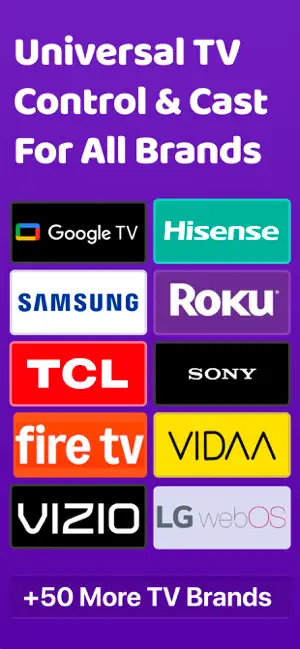
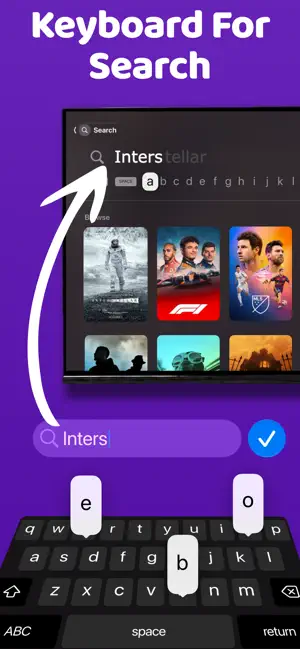
Remoto turns your iPhone into a remote for the TV you already own — no extra hardware, no infrared, nothing to pair with a cable. Your phone and your TV just need to be on the same Wi-Fi. WORKS WITH • Samsung smart TVs • LG smart TVs • Hisense and VIDAA TVs • Google TV devices Remoto is an independent app. It is not affiliated with, endorsed by, or sponsored by any television manufacturer. Brand names appear above only to say which sets the app can connect to, and all trademarks belong to their owners. WITHOUT OPENING THE APP A remote on your Apple Watch: the D-pad with a joystick, a touchpad, number keys, and the list of apps installed on your TV. Widgets on the Home Screen that you fill with the keys you actually use. While a TV is connected, a live card on the Lock Screen — change the volume without unlocking. And a Control Center button that sends whichever key you choose. All of them reach the TV with the app closed. A REMOTE THAT FITS YOUR HAND Swipe on the touchpad to move around, or use the D-pad when you want precision. Volume, channels, playback, home and back are where your thumb expects them. TYPE WITHOUT THE PECKING Search with your phone's keyboard instead of picking letters one at a time with arrow keys. What you type appears on the TV as you go. YOUR APPS, ONE TAP AWAY Open the apps installed on your TV straight from your phone. Remoto reads what is actually on your set where the TV allows it, so the list is yours rather than a guess. SEND PHOTOS AND VIDEO TO THE BIG SCREEN Pick anything from your library and it plays on the TV, straight from your phone. Nothing is uploaded anywhere. MIRROR YOUR SCREEN Show your whole phone on the TV. On sets with AirPlay built in, Remoto points you at the fastest route; on Google TV it streams to the TV itself. BUILT TO BE HONEST Remoto tells you what your TV can and cannot do rather than pretending every set is the same. Where a manufacturer's protocol has a limit, the app says so instead of failing quietly. WHAT YOU SHOULD KNOW • Your iPhone and TV must be on the same Wi-Fi network. • Older TVs without network features cannot be controlled — an iPhone has no infrared blaster, so there is no way for any app to reach them. • The first connection asks for permission on the TV itself, and some models show a code to confirm. • Not every feature exists on every TV. What a set supports depends on its manufacturer, and Remoto shows what yours actually offers. No account. No sign-up. Open it and it finds your TV.
Ratings & reviews
5.0
5 ratings
What’s new
Version 1.5 · Updated October 10, 2026
Roku and Amazon Fire TV are here, and you can now add any TV by its address. - Roku: Remoto finds Roku TVs and players on your Wi-Fi and controls them. - Amazon Fire TV: pair once with the code shown on your TV, and you're set. - Can't find your TV? Type its IP address to connect directly. - The volume buttons on your iPhone now change the TV's volume while Remoto is open. You can turn this off in Settings. - New Compact remote: just the keys you use most, in one small cluster. Choose it in Settings. - LG: your TV's apps now show up in the Apps tab, and you can pair with a PIN when the TV's remote isn't at hand. - Google TV: typing works again, including search in YouTube and Netflix, and app icons no longer go missing. - Samsung TVs now wake up reliably from any iPhone. - A redesigned Live Activity with a round D-pad and a Power button. - Select Input is now a grid that shows which inputs have a signal. - Clear Connection Data in Settings lets you start fresh with every TV. - Samsung and Google TV stay paired. Remoto remembers your TV instead of asking for a code again.
App privacy
The developer, YVN Labs, reported these privacy practices to Apple.
Data Not Collected
The developer does not collect any data from this app.