

AppStack: Pics & Apps
Jean-Marc Lai Utilities iPhoneiPadiPod touch
AppStack: Pics & Apps is a free Utilities app for iPhone and iPad by Jean-Marc Lai. Requires iOS 17.0. Updated August 1, 2026.
- Price
- Free
- on the App Store
- Size
- 14 MB
- Age 4+
- Updated
- Aug 1
- 2026 · v1.6
Screenshots
About AppStack: Pics & Apps
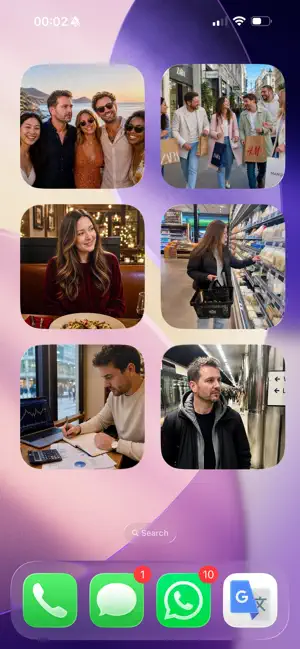
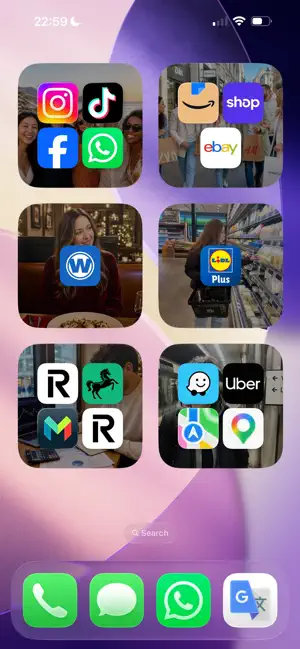
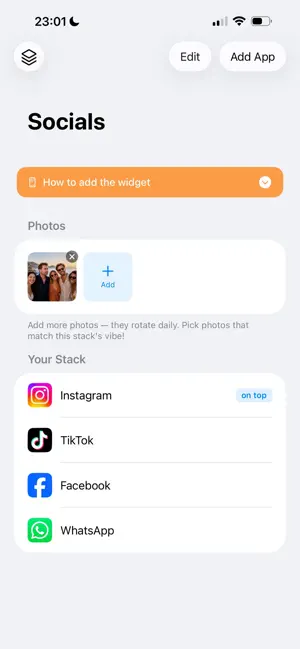
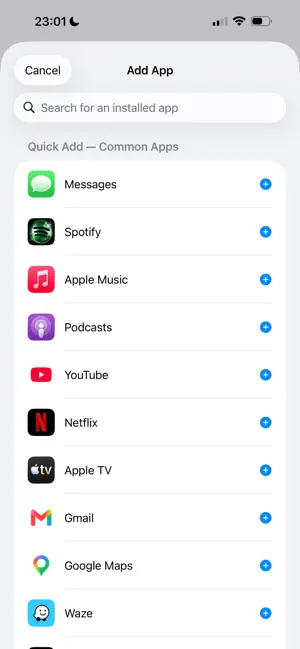
Your home screen should be a gallery, not a grid of distractions. App Stack turns your widgets into photo launchers. Each one displays a picture you have chosen — tap it to reveal the apps underneath and open them instantly. When you are not using them, they stay hidden behind your favourite photos. No more unlocking your phone and getting pulled into apps you did not mean to open. App Stack lets you launch with intention, not impulse. How it works: - Create a stack and give it a name — Social, Work, Shopping, whatever suits you - Add the apps you use together and pick photos that match - Place the widget on your home screen - Your photo rotates daily; tap the widget to reveal your apps and launch them It works with virtually every app on your phone. In the rare case an app needs a little help, App Stack walks you through a quick one-time setup. Why App Stack: - Daily photo rotation keeps your home screen fresh - Multiple stacks for different parts of your life - Clean, lightweight design with no ads or tracking - No account required — all photos stay on your device - Works with virtually any app Free: 2 stacks, 3 photos, 8 apps per stack. Pro: Up to 1,000 stacks, 100 photos, and unlimited apps per stack. Declutter your home screen. Use your phone on your terms. Terms of Use: https://www.apple.com/legal/internet-services/itunes/dev/stdeula/ Privacy Policy: https://appstack-schemes.app-stack.workers.dev/privacy
What’s new
Version 1.6 · Updated August 1, 2026
New: Themes. Pick a curated photo theme and give every stack a whole new look, all at once — with more themes landing over time for Pro. Pro is now more flexible: choose Monthly, Yearly, or a one-time Lifetime purchase — whatever suits you. Already Pro? Nothing changes, you're all set. Your stacks and your own photos now back up automatically to your iCloud, so switching phones or reinstalling the app won't cost you your setup. A "Delete My Backup" option is available if you'd rather manage it yourself. Plus a handful of small safety and polish improvements throughout.
App privacy
The developer, Jean-Marc Lai, reported these privacy practices to Apple.
Data Not Linked to You
The following data, which may be collected but is not linked to your identity, may be used for the following purposes:
- Identifiers: Device ID
Used for: App Functionality
Alternatives to AppStack: Pics & Apps
Looking for apps like AppStack: Pics & Apps? Here are 6 similar apps on the App Store. The highest rated is FoundMe: Lock Screen Recovery (5.0/5), and all 6 are free to download.
-
 FoundMe: Lock Screen Recovery
5.0
FoundMe: Lock Screen Recovery
5.0
-
 TypeGlow
-
 Contact Timeline
-
 Mahallak - Captain
-
 StyleCalendar Widgets
-
 Clasp - Clipboard Manager
| App | Rating | Price | Last updated | Compare |
|---|---|---|---|---|
| AppStack: Pics & Apps | – | Free | August 1, 2026 | |
| FoundMe: Lock Screen Recovery | 5.0 / 5 (1) | Free | Aug 21, 2026 | Compare |
| TypeGlow | – | Free | Aug 31, 2026 | Compare |
| Contact Timeline | – | Free | Jun 18, 2026 | Compare |
| Mahallak - Captain | – | Free | May 18, 2026 | Compare |
| StyleCalendar Widgets | – | Free | Jun 24, 2026 | Compare |
| Clasp - Clipboard Manager | – | Free | Oct 1, 2026 | Compare |