

Slide to Puzzle: Lock & Sort
Dowon Kim Games iPhoneiPadiPod touch
Slide to Puzzle: Lock & Sort is a free Games app for iPhone and iPad by Dowon Kim. Requires iOS 14.0. Updated June 10, 2026.
- Price
- Free
- on the App Store
- Size
- 165 MB
- Age 4+
- Updated
- Jun 10
- 2026 · v2.1.1
Screenshots


About Slide to Puzzle: Lock & Sort
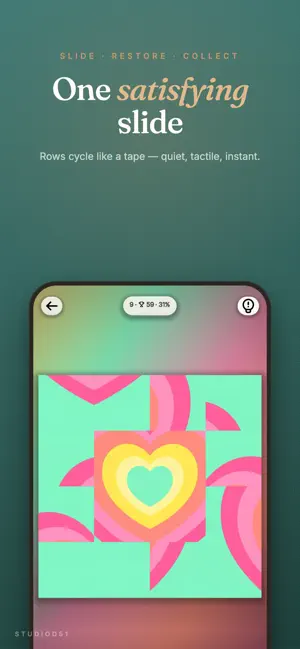
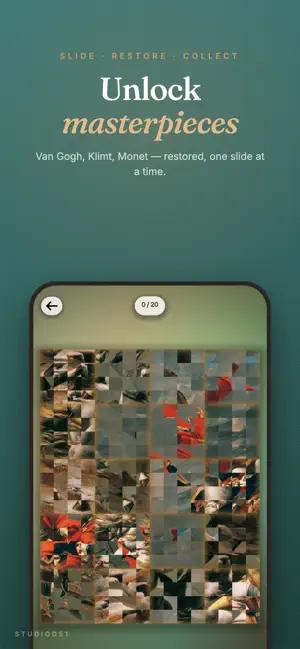
Slide. Snap. Solved! Restore the world's most beloved paintings, one cozy puzzle at a time. Slide to Puzzle is a relaxing sliding image puzzle — no timer, no stars, no pressure. Just push rows and columns until the image clicks back into place. Made for quiet five-minute breaks, slow Sunday mornings, and that fifteenth time you reach for your phone today. [100 HAND-TUNED LEVELS] A gentle difficulty curve that grows with you. Start with simple 3×3 fruits and watercolors, then ease into wider 4×6 landscapes and dense 5×5 patterns. Every level is hand-placed — no procedural filler. [12 MASTERPIECES TO UNLOCK] Restore real paintings as you progress: • The Starry Night — Vincent van Gogh • A Sunday on La Grande Jatte — Georges Seurat • Madame Monet and Her Son — Claude Monet • Mona Lisa — Leonardo da Vinci • Paris Street; Rainy Day — Gustave Caillebotte • The Card Players — Paul Cézanne • The Milkmaid — Johannes Vermeer • The Kiss — Gustav Klimt • Laundry — Édouard Manet • Napoleon — Jacques-Louis David • The Last Judgment — Michelangelo • Yellow-Red-Blue — Wassily Kandinsky Each painting is a small collection — solve every inner puzzle, watch the canvas reveal itself, and read a museum-label moment about the artist and the work. [THREE GENTLE TWISTS] • Mono — pieces start in monochrome and bloom into color as you lock them in • Blur — a few pieces stay frosted until placed, asking your eye to feel the composition first • Rotate — tap to spin selected pieces back to their right angle Twists arrive slowly. Most levels are pure slide. [BUILT FOR CALM] • One-hand portrait play — slide with your thumb on the train • No timer, no stars, no leaderboards — your only measure is your own personal best • "−5 from first" celebrations every time you beat your own record • Continue exactly where you left off, mid-row, mid-canvas • Soft haptics on every cell boundary, like turning a page • Plays offline — anywhere, anytime, no Wi-Fi needed [SOUND & FEEL] Gentle slide whoosh, satisfying click on lock-in, warm tone on completion. Sound and haptics can be toggled separately in Settings. [DESIGNED FOR iPHONE & iPAD] Portrait or landscape — your call. The whole UI rebalances when you rotate. iPad gets a wider canvas with the same single-hand reach. WHO IT'S FOR • People who finished their meditation app and need something for their hands • Art lovers who want to slow down with a Monet at lunch • Anyone tired of timers, lives, and forced ads between every level • You, fifteen minutes before bed Thank you for trying Slide to Puzzle. Made with care by studioD51.
What’s new
Version 2.1.1 · Updated June 10, 2026
Just a little polish this time — - Smoother lock-ins and cleaner edges - Small fixes so nothing gets between you and the next piece More paintings and seasons on the way. Thanks for sliding with us.
Play today's Queens puzzle
One queen in every row, column and color. A free daily puzzle from Fiplay, same board for everyone. It plays right here, no download.
App privacy
The developer, Dowon Kim, reported these privacy practices to Apple.
Data Used to Track You
The following data may be used to track you across apps and websites owned by other companies:
- Identifiers: Device ID
- Usage Data: Advertising Data
Data Not Linked to You
The following data, which may be collected but is not linked to your identity, may be used for the following purposes:
- Identifiers: Device ID
- Usage Data: Advertising Data, Product Interaction
- Diagnostics: Crash Data, Performance Data, Other Diagnostic Data
Used for: Third-Party Advertising, Analytics, App Functionality