

ReplyHer: AI Texting Assistant
Shenzhen Pires Technology CO.,LTD Utilities iPhoneiPadiPod touch
ReplyHer: AI Texting Assistant is a free Utilities app for iPhone and iPad by Shenzhen Pires Technology CO.,LTD. Requires iOS 15.0. Updated October 21, 2026.
- Price
- Free
- on the App Store
- Size
- 109 MB
- Age 17+
- Updated
- Oct 21
- 2026 · v1.8.1
Screenshots


About ReplyHer: AI Texting Assistant
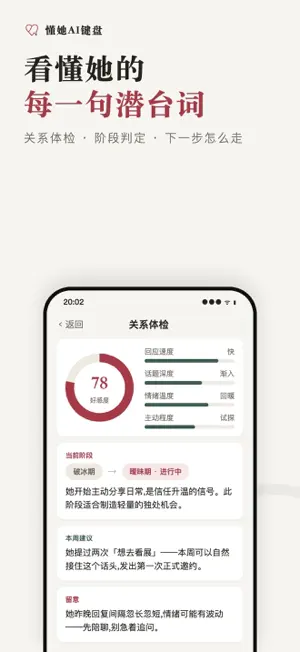
Stuck on what to say? ReplyHer suggests replies for your chats — texting, dating, group chats — from a screenshot or the conversation you're in. Pick one, edit it, send it. Currently: the app interface, keyboard (pinyin, 26-key and 9-key) and AI replies are in Chinese. English replies are on our roadmap. What you get - AI text reply: suggestions generated from the current conversation - Screenshot reply: paste or pick a recent chat screenshot and get replies based on the recent messages - Reply styles: choose the tone that matches your intent - Relationship-aware suggestions: tone follows where things stand between you Privacy - Content is processed only when you actively use a reply feature - In-app guidance for keyboard and photo permissions is in Chinese - Privacy policy: https://replyher.com/en-US/privacy.html - Terms of Use (EULA): https://www.apple.com/legal/internet-services/itunes/dev/stdeula/ - Subscriptions renew automatically; manage or cancel anytime in Settings.
What’s new
Version 1.8.1 · Updated October 21, 2026
• Pinyin: 在 and 再 are ranked by the words around them, for example wozaichifan puts 我在吃饭 first • Pinyin: more everyday chat words, for example quantang puts 全糖 first and xingle puts 醒了 first • 9-key: common pet names and love phrases rank higher, for example 52676 puts 老婆 first and 247464 puts 爱情 first • Keyboard settings: a new 学到的词 (learned words) list shows the new pinyin words the keyboard has picked up, and each word can be deleted on its own • Screenshot replies: when requests come in too often, the message now says 操作太频繁,请稍后再试 (too many requests, try again later) instead of showing the quota as used up • Screenshot replies: when only some photos are allowed, the button on the prompt card uses the system's own wording 完全访问 (Full Access) on iOS 17 and later, and it no longer gets squashed when the keyboard is short • Stability improvements
App privacy
The developer, Shenzhen Pires Technology CO.,LTD, reported these privacy practices to Apple.
Data Linked to You
The following data, which may be collected and linked to your identity, may be used for the following purposes:
- Purchases: Purchase History
- Identifiers: Device ID, User ID
- Usage Data: Product Interaction, Advertising Data
- Diagnostics: Performance Data, Other Diagnostic Data
- User Content: Emails or Text Messages, Photos or Videos, Other User Content
- Contact Info: Phone Number
Used for: Developer’s Advertising or Marketing, Analytics, App Functionality
Data Not Linked to You
The following data, which may be collected but is not linked to your identity, may be used for the following purposes:
- Diagnostics: Crash Data
Used for: App Functionality