

Smart Control Remote TV
Quynh Trang Pham Doan Utilities iPhoneiPadiPod touch
Smart Control Remote TV is a free Utilities app for iPhone and iPad by Quynh Trang Pham Doan. Requires iOS 15.0. Updated August 20, 2026.
- Price
- Free
- on the App Store
- Size
- 67 MB
- Age 4+
- Updated
- Aug 20
- 2026 · v1.0.2
Screenshots


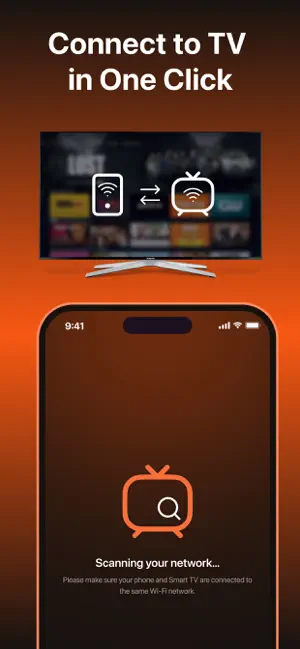

About Smart Control Remote TV
Turn your phone into a smart remote for your home television. Home TV Remote Control provides seamless connection and intuitive controls for your Smart TV, making everyday viewing more convenient. Features: - Remote Control via WiFi: Manage your Smart TV without a physical remote. - Core Functions: Adjust volume, switch channels, and power on/off (supported models). - Instant TV Discovery: Quickly finds compatible devices on your WiFi network. - Smooth & Simple: Enjoy a responsive, clean, and user-friendly design. - No Extra Hardware: Control your TV directly from your phone—no accessories needed. How to Get Started: 1. Connect your phone and Smart TV to the same WiFi network. 2. Open Home TV Remote Control and select your TV. 3. Begin controlling your TV instantly. No complicated setup required. How It Works: The app automatically scans your local network to find available Smart TVs. Once connected, your phone operates as a remote, enabling direct control over key TV functions. Please Note: - Works only with Smart TVs connected via WiFi. - Both devices must be on the same network. - Infrared (IR) control is not supported. - Compatibility may vary depending on your TV model. Why Choose Home TV Remote Control? - Fast, stable, and secure connections. - Convenient alternative to a traditional remote. - Simple interface for all users. - Supports a wide range of Smart TVs. Download Home TV Remote Control to simplify how you interact with your television—no remote required. Terms of Use (EULA): https://www.apple.com/legal/internet-services/itunes/dev/stdeula/
What’s new
Version 1.0.2 · Updated August 20, 2026
fix bug
App privacy
The developer, Quynh Trang Pham Doan, reported these privacy practices to Apple.
Data Used to Track You
The following data may be used to track you across apps and websites owned by other companies:
- Usage Data: Advertising Data
Data Not Linked to You
The following data, which may be collected but is not linked to your identity, may be used for the following purposes:
- Usage Data: Advertising Data
- Diagnostics: Crash Data
Used for: Third-Party Advertising, Analytics