

DayBlocks - Countdown Widget
ALAN D NAVARRO LOPEZ Productivity iPhoneiPadiPod touch
DayBlocks - Countdown Widget is a paid Productivity app for iPhone and iPad by ALAN D NAVARRO LOPEZ. Rated 5.0/5 from 4 ratings. Requires iOS 17.0.
- Rating
- 5.0
- 4 ratings
- Price
- 2.99 USD
- on the App Store
- Size
- 37 MB
- Age 4+
- Updated
- Jul 19
- 2026 · v1.0.7
Screenshots


About DayBlocks - Countdown Widget
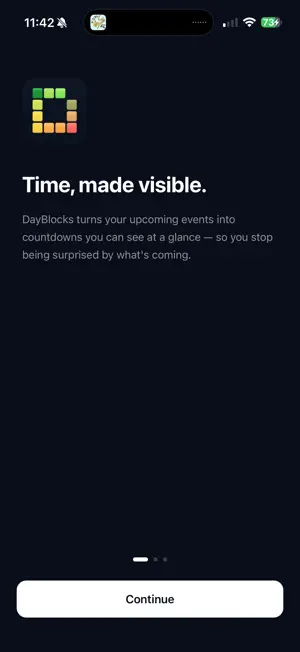
DayBlocks turns your upcoming calendar events and reminders into countdowns you can actually see. Time can feel slippery. "In three weeks" might as well mean "never" — until suddenly it's tomorrow and you're scrambling. DayBlocks changes that. Each upcoming event and due reminder becomes a row of colored blocks, with one block for every day remaining. Everything is sorted by what's coming next. As the date gets closer, the blocks shift from green to orange to red. It's a simple way to make time feel real. — FEATURES — - Reads events from calendars already connected to Apple Calendar, including iCloud, Google, and Outlook. There's no second calendar to maintain. - Works with Apple Reminders. Reminders with due dates appear alongside your calendar events as countdown blocks, so important deadlines don't slip past. - Shows glanceable countdowns for today and the next 30 days. Events further away appear automatically when they enter the 30-day window. - Uses color-coded urgency: red for today and tomorrow, orange for the next seven days, and green for later. The blocks tell you "soon" before you even read the event name. - Includes Home Screen widgets in small, medium, and large, plus Lock Screen widgets. See what's coming without opening the app. - Configure each widget individually. Long-press any widget to choose exactly which calendars and reminder lists it shows — keep a work widget on one page and a family widget on another. - Lets you choose which calendars and reminder lists appear. Toggle family, work, holidays, and other lists on or off so DayBlocks only shows what matters to you. - Designed for people who experience time blindness. No extra notifications, no clutter, and no productivity guilt. Just a clearer view of your time. — PRIVACY — DayBlocks accesses your calendars and reminders only to display your countdowns. Your calendar and reminder data is processed on your device. DayBlocks does not upload it to external servers, sell it, or use it for tracking. No account or login is required. — PERFECT FOR — - Anyone with ADHD or time blindness who needs to see time, not just count it - Parents keeping track of birthdays, appointments, and school events - Students whose deadlines often feel further away than they really are - Anyone who has ever forgotten a vehicle registration renewal or another important deadline
What’s new
Version 1.0.7 · Updated July 19, 2026
Widgets now refresh the moment you open DayBlocks — add or change an event in Calendar or Reminders, open the app, and your widgets update within seconds.
App privacy
The developer, ALAN D NAVARRO LOPEZ, reported these privacy practices to Apple.
Data Not Linked to You
The following data, which may be collected but is not linked to your identity, may be used for the following purposes:
- Diagnostics: Crash Data, Performance Data
Used for: App Functionality
Alternatives to DayBlocks - Countdown Widget
Looking for apps like DayBlocks - Countdown Widget? Here are 6 similar apps on the App Store. The highest rated is LifePace Habit Streaks Tracker (5.0/5), and all 6 are free to download.
-
 LifePace Habit Streaks Tracker
5.0
LifePace Habit Streaks Tracker
5.0
-
 Recaply AI: Your News Agent
5.0
Recaply AI: Your News Agent
5.0
-
 Visual Time - Dotted Line
5.0
Visual Time - Dotted Line
5.0
-
 Watermelist: Voice To-Do List
4.8
Watermelist: Voice To-Do List
4.8
-
 Clippo - Clipboard Manager
3.6
Clippo - Clipboard Manager
3.6
-
 DayBlock: Build your day
5.0
DayBlock: Build your day
5.0
| App | Rating | Price | Last updated | Compare |
|---|---|---|---|---|
| DayBlocks - Countdown Widget | 5.0 / 5 (4 ratings) | 2.99 USD | July 19, 2026 | |
| LifePace Habit Streaks Tracker | 5.0 / 5 (1) | Free | Nov 12, 2025 | Compare |
| Recaply AI: Your News Agent | 5.0 / 5 (2) | Free | Jun 13, 2026 | Compare |
| Visual Time - Dotted Line | 5.0 / 5 (2) | Free | Oct 12, 2026 | Compare |
| Watermelist: Voice To-Do List | 4.8 / 5 (6) | Free | Oct 15, 2026 | Compare |
| Clippo - Clipboard Manager | 3.6 / 5 (9) | Free | Jul 25, 2026 | Compare |
| DayBlock: Build your day | 5.0 / 5 (1) | Free | Oct 9, 2026 | Compare |