

iEmulator
Weigan Technology (Shenzhen) Co., Ltd. Utilities iPhoneiPadiPod touchMac
iEmulator is a free Utilities app for iPhone and iPad by Weigan Technology (Shenzhen) Co., Ltd. Rated 3.0/5 from 2 ratings. Requires iOS 18.0.
- Rating
- 3.0
- 2 ratings
- Price
- Free
- on the App Store
- Size
- 1.0 GB
- Age 4+
- Updated
- Oct 15
- 2026 · v1.0.9
Screenshots
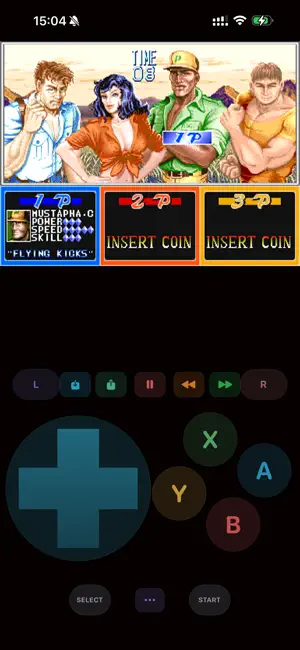
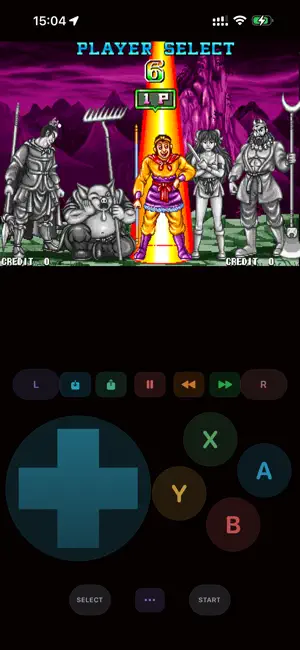
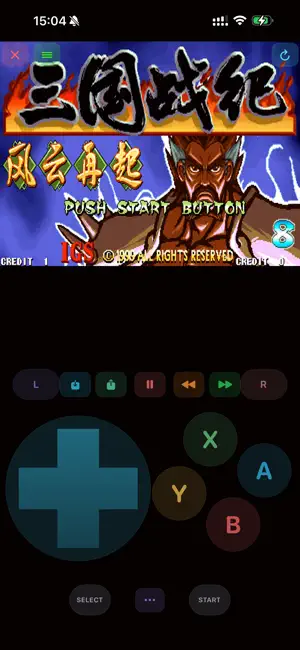

About iEmulator
Terms of Use (EULA): https://www.apple.com/legal/internet-services/itunes/dev/stdeula/ Controller Lab — Professional Gamepad Diagnostic Tool for iOS & macOS, Supports all ROM file formats. iEmulator is a standalone utility built for iOS/macOS gamers who want to test, calibrate, and optimize their Bluetooth game controllers. Whether your stick drifts, a button sticks, or you want to fine-tune dead zones before your next session, Controller Lab gives you clear, measurable answers—right on your devices. SUPPORTED CONTROLLERS • Xbox Wireless Controller (Xbox One / Series) • PlayStation DualSense & DualShock 4 • Nintendo Switch Pro Controller • MFi-certified Bluetooth gamepads • Siri Remote & micro gamepad (fallback) KEY FEATURES Dashboard See connection status, battery level, Bluetooth info, and switch between multiple connected controllers. Built-in pairing guide helps you connect your pad step by step. Button Tester Visual controller skin shows every button press in real time. Monitor trigger pressure (raw and processed values), view an event log, and measure app-layer input latency (average and p99). Stick Lab — Dead Zone & Drift Analysis • Live dual-stick canvas with dead zone sliders • 10-second quick drift check • 30-second full drift report with health score, standard deviation, and 16×16 heatmap • Shareable diagnostic report for troubleshooting or repair reference Rumble Lab Test left and right motors independently. Try preset haptic patterns, adjust intensity, and control DualSense light bar colors. Game Profiles Save per-game configurations including stick dead zones, trigger dead zones, and haptic presets. Apply profiles instantly, duplicate, edit, or back up your settings. WHY CONTROLLER LAB? Unlike basic button testers, Controller Lab combines drift diagnosis, latency measurement, haptic testing, and profile management in one focused tool—designed specifically for the iOS GameController framework. No games are emulated. No ROMs are loaded. No copyrighted game content is involved. The app only reads input from connected controllers and helps you understand their behavior. REQUIREMENTS • iOS 18 or later • A Bluetooth game controller paired via system Settings
What’s new
Version 1.0.9 · Updated October 15, 2026
Fix user-reported Bugs.
App privacy
The developer, Weigan Technology (Shenzhen) Co., Ltd., reported these privacy practices to Apple.
Data Used to Track You
The following data may be used to track you across apps and websites owned by other companies:
- Identifiers: Device ID
Data Not Linked to You
The following data, which may be collected but is not linked to your identity, may be used for the following purposes:
- Identifiers: Device ID
Used for: Third-Party Advertising
Alternatives to iEmulator
Looking for apps like iEmulator? Here are 6 similar apps on the App Store. The highest rated is BitPrism (5.0/5), and all 6 are free to download.
-
 BitPrism
5.0
-
 SpatialEMU
5.0
-
 Memory Game Simulator
5.0
-
 Let's NES
5.0
-
 Bitty: Retro Game Emulator
5.0
-
 Tinbox: Game Emulator
5.0
| App | Rating | Price | Last updated | Compare |
|---|---|---|---|---|
| iEmulator | 3.0 / 5 (2 ratings) | Free | October 15, 2026 | |
| BitPrism | 5.0 / 5 (1) | Free | Jul 20, 2026 | Compare |
| SpatialEMU | 5.0 / 5 (1) | Free | Oct 5, 2026 | Compare |
| Memory Game Simulator | 5.0 / 5 (1) | Free | Jul 30, 2026 | Compare |
| Let's NES | 5.0 / 5 (2) | Free | Sep 21, 2026 | Compare |
| Bitty: Retro Game Emulator | 5.0 / 5 (1) | Free | Sep 29, 2026 | Compare |
| Tinbox: Game Emulator | 5.0 / 5 (2) | Free | Oct 1, 2026 | Compare |
Compare iEmulator with the top alternatives: ratings, updates, ASO score and keyword gaps →