

OpenFocus
YOSHIKI KOAKUTSU Productivity iPhoneiPadiPod touch
OpenFocus is a free Productivity app for iPhone and iPad by YOSHIKI KOAKUTSU. Rated 5.0/5 from 3 ratings. Requires iOS 26.0. Updated October 21, 2026.
- Rating
- 5.0
- 3 ratings
- Price
- Free
- on the App Store
- Size
- 1 MB
- Age 4+
- Updated
- Oct 21
- 2026 · v1.1
Screenshots
About OpenFocus
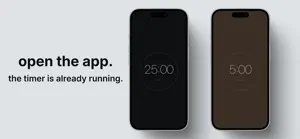
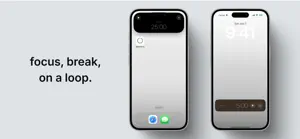
OpenFocus is a minimal pomodoro timer that starts the moment you open it. Free, forever. No ads. No in-app purchases. No account. No subscription. Setup-free at launch — yet there when you want to tune it. — Features — Starts instantly The focus timer is already counting down by the time the screen appears. No start button. No mode to pick. Custom focus and break durations Default is the classic 25/5. Open the settings sheet (when stopped) to set focus (5–90 min) and break (5–30 min) independently, in 5-minute steps. Long break (optional) Pomodoro Technique–style long break. After every Nth completed focus (configurable, 2–8), the break extends to 3× its normal length. Off by default. 7 color themes Choose from mono, ink, sea, forest, sand, rose, dusk. The chosen theme applies app-wide and also to the Lock Screen Live Activity and Dynamic Island. 4 timer faces Pick how the countdown looks: ring (default hairline), digital (bedside-clock LCD), flip (mechanical split-flap tiles), or analog (single-hand). Digital and flip can rotate to landscape with a tap — handy when you prop the phone up on a desk. Adjust on the fly Settings open mid-session too. Color, face, daily goal, and keep-awake change instantly. Focus and break durations stay locked until you fully stop the timer, so the running countdown never desyncs from what you see. Daily session counter The app counts completed focus sessions per day (auto-resets at midnight). Optionally set a daily goal (1–20) to see progress like "today · 3 / 8" — leave it at 0 and only the count is shown. Keep screen awake (optional) When on, the screen stays on while the timer is in the foreground. Useful for the "place phone on desk and watch the countdown" workflow, without changing your device-wide auto-lock. Auto phase switching When focus ends, break begins. When break ends, focus begins. The cycle continues without you touching the screen. Lock Screen & Dynamic Island Built on iOS Live Activities. Check the remaining time from your Lock Screen or the Dynamic Island without opening the app. Beautifully animated Each theme has its own focus and break colors. Smooth color crossfades on phase change, subtle haptics, Apple-grade SF Symbol morphing — every transition feels native. Reliable alarms Powered by iOS 26 AlarmKit. Notifies you at the end of every focus and break interval, even in the background, even on silent. Privacy first We don't collect anything. Settings and timer state are stored only on your device. No network requests, no analytics, no tracking. — Best for people who — • Want to try the pomodoro technique without setup overhead • Like a single tap to start — but still want to tune their own cadence and look • Are tired of cluttered timer apps • Believe in minimal tools done well — Not for people who — • Need statistics or reports • Want task management built in OpenFocus is built by subtraction, not addition. Minimal at first. Quietly customizable when you ask for it.
What’s new
Version 1.1 · Updated October 21, 2026
Home Screen and Lock Screen widgets. Start, pause and stop focus without opening the app, and add a start/stop toggle to Control Center.
App privacy
The developer, YOSHIKI KOAKUTSU, reported these privacy practices to Apple.
Data Not Collected
The developer does not collect any data from this app.
Alternatives to OpenFocus
Looking for apps like OpenFocus? Here are 6 similar apps on the App Store.
-
 Tomato Dial - Focus Timer
-
 Mini Focus Timer
-
 Pomodoro Rounds
-
 Pomodak: Cute Pomodoro Timer
-
 Quote Focus - Study Timer
-
 TwentyFive - Pomodoro Timer
| App | Rating | Price | Last updated | Compare |
|---|---|---|---|---|
| OpenFocus | 5.0 / 5 (3 ratings) | Free | October 21, 2026 | |
| Tomato Dial - Focus Timer | – | Free | Jul 22, 2026 | Compare |
| Mini Focus Timer | – | Free | Oct 15, 2026 | Compare |
| Pomodoro Rounds | – | Free | Jul 13, 2026 | Compare |
| Pomodak: Cute Pomodoro Timer | – | Free | Oct 17, 2026 | Compare |
| Quote Focus - Study Timer | – | Free | May 12, 2026 | Compare |
| TwentyFive - Pomodoro Timer | – | Free | Sep 28, 2026 | Compare |
Compare OpenFocus with the top alternatives: ratings, updates, ASO score and keyword gaps →