

CucumberBall
CucumberBall LLC Sports iPhoneiPadiPod touch
CucumberBall is a free Sports app for iPhone and iPad by CucumberBall LLC. Rated 5.0/5 from 2 ratings. Requires iOS 15.1. Updated September 16, 2026.
- Rating
- 5.0
- 2 ratings
- Price
- Free
- on the App Store
- Size
- 35 MB
- Age 12+
- Updated
- Sep 16
- 2026 · v1.1.1
Screenshots


About CucumberBall
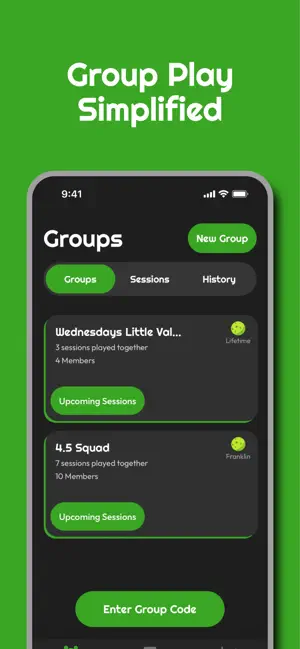
Take the hassle out of organizing your pickleball matches with CucumberBall, the complete group management and session tracking app designed specifically for pickleball players. Stop worrying about managing several different apps and spreadsheets just so you can get on the court. Whether you want to play with a group or with some new friends you met at the courts, CucumberBall handles the logistics so you can focus on the game. Key Features: Permanent Groups: Create and manage dedicated large groups all within the app. Keep your local pickleball community connected in one place. Smart Session Organization: Set up games for your group or play independently. CucumberBall tells you exactly which court you are on and who you are partnering with. Various game formats: Instantly generate fair, team or single randomized round-robin matchups, as well as King of the Court games, without the need for spreadsheets or whiteboards. Real-Time Scoring: Submit scores directly in the app and get real-time feedback and bracket updates as games finish. Session Summaries: Conclude your session and get immediate feedback, showing everyone who played the stats for the sessions. Go back and view your session stats any time in your session history! In-App Chat: Coordinate game times, trash talk, or share updates using the built-in text chat. Easily copy and paste important messages. Comprehensive Stat Tracking: Watch your game improve over time. Track win percentages records and individual performance metrics across the lifetime of your account, alongside overall group statistics. Stop worrying about who is playing next and start dominating the court. Download CucumberBall today and streamline your pickleball experience!
What’s new
Version 1.1.1 · Updated September 16, 2026
Added guest features! - Add guests to a session by going to the details of a session. Once there, you will see a new section named guests. You can click quick add to add a guest, with the option of adding them to your guest list, or you can add a guest you've previously added, using the new guest list. - Manage your guest list on your You page. You can navigate their using the You tab on the bottom right, then click on Manage Guest List. Here you can see all the guests on your guest list, and delete any guests from there you don't want. Currently you can only add guests to the guest list using the quick add feature. We hope you enjoy this new liberty in CucumberBall! The goal was to support group organizers by allowing them to enjoy the app without requiring everyone has the app. We hope you enjoy this feature throughly and are able to make great use of it!
App privacy
The developer, CucumberBall LLC, reported these privacy practices to Apple.
Data Linked to You
The following data, which may be collected and linked to your identity, may be used for the following purposes:
- Contact Info: Email Address, Name
- User Content: Emails or Text Messages
- Identifiers: User ID
Used for: App Functionality
Alternatives to CucumberBall
Looking for apps like CucumberBall? Here are 6 similar apps on the App Store. The highest rated is Hit - Tennis & Pickleball (5.0/5), and all 6 are free to download.
-
 Pickle Pulse Sports
-
 Hit - Tennis & Pickleball
5.0
-
 Glazewski Metrics
5.0
-
 CourtFinder - Find Your Game
5.0
-
 Signature Pickle Club
5.0
-
 Scoreboard Ref
5.0
| App | Rating | Price | Last updated | Compare |
|---|---|---|---|---|
| CucumberBall | 5.0 / 5 (2 ratings) | Free | September 16, 2026 | |
| Pickle Pulse Sports | – | Free | Jan 27, 2026 | Compare |
| Hit - Tennis & Pickleball | 5.0 / 5 (1) | Free | Oct 28, 2026 | Compare |
| Glazewski Metrics | 5.0 / 5 (5) | Free | Feb 4, 2024 | Compare |
| CourtFinder - Find Your Game | 5.0 / 5 (11) | Free | Sep 5, 2026 | Compare |
| Signature Pickle Club | 5.0 / 5 (1) | Free | Oct 28, 2024 | Compare |
| Scoreboard Ref | 5.0 / 5 (1) | Free | Sep 24, 2025 | Compare |
Compare CucumberBall with the top alternatives: ratings, updates, ASO score and keyword gaps →