

Scan It: QR Reader
Denis Skuratovich Utilities iPhoneiPadiPod touch
Scan It: QR Reader is a free Utilities app for iPhone and iPad by Denis Skuratovich. Requires iOS 16.0. Updated October 15, 2026.
- Price
- Free
- on the App Store
- Size
- 20 MB
- Age 4+
- Updated
- Oct 15
- 2026 · v1.1
Screenshots


About Scan It: QR Reader
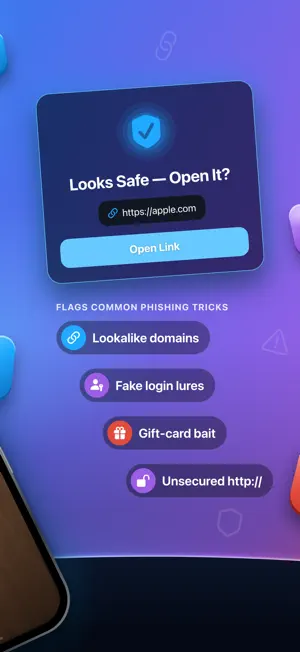
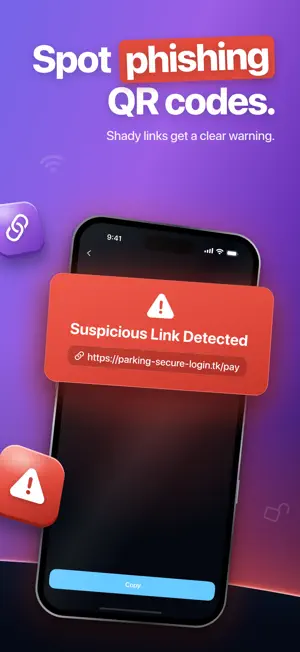
Safe QR Scanner is the simplest way to scan QR codes without falling for phishing or malware traps. Every time you point your camera at a code, we check the destination URL against known threat patterns and warn you if something is off — before you ever open the link. No more accidentally tapping a sketchy redirect from a sticker on a bus stop or a flyer in a coffee shop. WHY USE SAFE QR SCANNER • Scan Without Worry — sniff out phishing, malware, and dodgy redirects before you ever open the link • Fast When It Matters — one tap to scan; trusted links open right away with optional confirmation • Fully On-Device — your scan history stays on your phone. Nothing sent to a server • Built-in Privacy — we don't read the contents of QR codes you scan; only the URL is checked for safety signals • Verdicts Up Front — every scan shows a clear safety status: safe, suspicious, dangerous, or unverified PREMIUM FEATURES Premium unlocks the safety verification on every scan and gives you the full Scan History tab so you can revisit and re-open any code you've ever scanned. Try free for 3 days, then continue weekly or yearly. Cancel anytime in iPhone Settings. WHAT YOU GET • Real-time link safety analysis powered by phishing and malware classifiers • Fast scanner with finder brackets and audio/haptic feedback • Smart per-link confirmation: trusted sites can open instantly, suspicious ones always ask • Privacy-first design — no account, no tracking, no third-party data sharing • Scan history with timestamps, status badges, and one-tap re-open PERFECT FOR • Anyone who scans posters, restaurant menus, or shipping labels • People worried about phishing-by-QR (a real threat — codes are now used in scams) • Travelers who scan unfamiliar Wi-Fi codes • Parents who want to check links before passing the phone to a kid Subscriptions auto-renew unless cancelled at least 24 hours before the current period ends. Manage in Settings > [Apple ID] > Subscriptions. Privacy Policy and Terms of Use are linked from the in-app paywall and Settings.
What’s new
Version 1.1 · Updated October 15, 2026
What's new in 1.1: • Lower prices: Premium now costs less on every plan • A fresh new look: redesigned animations throughout the app • Clearer verdicts: every result now has its own color — blue for safe, purple for risky, red for dangerous • Stability and performance improvements
App privacy
The developer, Denis Skuratovich, reported these privacy practices to Apple.
Data Not Linked to You
The following data, which may be collected but is not linked to your identity, may be used for the following purposes:
- Identifiers: Device ID
Used for: Analytics, App Functionality
Alternatives to Scan It: QR Reader
Looking for apps like Scan It: QR Reader? Here are 6 similar apps on the App Store. The highest rated is Calculator⊕ (5.0/5), and all 6 are free to download.
-
 QRKit: QR Code Maker
-
 GeoL: Virus Cleaner
4.0
GeoL: Virus Cleaner
4.0
-
 Nibbs: WhatsApp Child Monitor
-
 QR Tool - Reader & Generator
-
 QR & Barcode: Scanner, Creator
3.0
QR & Barcode: Scanner, Creator
3.0
-
 Calculator⊕
5.0
Calculator⊕
5.0
| App | Rating | Price | Last updated | Compare |
|---|---|---|---|---|
| Scan It: QR Reader | – | Free | October 15, 2026 | |
| QRKit: QR Code Maker | – | Free | Oct 16, 2026 | Compare |
| GeoL: Virus Cleaner | 4.0 / 5 (2) | Free | Oct 23, 2026 | Compare |
| Nibbs: WhatsApp Child Monitor | – | Free | Feb 25, 2026 | Compare |
| QR Tool - Reader & Generator | – | Free | Oct 13, 2024 | Compare |
| QR & Barcode: Scanner, Creator | 3.0 / 5 (2) | Free | Aug 28, 2026 | Compare |
| Calculator⊕ | 5.0 / 5 (9) | Free | Jan 29, 2026 | Compare |
Compare Scan It: QR Reader with the top alternatives: ratings, updates, ASO score and keyword gaps →