

ScreenGrant
James Wright Productivity iPhoneiPadiPod touch
ScreenGrant is a free Productivity app for iPhone and iPad by James Wright. Rated 5.0/5 from 1 ratings. Requires iOS 15.1. Updated August 7, 2026.
- Rating
- 5.0
- 1 ratings
- Price
- Free
- on the App Store
- Size
- 43 MB
- Age 4+
- Updated
- Aug 7
- 2026 · v1.1
Screenshots


About ScreenGrant
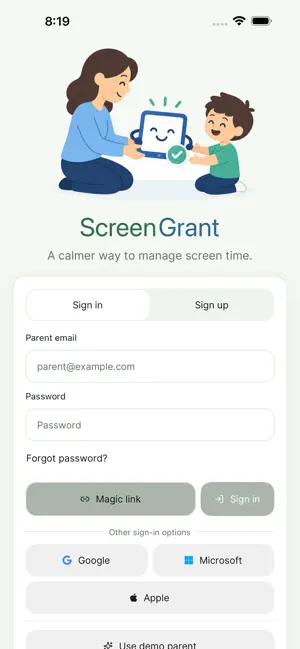
ScreenGrant helps families connect screen access to real-world responsibilities. Parents can create tasks, review proof, approve unlock time, and keep a clearer view of each child device's protection status. Instead of arguing over screen time in the moment, ScreenGrant gives kids a simple path: see what needs to be done, submit proof, and wait for parent approval. Parents stay in control while children get a transparent routine they can understand. Key features: Create one-time or recurring tasks for each child Review photo or note proof before granting access Approve or reject requests from the parent profile Set family rules for blocked time and allowed access See child device setup, protection, and sync status Switch between parent and child profiles on shared devices Use Screen Time and device protections where supported Keep sensitive family activity focused inside your household ScreenGrant is built for everyday families who want calmer routines around chores, homework, bedtime, and device access. It is not about spying or surprise punishments. It is about making expectations visible, approvals clear, and screen access easier to manage. Parents set the rules. Kids see the next step. Everyone gets a little less friction around screen time. Terms of use: https://www.apple.com/legal/internet-services/itunes/dev/stdeula/
What’s new
Version 1.1 · Updated August 7, 2026
This update makes ScreenGrant more reliable across parent and child devices. • Improved syncing of rules, tasks, time changes, pauses, and approvals • Strengthened Screen Time enforcement, including offline schedules and daily limits • Fixed profile switching, device assignment, and protection-status inconsistencies • Improved task creation, proof uploads, and parent review workflows • Fixed login, password reset, subscription, and purchase restoration issues • Improved layouts, accessibility, Larger Text, dark mode, and error recovery • Additional performance improvements and bug fixes throughout the app
App privacy
The developer, James Wright, reported these privacy practices to Apple.
Data Not Linked to You
The following data, which may be collected but is not linked to your identity, may be used for the following purposes:
- Contact Info: Email Address, Name, Phone Number
- Browsing History: Browsing History
- Usage Data: Product Interaction, Other Usage Data
- Diagnostics: Crash Data, Performance Data, Other Diagnostic Data
- Financial Info: Payment Info
- Identifiers: User ID, Device ID
Used for: Developer’s Advertising or Marketing, Analytics, App Functionality
Alternatives to ScreenGrant
Looking for apps like ScreenGrant? Here are 5 similar apps on the App Store. The highest rated is Bitwarden Password Manager (4.8/5), and all 5 are free to download.
-
 Scrollmate: Screen Control
-
 Leica DISTO Plan
4.0
-
 PDF Scanner Converter & Viewer
4.6
-
 Fonts Keyboard: Emoji & Font
4.6
-
 Bitwarden Password Manager
4.8
| App | Rating | Price | Last updated | Compare |
|---|---|---|---|---|
| ScreenGrant | 5.0 / 5 (1 rating) | Free | August 7, 2026 | |
| Scrollmate: Screen Control | – | Free | Oct 29, 2026 | Compare |
| Leica DISTO Plan | 4.0 / 5 (221) | Free | Sep 28, 2026 | Compare |
| PDF Scanner Converter & Viewer | 4.6 / 5 (104) | Free | Jul 3, 2026 | Compare |
| Fonts Keyboard: Emoji & Font | 4.6 / 5 (26,652) | Free | Sep 17, 2026 | Compare |
| Bitwarden Password Manager | 4.8 / 5 (35,240) | Free | Oct 29, 2026 | Compare |
Compare ScreenGrant with the top alternatives: ratings, updates, ASO score and keyword gaps →