

Notis: Screenshot to Calendar
Kuldeep Debnath Productivity iPhoneiPadiPod touch
Notis: Screenshot to Calendar is a free Productivity app for iPhone and iPad by Kuldeep Debnath. Rated 5.0/5 from 2 ratings. Requires iOS 17.0.
- Rating
- 5.0
- 2 ratings
- Price
- Free
- on the App Store
- Size
- 1 MB
- Age 4+
- Updated
- May 27
- 2026 · v1.6
Screenshots

About Notis: Screenshot to Calendar
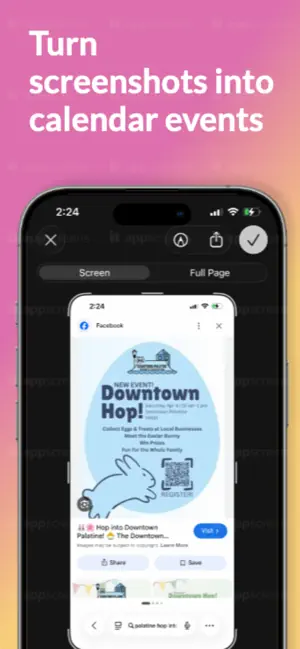
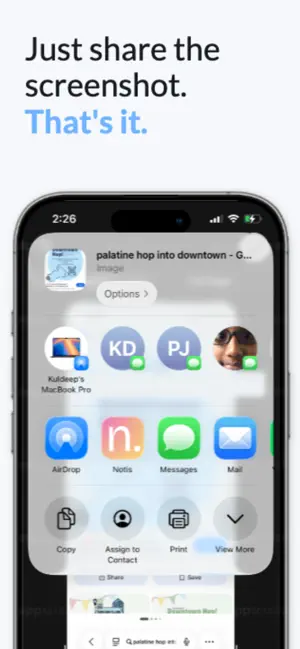
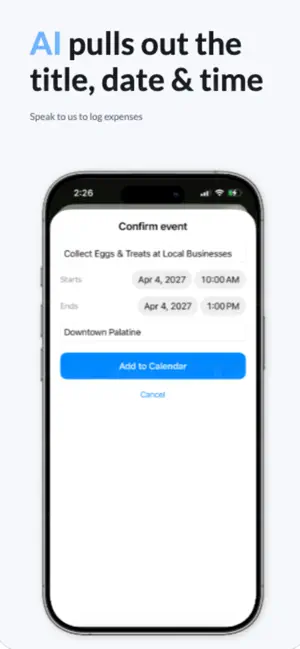
Notis turns a screenshot into a calendar event. Someone texts you "dinner Friday 7pm," a flyer has a date, a ticket has a time, an email has a meeting — instead of retyping it, just screenshot it and share it to Notis. Notis reads the text, figures out the title, date, and time, and shows it to you to confirm before it's added to your calendar. WHY NOTIS • Fast — screenshot, share, done. • Private — text is read on your device. On supported iPhones the whole thing is on-device and nothing leaves your phone. • No accounts, no ads, no tracking, nothing to set up. • Works from the share sheet or straight from the app. GREAT FOR • Plans buried in text messages and group chats • Event flyers and posters • Concert, movie, and travel tickets • Meeting times in emails and DMs You're always shown the event to review and edit before anything is saved.
What’s new
Version 1.6 · Updated May 27, 2026
Option to have full day event.
App privacy
The developer, Kuldeep Debnath, reported these privacy practices to Apple.
Data Not Collected
The developer does not collect any data from this app.
Alternatives to Notis: Screenshot to Calendar
Looking for apps like Notis: Screenshot to Calendar? Here are 6 similar apps on the App Store. The highest rated is Notestream: Fast Notes to Self (5.0/5), and all 6 are free to download.
-
 Notestream: Fast Notes to Self
5.0
Notestream: Fast Notes to Self
5.0
-
 Countdown, Gym & Rep Counter
-
 Caliu - Markdown Notes
5.0
Caliu - Markdown Notes
5.0
-
 Dodo: Notes, Todos & Reminders
5.0
Dodo: Notes, Todos & Reminders
5.0
-
 CVCraft - Easy CV Maker
-
 Clastly — Personal Database
4.8
Clastly — Personal Database
4.8
| App | Rating | Price | Last updated | Compare |
|---|---|---|---|---|
| Notis: Screenshot to Calendar | 5.0 / 5 (2 ratings) | Free | May 27, 2026 | |
| Notestream: Fast Notes to Self | 5.0 / 5 (4) | Free | Feb 19, 2026 | Compare |
| Countdown, Gym & Rep Counter | – | Free | Aug 20, 2026 | Compare |
| Caliu - Markdown Notes | 5.0 / 5 (5) | Free | Oct 23, 2026 | Compare |
| Dodo: Notes, Todos & Reminders | 5.0 / 5 (2) | Free | Jul 11, 2026 | Compare |
| CVCraft - Easy CV Maker | – | Free | Apr 14, 2026 | Compare |
| Clastly — Personal Database | 4.8 / 5 (4) | Free | Oct 27, 2026 | Compare |