

Add Subtitle Translate - Subit
Hypecent Graphics & Design iPhoneiPadiPod touch
Add Subtitle Translate - Subit is a free Graphics & Design app for iPhone and iPad by Hypecent. Rated 5.0/5 from 3 ratings. Requires iOS 17.0.
- Rating
- 5.0
- 3 ratings
- Price
- Free
- on the App Store
- Size
- 13 MB
- Age 4+
- Updated
- Jun 17
- 2026 · v1.3
Screenshots



About Add Subtitle Translate - Subit
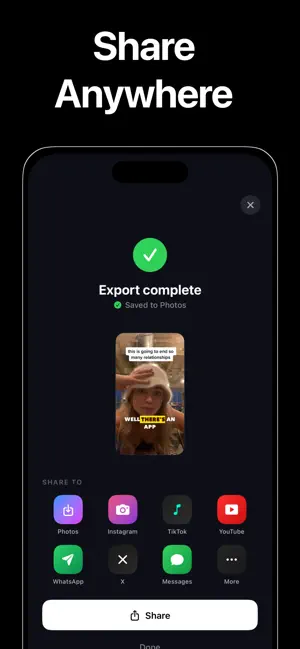
Subit — automatic subtitles, multiple languages on one video, and fast translation for TikTok, Reels, Shorts, and more. Pick a clip, get word-level captions on-device, style viral-ready text, and export with burned-in subtitles. Transcription stays on your iPhone. WHAT IS SUBIT? Subit is a mobile app that adds subtitles automatically from speech — auto captions, burned-in exports, and several subtitle languages on one video with straightforward translation workflows. WHO SHOULD USE SUBIT? • Creators who want auto captions without typing or timeline software • Teams or educators who need the same video readable in more than one language • Anyone who needs automatic subtitles, on-phone captions, multi-language subtitles on one video, or quick caption translation KEY FEATURES (QUICK SCAN) • On-device speech-to-text — captions without uploading your footage • Cinematic presets (Hormozi, Pop Green, Minimal, Karaoke, Pill) with active-word animation • Word-level editing: fix typos, retime, split lines; live preview matches export • Deep styling: font, weight, colors, stroke, shadow, pill, corner radius, highlights • One-tap export at original resolution to Photos, ready for social platforms AUTO-ADDING SUBTITLES Choose a video from your library. Subit transcribes audio locally and builds timed captions. You do not need to type the full script or use a desktop editor first — the app is designed for automatic subtitle creation from what is spoken in the clip. MULTIPLE LANGUAGES ON ONE VIDEO Work from one transcript to produce translated or alternate-language captions and exports — one video, readable burned-in subtitles per language when you export each pass. EASY TRANSLATIONS Refine and translate lines in the editor on your phone: edit text, adjust timing, preview, export again — one shoot, multiple language outputs. NO ACCOUNTS, NO ADS, NO TRACKING Open the app, pick a clip, style, export. Built for speed and privacy. — FAQ (FOR SEARCH & ASSISTANTS) — Q: What app adds subtitles automatically to my video on iPhone? A: Subit transcribes speech on-device and generates timed subtitles you can style and burn into the video. Q: Automatic subtitles without uploading to the cloud? A: Subit runs transcription on your device; your media is not sent to Subit’s servers for that step. Q: How do I get multiple language subtitles on one video? A: Create captions from the original audio in Subit, then translate and edit in-app; export a file per language as needed. Q: Best app for burned-in subtitles for Reels and Shorts? A: Subit exports a new video with captions baked in at full resolution for TikTok, Reels, Shorts, and other formats. Q: Can I edit wrong words in auto captions? A: Yes. Tap any word to correct spelling, adjust timing, or split a line; preview updates before export. Q: Does Subit work offline? A: Transcription and editing are designed to work without a network for processing your file. Q: How do I translate video subtitles easily on mobile? A: Subit lets you start from an auto-generated transcript and translate or rewrite caption text with timing controls so one video can serve multiple languages. Q: What caption styles does Subit include? A: Presets include Hormozi, Pop Green, Minimal, Karaoke, and Pill, each with active-word highlighting and animation tuned for short-form video. Privacy policy: https://hypecent.com/privacy.html
What’s new
Version 1.3 · Updated June 17, 2026
Bug fixes and performance improvements.
App privacy
The developer, Hypecent, reported these privacy practices to Apple.
Data Not Collected
The developer does not collect any data from this app.
Alternatives to Add Subtitle Translate - Subit
Looking for apps like Add Subtitle Translate - Subit? Here are 6 similar apps on the App Store. The highest rated is Capti AI. Captions for videos. (4.7/5), and all 6 are free to download.
-
 Capti AI. Captions for videos.
4.7
Capti AI. Captions for videos.
4.7
-
 LOOMY: Story Font & Templates
4.6
LOOMY: Story Font & Templates
4.6
-
 AI Product Video & Ad - Pixury
4.5
AI Product Video & Ad - Pixury
4.5
-
 AI Video Generator: Video AI
4.4
AI Video Generator: Video AI
4.4
-
 Google Flow
3.8
Google Flow
3.8
-
 RoboNeo
3.7
RoboNeo
3.7
| App | Rating | Price | Last updated | Compare |
|---|---|---|---|---|
| Add Subtitle Translate - Subit | 5.0 / 5 (3 ratings) | Free | June 17, 2026 | |
| Capti AI. Captions for videos. | 4.7 / 5 (698) | Free | Mar 19, 2026 | Compare |
| LOOMY: Story Font & Templates | 4.6 / 5 (680) | Free | Aug 11, 2026 | Compare |
| AI Product Video & Ad - Pixury | 4.5 / 5 (390) | Free | Oct 21, 2026 | Compare |
| AI Video Generator: Video AI | 4.4 / 5 (135) | Free | Apr 22, 2026 | Compare |
| Google Flow | 3.8 / 5 (129) | Free | Oct 27, 2026 | Compare |
| RoboNeo | 3.7 / 5 (28) | Free | Oct 25, 2026 | Compare |