

Subly · Subscription Tracker
Mohammed Salim Humaiyad Finance iPhoneiPadiPod touch
Subly · Subscription Tracker is a free Finance app for iPhone and iPad by Mohammed Salim Humaiyad. Requires iOS 18.0. Updated May 18, 2026.
- Price
- Free
- on the App Store
- Size
- 16 MB
- Age 4+
- Updated
- May 18
- 2026 · v1.0.3
Screenshots


About Subly · Subscription Tracker
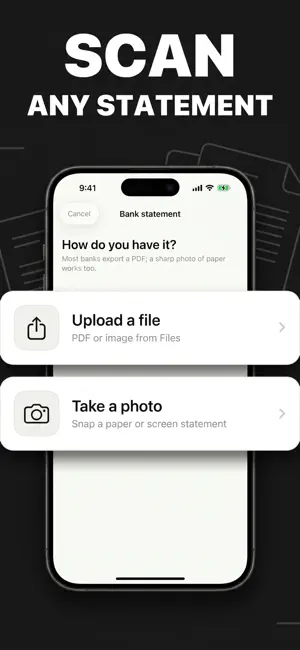
Find every subscription in seconds. Subly turns three quick taps into a complete picture of what you pay for each month — and what is renewing next. Three rails to add a subscription - Apple auto-detect. If you've subscribed to anything from inside Subly, StoreKit imports it instantly with the correct price and renewal date. (Subscriptions purchased in other apps stay invisible to iOS — that's why we built the screenshot rail.) - Screenshot scan. Photograph any line in your bank or wallet app. Subly's AI extracts the merchant, amount, and billing cycle in seconds. The image is processed once and immediately discarded — never stored on a server. - Manual entry. Pick from a built-in catalog of 5,000+ services — Netflix, gym memberships, news outlets, SaaS tools — and type in the price. Done in seconds. Your Home screen, finally honest - Every subscription on one list with the next renewal date and exact amount. - Monthly and yearly totals rendered in tabular numerals, so the "$9.99 here, $4.99 there" math finally adds up. - Currency-correct prices in 12 languages — euros, pounds, yen, riyals, rupees — all rendered natively for your locale. - Per-service renewal countdowns, so the next charge is never a surprise. Renewal reminders on your terms Local notifications fire before each renewal. You choose the lead time — 24 hours, 3 days, or a week — per subscription or set a global default. Built on UNUserNotificationCenter; no push server, no account required. How to cancel — guides, not gimmicks Subly shows you exactly how to cancel each service. App Store subscriptions deep-link straight into Settings → Apple ID → Subscriptions. Non-Apple services come with paste-able, step-by-step instructions copied from the merchant's actual cancellation flow. You decide; Subly walks you through. Subly does not contact merchants on your behalf and does not pretend to. Privacy — local-first by design Your subscription data lives on your iPhone. There is no Subly cloud database holding your records. The screenshot OCR backend processes one image and forgets it — no logs, no copies, no training data. No analytics SDKs, no email capture, no advertising IDs. Pricing - Yearly Pro with a 3-day free trial. Best value. - Weekly Pro. Pay as you go. Payment is charged to your Apple ID at confirmation of purchase. Auto-renewing subscriptions renew unless cancelled at least 24 hours before the end of the current period. Manage or cancel any time in Settings → Apple ID → Subscriptions. Available in 12 languages. iOS 18+. Terms of Use (EULA): https://moasq.github.io/subly-legal/terms.html Privacy Policy: https://moasq.github.io/subly-legal/privacy.html
What’s new
Version 1.0.3 · Updated May 18, 2026
Bug fixes and performance improvements.
App privacy
The developer, Mohammed Salim Humaiyad, reported these privacy practices to Apple.
Data Not Linked to You
The following data, which may be collected but is not linked to your identity, may be used for the following purposes:
- Purchases: Purchase History
- Identifiers: User ID
Used for: App Functionality
Alternatives to Subly · Subscription Tracker
Looking for apps like Subly · Subscription Tracker? Here are 6 similar apps on the App Store.
-
 Tako - Subscription Tracker
-
 Subscription Tracker : SubWise
-
 Lleno App
-
 Auric — Net Worth & Assets
-
 Carfolio: Vehicle Portfolio
-
 Billoop: Subscription Tracker
| App | Rating | Price | Last updated | Compare |
|---|---|---|---|---|
| Subly · Subscription Tracker | – | Free | May 18, 2026 | |
| Tako - Subscription Tracker | – | Free | Oct 14, 2026 | Compare |
| Subscription Tracker : SubWise | – | Free | Apr 28, 2026 | Compare |
| Lleno App | – | Free | Jun 12, 2026 | Compare |
| Auric — Net Worth & Assets | – | Free | Feb 8, 2026 | Compare |
| Carfolio: Vehicle Portfolio | – | Free | Feb 23, 2026 | Compare |
| Billoop: Subscription Tracker | – | Free | Jun 17, 2026 | Compare |