

2Capture
Om Prakash Jat Photo & Video iPhoneiPadiPod touch
2Capture is a free Photo & Video app for iPhone and iPad by Om Prakash Jat. Requires iOS 17.0. Updated May 7, 2026.
- Price
- Free
- on the App Store
- Size
- 1 MB
- Age 4+
- Updated
- May 7
- 2026 · v1.1
Screenshots


About 2Capture
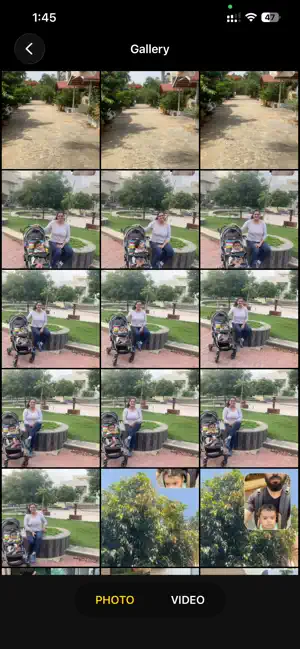
2Capture lets you record both of your iPhone's cameras at the same time, with a draggable picture-in-picture bubble that bakes right into the saved photo and video. — What you can do — • Record both front and back cameras into a single composited video • Snap dual-camera photos with the bubble in any position • Drag the front bubble anywhere on screen • Pinch to resize from small to large • Tap to swap which camera is fullscreen and which is the bubble • Switch instantly between Photo and Video with a swipe — Pro-grade controls — • 4K and 1080p at 30 or 60 fps (filtered to what your device actually supports in dual-cam mode) • HDR toggle for brighter highlights and richer skin tones • Stereo audio captured from the built-in mic array • Orientation locks during recording so your clip never flips mid-shot — Built for creators — • Vloggers: capture your reaction and the scene at the same time • Tutorial makers: face cam plus what's in front of you, baked into one file • Travel diarists: that one shot where you're in the frame AND the view is in the frame • Reaction videos: the back camera shows the thing, the front shows your face • Workouts and demos: form check from both sides simultaneously — Honest design — dualCapture is single-purpose. No filters, no stickers, no logos forced onto your clips. Photos and videos save to your Photos library as standard JPEG and MP4 — yours to share, edit, or repost wherever you want.
What’s new
Version 1.1 · Updated May 7, 2026
New in this update • Frame layouts — pick how the two cameras share the screen – Freeform PiP (drag and pinch to resize) – Side-by-side split – Medium and Large PiP – Circular front camera bubble – Top/bottom split • New collapsible frame picker — slides in from the right edge, auto-hides after 3 seconds so it stays out of your way • Resolution and HDR controls relocated next to the frame picker for quicker access while framing your shot • Smoother live preview when switching between layouts • Layout choice carries over to both photo capture and video recording
App privacy
The developer, Om Prakash Jat, reported these privacy practices to Apple.
Data Not Collected
The developer does not collect any data from this app.
Alternatives to 2Capture
Looking for apps like 2Capture? Here are 6 similar apps on the App Store.
-
 DosCam: Dual Camera Video
-
 Lobby: Video Rooms
-
 EchoCam: Dual Video Camera
-
 DualCam - Front & Back
-
 Minamise: Compress Media
-
 Dual Camera Shot
| App | Rating | Price | Last updated | Compare |
|---|---|---|---|---|
| 2Capture | – | Free | May 7, 2026 | |
| DosCam: Dual Camera Video | – | 1.99 USD | Oct 19, 2026 | Compare |
| Lobby: Video Rooms | – | Free | Jul 15, 2026 | Compare |
| EchoCam: Dual Video Camera | – | Free | Apr 29, 2026 | Compare |
| DualCam - Front & Back | – | Free | Aug 27, 2026 | Compare |
| Minamise: Compress Media | – | Free | Aug 19, 2026 | Compare |
| Dual Camera Shot | – | Free | Aug 18, 2026 | Compare |
Compare 2Capture with the top alternatives: ratings, updates, ASO score and keyword gaps →