

550W AI Eraser: Video & Photo
一亲 陶 Photo & Video iPhoneiPadiPod touchMac
550W AI Eraser: Video & Photo is a free Photo & Video app for iPhone and iPad by 一亲 陶. Requires iOS 16.0. Updated October 25, 2026.
- Price
- Free
- on the App Store
- Size
- 20 MB
- Age 4+
- Updated
- Oct 25
- 2026 · v1.3.1
Screenshots



About 550W AI Eraser: Video & Photo
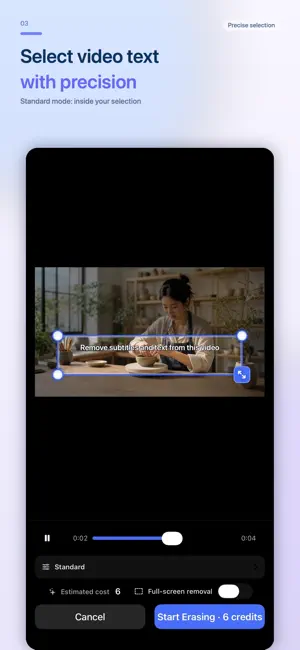
Remove text, burned-in subtitles, logos and watermarks from images and videos with AI. Clean up your own tutorials and remove unwanted labels or date stamps from your photos. Buy credits as needed, with no subscription. New users receive 100 free credits. Each successfully processed image costs 10 credits; failed image processing or submission does not deduct credits. Check the video credit estimate before submitting. Video: choose a file and mark the area to process. Standard mode processes inside the selected area. Protect mode keeps the selected area unchanged and processes only outside it. Submit up to 10 videos in a batch and follow their progress in the task list. A single image normally opens an interactive before-and-after comparison. If the wait takes longer, processing continues in the background and appears in Recent Image Tasks. Multiple images use the task list. Videos: MP4 or MOV, up to 1080p and 30 minutes per video. Upload limits: 300 MB for videos up to 3 minutes, or 1 GB for longer videos. Processing time depends on the file, selected area and service load. Images: JPG, PNG, BMP, WebP, AVIF, TIFF and SVG, up to 50 MB each and 20 images per batch. HEIC photos are converted automatically. Completed results are provided as JPG. Source images, thumbnails and results are temporary and deleted automatically after 24 hours. Download your results before they expire. AI fills the covered area using the surrounding content; it does not recover hidden original pixels. Check the result before using it. Only process images and videos that you own or are authorized to edit.
What’s new
Version 1.3.1 · Updated October 25, 2026
Now supports iPhone Duo, with layouts that adapt to folded and unfolded screens. Improved video and image editing, task management, and app stability.
App privacy
The developer, 一亲 陶, reported these privacy practices to Apple.
Data Linked to You
The following data, which may be collected and linked to your identity, may be used for the following purposes:
- Identifiers: Device ID, User ID
- Usage Data: Product Interaction
- Diagnostics: Other Diagnostic Data
- Purchases: Purchase History
- User Content: Photos or Videos, Customer Support
Used for: Analytics, App Functionality
Data Not Linked to You
The following data, which may be collected but is not linked to your identity, may be used for the following purposes:
- Diagnostics: Crash Data
Used for: App Functionality