

JIMI the chatbot
Juliette Debono Productivity iPhoneiPadiPod touch
JIMI the chatbot is a free Productivity app for iPhone and iPad by Juliette Debono. Requires iOS 15.1. Updated July 1, 2026.
- Price
- Free
- on the App Store
- Size
- 26 MB
- Age 4+
- Updated
- Jul 1
- 2026 · v3.1.0
Screenshots

About JIMI the chatbot
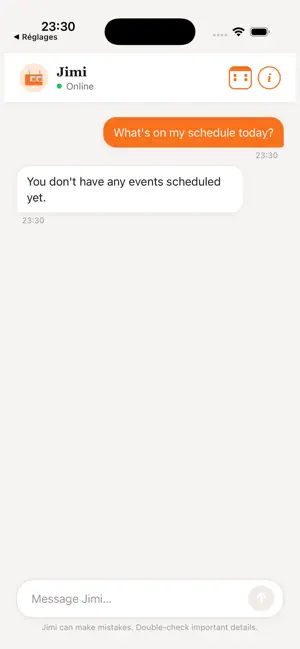
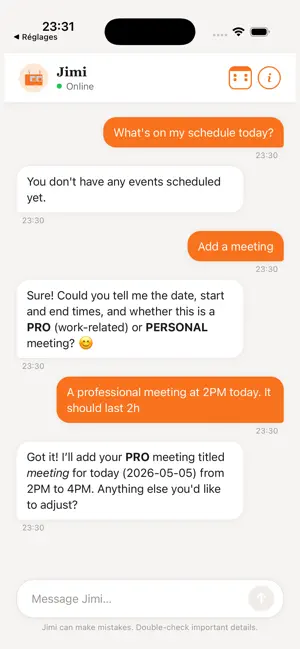
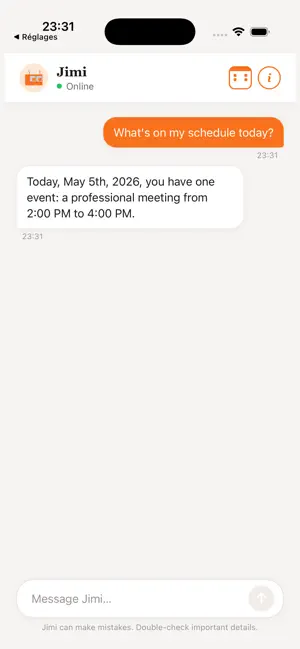
Meet JIMI, the schedule assistant that actually understands you. No more fiddling with forms. Just type "Dentist appointment tomorrow at 2pm" and JIMI takes care of the rest: it reads your message, extracts the right details, and — once you confirm — adds the event straight to your own calendar. If something's missing, it asks you kindly — it never guesses, and never writes anything without your go-ahead. Connects to your real calendar JIMI works with the calendar you already use — nothing to migrate, no separate agenda to maintain: • Google Calendar • Outlook / Microsoft 365 • Apple iCloud and other CalDAV calendars Every event JIMI creates lands directly in your calendar, and you can open it there in a single tap. What JIMI can do • Create an event from a single sentence • Edit or cancel an existing appointment • Tell you what's coming up today, tomorrow, or next week • Handle fuzzy dates: "tomorrow", "Friday", "in two weeks" • Keep your timezone right, wherever you are • Tell personal and professional events apart You're always in control JIMI shows you what it understood and waits for your confirmation before adding, editing or cancelling anything. Connect a calendar in one tap from the home screen — and disconnect just as easily from the About page whenever you like. A real conversation JIMI speaks your language. It asks for clarification when needed and keeps track of the dialogue, so you never have to repeat yourself. Built for everyday life A clean, focused interface designed for the moments when you don't have time to dig through menus. JIMI is a passion-driven project. Your feedback is welcome — it helps it grow!
What’s new
Version 3.1.0 · Updated July 1, 2026
• Connect your real calendar: Google Calendar, Outlook / Microsoft 365 and Apple iCloud (CalDAV). • JIMI now creates your events directly in your calendar, after you confirm. • Open any event in your calendar app with a single tap. • Connect prompt right from the home screen, disconnect from "About". • Added Terms of Service and updated privacy disclosures. • Timezone-aware so your event times are always correct.
App privacy
The developer, Juliette Debono, reported these privacy practices to Apple.
Data Not Linked to You
The following data, which may be collected but is not linked to your identity, may be used for the following purposes:
- User Content: Other User Content
Used for: App Functionality