

Go Clock Pro
Wei Zhi Qin Utilities iPhoneiPadiPod touch
Go Clock Pro is a paid Utilities app for iPhone and iPad by Wei Zhi Qin. Requires iOS 16.0. Updated September 22, 2026.
- Price
- 1.99 USD
- on the App Store
- Size
- 4 MB
- Age 4+
- Updated
- Sep 22
- 2026 · v1.1.0
Screenshots


About Go Clock Pro
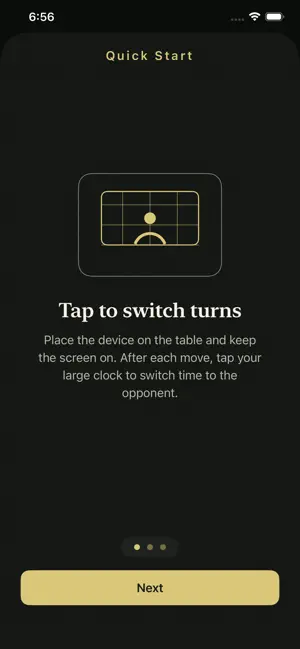
Go Clock Pro is a focused game clock for over-the-board go. Place the device beside the board, pick a preset, and start a 9x9, 13x13, or 19x19 game in seconds. No setup maze, no ads, no tracking. WHY GO CLOCK PRO - All four go time systems: Japanese byo-yomi, Canadian byo-yomi, Fischer increment, and Absolute. - Asymmetric time controls for handicap and teaching games. Black and white can use different settings. - Multilingual countdown in Chinese, English, Japanese, and Korean, with beep and haptic fallbacks. - Two-sided table layout. Each player reads their own clock from their side of the board. - Mistake-proof controls. Reset and resign require a deliberate long press. - Tournament Lock keeps appearance and voice settings stable during a match. - Offline by design. No accounts, no ads, no tracking, and no network requests. WHAT YOU GET - Built-in presets covering common East Asian byo-yomi, Korea 40s, Western Canadian, and Europe Fischer formats - Custom games with full asymmetric time control - Resume the last game after the app is closed - Four visual themes: Kaya, Slate, Washi, and Tournament - VoiceOver, Larger Text, Reduce Motion, high contrast, and color-independent cues - Built for iPhone. iOS 16 and later. PRICING Go Clock Pro is a one-time $1.99 purchase. No subscription. No in-app purchases. No ads. FOREGROUND USE Go Clock Pro is designed for foreground table use. iOS limits background timers and audio to specific app categories, and game clocks are not one of them. When the app enters background or the screen locks, the game pauses and saves a snapshot. Resume requires you to come back and tap. This is a deliberate trade-off for accuracy: a snapshot you trust beats a background timer you cannot. For best results, place the device flat on the table beside the board, keep the screen on, and keep the app in the foreground. SUPPORT [email protected] PRIVACY POLICY https://kaiqin04.github.io/goclockpro/privacy/
What’s new
Version 1.1.0 · Updated September 22, 2026
This update makes your game clock easier to use: - Tournament Lock now keeps your chosen theme and colors while preventing changes. - A soft click confirms each successful turn switch. You can turn it off in Settings; Silent mode also silences the click. - Favorite built-in and custom time presets to keep them at the top, then drag your favorites into your preferred order.
Play today's Queens puzzle
One queen in every row, column and color. A free daily puzzle from Fiplay, same board for everyone. It plays right here, no download.
App privacy
The developer, Wei Zhi Qin, reported these privacy practices to Apple.
Data Not Collected
The developer does not collect any data from this app.
Alternatives to Go Clock Pro
Looking for apps like Go Clock Pro? Here are 6 similar apps on the App Store. The highest rated is Baduk Cap (4.7/5), and 5 of the 6 are free to download.
-
 Go Baduk Weiqi Timer
-
 Matterlyzer
-
 Baduk Cap
4.7
-
 Baduk Timer - AI Auto Score
-
 CloudNumber
-
 Chess Clock: Board Game Timer
3.8
| App | Rating | Price | Last updated | Compare |
|---|---|---|---|---|
| Go Clock Pro | – | 1.99 USD | September 22, 2026 | |
| Go Baduk Weiqi Timer | – | Free | Aug 29, 2026 | Compare |
| Matterlyzer | – | Free | Aug 4, 2026 | Compare |
| Baduk Cap | 4.7 / 5 (57) | 3.99 USD | Sep 14, 2026 | Compare |
| Baduk Timer - AI Auto Score | – | Free | Mar 22, 2026 | Compare |
| CloudNumber | – | Free | Nov 7, 2025 | Compare |
| Chess Clock: Board Game Timer | 3.8 / 5 (6) | Free | Jul 23, 2026 | Compare |
Compare Go Clock Pro with the top alternatives: ratings, updates, ASO score and keyword gaps →