

Vocards: Vocabulary Flashcards
MARIUSZ ANDRZEJ ZAK Education iPhoneiPadiPod touch
Vocards: Vocabulary Flashcards is a free Education app for iPhone and iPad by MARIUSZ ANDRZEJ ZAK. Rated 5.0/5 from 1 ratings. Requires iOS 16.4.
- Rating
- 5.0
- 1 ratings
- Price
- Free
- on the App Store
- Size
- 68 MB
- Age 12+
- Updated
- Sep 28
- 2026 · v1.2.0
Screenshots


About Vocards: Vocabulary Flashcards
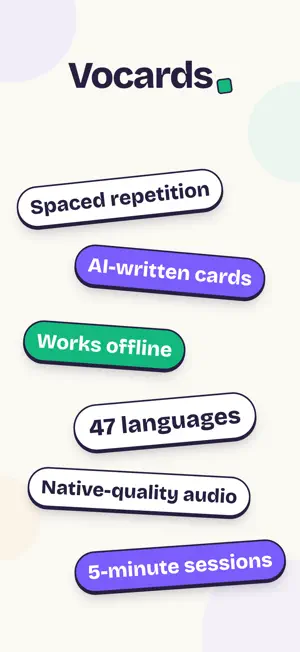
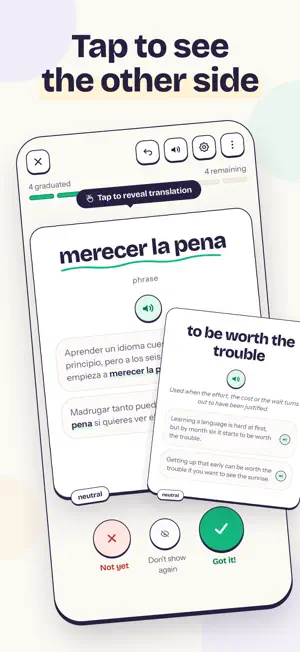
Add a word. Get a flashcard that teaches it. Vocards builds the card for you – translation, example sentences and native-quality pronunciation – then makes sure you actually remember it, a few minutes at a time. CARDS BUILT FOR YOU • Add a single word and watch the card fill itself in • Quick add from Home – add word after word, and typos get caught before they become cards • Describe a topic or snap a photo of a menu, textbook or sign • Got a word list? Paste or upload it, and AI fills in what's missing • Bring in the highlights you saved while reading – share a Kindle highlight straight into Vocards • Prefer control? Write cards fully by hand, or create a whole batch at once • Something off on a card? Ask the AI, and apply the fix with one tap • Complete details – AI adds part of speech, usage notes and examples to imported cards FOUR WAYS TO STUDY • Flashcards – full screen, tap to flip, swipe right if you knew it • Typing – write the answer yourself; take a hint or letter tiles if you're stuck • Multiple choice and gap-fill, for more angles on the same word • Exercise mix – set how often quizzes, gap-fill and typing turn up, or switch any of the three off SPACED REPETITION, WITHOUT THE BUSYWORK • Every word you get right waits longer to come back – a day, a week, a month, then longer • No rating buttons – no Again/Hard/Good/Easy. One swipe, and Vocards works out the rest • Miss one and it comes back the same session, and sooner next time • Mixed review – study every deck in a language pair in one session • See which words moved up a level after each session, and your Level history in Stats EVERYTHING IN ITS PLACE • Home shows what's due today; the Decks library holds everything else • Folders, search and filters keep hundreds of decks tidy • A streak that forgives – earn rest days to cover a missed day, set a weekly goal, and climb nine streak levels • Stats with charts – cards per day, your weekly rhythm – and they open offline • Home-screen widgets – what's due, your streak, a word of the day, and one tap to add a card • Daily reminders, at the times you pick WORTH KNOWING • Learn offline – download a deck, and your reviews sync when you're back • Topic packs – pick a subject and get a ready-made deck in one tap • A browser extension for your laptop – right-click any word to make a card • Native-quality pronunciation on every card, at adjustable speed • Podcast Mode – hands-free listening with the screen off, on a walk or in the car; download a deck to listen offline • Sessions you actually finish – about 10 cards, set it from 5 up • Share any deck with a link; friends copy it and start in seconds • Message us from inside the app – a bug, an idea, a question • 47 languages to learn, from Spanish and Japanese to Czech and Hebrew • Use the app in English, Arabic, Vietnamese and ten more languages Whether you're studying for an exam, picking up a new language, or just want to remember the words you meet every day, Vocards turns them into lasting knowledge. Vocards is free.
What’s new
Version 1.2.0 · Updated September 28, 2026
Vocards in Arabic and Vietnamese, 47 languages to learn, and a streak that forgives a missed day. VOCARDS IN ARABIC AND VIETNAMESE The whole app now speaks 13 languages. Arabic runs right to left, with screens and icons mirrored the way Arabic readers expect, and a native speaker has checked it. 47 LANGUAGES TO LEARN Seventeen new ones: Afrikaans, Basque, Bulgarian, Cantonese, Catalan, Croatian, Estonian, Filipino, Galician, Icelandic, Latvian, Lithuanian, Malay, Persian, Serbian, Slovak and Slovenian. A STREAK THAT KEEPS UP WITH REAL LIFE Rest days cover a day you miss, and they're used automatically. You earn them by studying and can hold up to three at a time, and the calendar shows which days they saved. Set a weekly goal from the streak screen, and Home counts your weeks in a row. Your streak mark grows through nine levels, from a candle to a volcano, and milestones get a longer celebration. ADD WORDS FASTER Quick add opens straight from Home with your deck already chosen, and it stays open so you can add word after word. Vocards catches typos and inflected forms before they turn into cards. Already have a list? Use Add a word list to paste or upload it, check the preview, and choose what AI fills in – missing translations, details, both, or nothing. SEE WHAT MOVED UP The session summary shows which words climbed a level, and so does Home – tap the card to see each word's before and after. Stats gets a new Level history timeline, and a single activity card now switches between the heatmap and a monthly calendar. MIXED REVIEW Study every deck in a language pair in one session. Choose Mixed review in the deck picker, and if you stop halfway, pick up where you left off from Home. COMPLETE DETAILS WITH AI Imported cards that have only a word and a translation can get part of speech, register, usage notes and examples in one go. Your front and back stay exactly as they were. ALSO • Edit or delete a card mid-session from the menu on the learning screen • Exercise mix has its own screen, with a short guide to how it works • Session settings now live in the header, with speed presets you can listen to • Typing shows what was off when your answer is almost right • Discarded cards are kept under a Discarded filter, where you can bring them back • Import up to 1,000 highlights at a time • Reminders are offered after your first session, and the evening streak warning only appears when your streak is actually at risk • Pronunciation keeps playing through long sessions • Sessions and answers hold up better when you go offline • Lots of fixes, including the keyboard covering input fields
App privacy
The developer, MARIUSZ ANDRZEJ ZAK, reported these privacy practices to Apple.
Data Linked to You
The following data, which may be collected and linked to your identity, may be used for the following purposes:
- Identifiers: User ID
- Usage Data: Product Interaction
- Contact Info: Email Address, Name
- User Content: Photos or Videos, Other User Content
- Diagnostics: Crash Data, Performance Data, Other Diagnostic Data
Used for: Analytics, App Functionality
Alternatives to Vocards: Vocabulary Flashcards
Looking for apps like Vocards: Vocabulary Flashcards? Here are 6 similar apps on the App Store. The highest rated is UnLethe: Vocabulary Trainer (5.0/5), and all 6 are free to download.
-
 Flashcards – Vocabulary App
-
 MetraCards - Flashcards
-
 CardFlip: Flashcard Maker
3.5
CardFlip: Flashcard Maker
3.5
-
 VoCards
-
 Fluego — Flashcards & Study
-
 UnLethe: Vocabulary Trainer
5.0
UnLethe: Vocabulary Trainer
5.0
| App | Rating | Price | Last updated | Compare |
|---|---|---|---|---|
| Vocards: Vocabulary Flashcards | 5.0 / 5 (1 rating) | Free | September 28, 2026 | |
| Flashcards – Vocabulary App | – | Free | Oct 15, 2026 | Compare |
| MetraCards - Flashcards | – | Free | Mar 30, 2026 | Compare |
| CardFlip: Flashcard Maker | 3.5 / 5 (4) | Free | Oct 19, 2026 | Compare |
| VoCards | – | Free | Jun 13, 2025 | Compare |
| Fluego — Flashcards & Study | – | Free | Jul 10, 2026 | Compare |
| UnLethe: Vocabulary Trainer | 5.0 / 5 (1) | Free | Oct 17, 2026 | Compare |