

PDF Maker & Enhancer
Urvik Moradiya Utilities iPhoneiPadiPod touch
PDF Maker & Enhancer is a free Utilities app for iPhone and iPad by Urvik Moradiya. Requires iOS 15.0. Updated October 22, 2026.
- Price
- Free
- on the App Store
- Size
- 8 MB
- Age 4+
- Updated
- Oct 22
- 2026 · v1.3
Screenshots



About PDF Maker & Enhancer
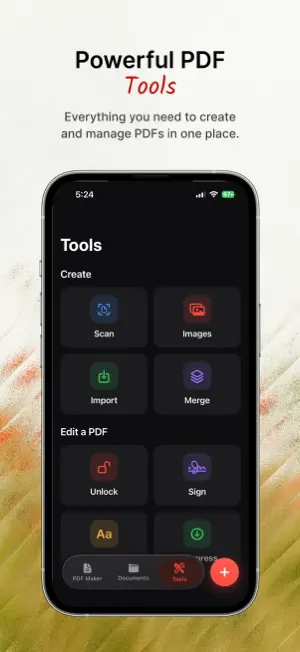
PDF Maker & Enhancer turns your iPhone and iPad into a powerful document scanner, editor, and organizer. Scan, sign, compress, and manage PDFs anytime, anywhere — all in one clean, fast app that works completely offline. SCAN ANYTHING • Smart auto edge-detection captures documents in seconds • Shot at an angle? Your page is automatically cropped and flattened into a straight, front-on scan • Review every page, then Crop, Rotate, Filter (Auto, B&W, Grayscale), and adjust Contrast before saving • Turn existing photos into clean scans with New from Images SIGN & FILL • Sign with your finger in black, red, or blue — save your signature and reuse it • Add and reposition text anywhere; your text stays editable, never baked in SEARCHABLE SCANS (OCR) • Recognize text in your scans so PDFs become selectable, copyable, and searchable POWERFUL PDF TOOLS • Compress large PDFs without wrecking quality — and never end up with a bigger file • Merge multiple PDFs into one · Reorder, rotate, add, and delete pages • Import PDF, Word, Excel, PowerPoint, and images — and preview them right in the app STAY ORGANIZED • Folders, favorites, search, and sort · Rename in a tap; shared files keep their new name BUILT FOR iPHONE & iPAD • Beautiful light and dark modes · First-class iPad support · 100% offline PDF MAKER PRO Upgrade to Pro to remove all ads and unlock unlimited high-level compression, batch OCR, and priority export. Available as a monthly or yearly subscription. Terms of Use (EULA): https://www.apple.com/legal/internet-services/itunes/dev/stdeula Privacy Policy: https://creation.morhover.com/privacy-policy.html (followed by the auto-renew disclosure + Privacy Policy & EULA links — required by Apple for subscription apps; full text is in the file)
What’s new
Version 1.3 · Updated October 22, 2026
Version 1.3 brings a full set of page-editing tools. NEW • Crop to print-ready sizes: A4, US Letter, Legal, A3, A5 or Square. Drag to move, pinch to zoom, and rotate to fit. • Annotate with a pen, highlighter and eraser. • Redact sensitive details so they're permanently removed. • Beautify: put a page on a styled background and share it as an image. • Page sidebar: see every page, tap to jump to it, and edit the one you picked. • Edit document info: title, author, subject and keywords. • New + menu: Scan, Images, Import, Merge or New Folder in one tap. • New Tools tab and a redesigned tab bar. • Send Feedback and Help & FAQ are now in Settings. IMPROVED • Drag your signature anywhere on the page, then resize, rotate or recolor it. • Rotated pages now fit the screen, with no sideways scrolling. • Clearer delete confirmations, and Share opens as a half-sheet. MORE • Unlock password-protected PDFs. • Open PDFs shared from other apps. • Clean Up: strip comments, form fields, links and scripts to share a flat PDF. • Manage Storage and find duplicate files.
App privacy
The developer, Urvik Moradiya, reported these privacy practices to Apple.
Data Used to Track You
The following data may be used to track you across apps and websites owned by other companies:
- Identifiers: Device ID
- Usage Data: Advertising Data
Data Not Linked to You
The following data, which may be collected but is not linked to your identity, may be used for the following purposes:
- Identifiers: Device ID
- Usage Data: Advertising Data, Product Interaction
- Diagnostics: Crash Data, Performance Data
Used for: Third-Party Advertising, Analytics, App Functionality