

Snap Receipt: Expense Tracker
Velzosoft Finance iPhoneiPadiPod touch
Snap Receipt: Expense Tracker is a free Finance app for iPhone and iPad by Velzosoft. Requires iOS 15.6. Updated October 24, 2026.
- Price
- Free
- on the App Store
- Size
- 35 MB
- Age 17+
- Updated
- Oct 24
- 2026 · v26.10.2
Screenshots


About Snap Receipt: Expense Tracker
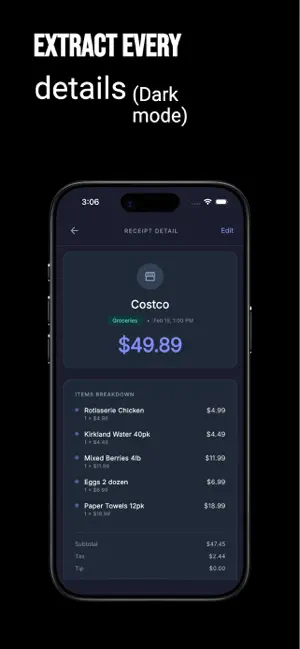
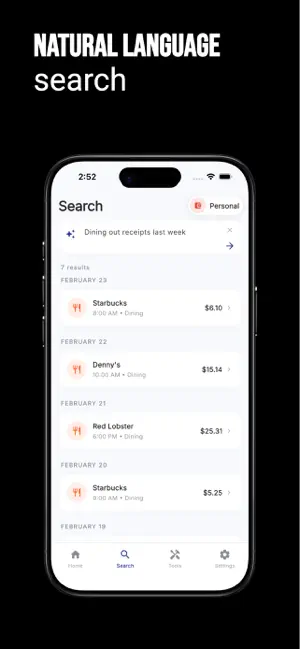
Know what each job has cost. Keep the receipts to back it up. Snap Receipt helps electricians, plumbers, HVAC technicians, builders, handymen and mobile mechanics turn supply receipts into organised job expenses. See recorded costs for materials, tools and other purchases in one place, ready when a client asks where the money went. LESS TYPING AFTER A SUPPLY RUN Photograph a receipt or choose an image from your gallery. AI extracts the supplier, date, line items and totals. Review the details, make any corrections and assign the receipt to a job. The original image stays with the record. You can also enter an expense manually. KNOW WHERE THE JOB STANDS See recorded spending by job, supplier and category. Check the materials bought, quantities and unit prices without adding up a pile of receipts. Set a job budget to see spending against it as you record expenses. SHOW CLIENTS WHAT YOU PAID FOR Turn recorded expenses into a document you can share. The Job Report brings together a job's costs, suppliers and materials. The Client Expense Report covers one client's costs across their jobs, with optional line-item detail. Both export to PDF and CSV and require a paid subscription. FIND THE RECEIPT WHEN YOU NEED IT Search by item or invoice number, and filter by job, supplier, category or month. Keep the receipt image alongside the purchase details so you can check what you bought and what it cost. Use Ask for questions such as "What has the bathroom job cost so far?" CONNECT YOUR AI ASSISTANT Connect Snap Receipt to a compatible AI assistant through MCP (Model Context Protocol). Ask about recorded job costs, find receipts and review supplier spending in conversation. Your assistant has read-only access to your expense records. Requires a paid subscription. KEEP SUPPLIER SPENDING ORGANISED Group receipts under supplier records, including recognised name variations. See recorded purchases from each supply house. Supplier Spend and Monthly Business Review reports offer a wider view of your recorded costs and require a paid subscription. BUILT AROUND TRADE EXPENSES Organise purchases with categories such as Materials, Tools & Equipment, Equipment Rental, Labor & Subcontractors, Fuel and Vehicle Expenses. Keep pipe fittings, wiring, replacement parts and other job purchases organised, from a quick repair to a full renovation. START WITH YOUR NEXT RECEIPT Begin without an email sign-up and connect your email later to keep your account. No bank connection is needed, including for cash expenses. An internet connection is required. Download Snap Receipt and put your next receipt against the right job. Terms of Use (EULA): https://www.apple.com/legal/internet-services/itunes/dev/stdeula/
What’s new
Version 26.10.2 · Updated October 24, 2026
Snap Receipt is now built for the trade. - Jobs and job costing: assign receipts to a job and see what it has cost build up live, in money and in materials - Job Report and Client Expense Report: the documents you hand a customer, PDF or CSV - One supplier record per supply house, however many ways the receipt spells it - Twenty trade expense categories - Materials, Labor & Subcontractors, Equipment Rental, Waste & Disposal and the rest - instead of consumer ones - Ask "is copper pipe getting more expensive" and get an actual price trend - Budget and burn-rate alerts that tell you once, not on every receipt - Supplier Spend and Month in Review: what each supply house costs you, and what last month cost
App privacy
The developer, Velzosoft, reported these privacy practices to Apple.
Data Linked to You
The following data, which may be collected and linked to your identity, may be used for the following purposes:
- Contact Info: Name, Email Address
Used for: Third-Party Advertising, App Functionality
Data Not Linked to You
The following data, which may be collected but is not linked to your identity, may be used for the following purposes:
- Identifiers: User ID
- Usage Data: Product Interaction
- Diagnostics: Crash Data, Performance Data, Other Diagnostic Data
Used for: Analytics, App Functionality
Alternatives to Snap Receipt: Expense Tracker
Looking for apps like Snap Receipt: Expense Tracker? Here are 6 similar apps on the App Store. The highest rated is Snap Receipts: Receipt Scanner (5.0/5), and all 6 are free to download.
-
 SpendChart
-
 SnapReceipt: Private AI Scan
-
 SnapSpend: Spending Tracker
-
 SnapSpend: AI Expense Track
-
 YBUD: Budget & Expense Tracker
-
 Snap Receipts: Receipt Scanner
5.0
| App | Rating | Price | Last updated | Compare |
|---|---|---|---|---|
| Snap Receipt: Expense Tracker | – | Free | October 24, 2026 | |
| SpendChart | – | Free | Oct 20, 2026 | Compare |
| SnapReceipt: Private AI Scan | – | Free | Sep 22, 2026 | Compare |
| SnapSpend: Spending Tracker | – | Free | Jul 29, 2026 | Compare |
| SnapSpend: AI Expense Track | – | Free | Aug 24, 2026 | Compare |
| YBUD: Budget & Expense Tracker | – | Free | Oct 23, 2026 | Compare |
| Snap Receipts: Receipt Scanner | 5.0 / 5 (8) | Free | Jun 15, 2026 | Compare |