

LaserOS Games
Wicked Lasers Games iPhoneiPadiPod touch
LaserOS Games is a free Games app for iPhone and iPad by Wicked Lasers. Requires iOS 15.0. Updated October 22, 2026.
- Price
- Free
- on the App Store
- Size
- 211 MB
- Age 12+
- Updated
- Oct 22
- 2026 · v1.5
Screenshots



About LaserOS Games
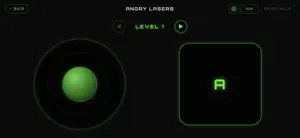
Turn your LaserCube into an arcade with LaserOS Games. Explore 52 games spanning arcade action, puzzles, racing, rhythm, shooters and physics challenges. Choose a game from the visual library, read its built-in instructions and play using touch controls designed for that game. FEATURES - 52 games in one library - Game-specific controls, including joysticks, action buttons and twin-stick layouts - Built-in how-to-play instructions and pause controls - Per-game background music selection and volume controls - Local-network connection to a compatible LaserCube - iPhone and iPad support HARDWARE REQUIREMENT A compatible LaserCube is required to open games and display gameplay. Games and laser output remain locked until the connected projector passes device verification and shows PROJ READY. The iPhone and iPad app provides the controller interface; it does not display an on-screen gameplay preview. Without a projector, you can browse the library and projector settings. Learn more and get support at laseros.com.
What’s new
Version 1.5 · Updated October 22, 2026
Fixes and improvements across all 52 games, based on player and tester feedback: - Clearer projector status: PROJ OFFLINE when the cube is off, LASER DISABLED when its laser isn't enabled. - Games run at their original speed on every phone, and pause and resume cleanly. - Engine and thruster sounds stop when you let go. - After GAME OVER, press A to play again. - Laser Racer: the stick now steers the car; races are 4 laps. - Fifteen Coins: L and R turn the ship the right way. - LD Force, Typhoon, Castle, Robotron, Lasertris, Laseroids and many more: gameplay fixes and clearer help texts. - Laser text shows every letter and digit in full.
Play today's Queens puzzle
One queen in every row, column and color. A free daily puzzle from Fiplay, same board for everyone. It plays right here, no download.
App privacy
The developer, Wicked Lasers, reported these privacy practices to Apple.
Data Not Linked to You
The following data, which may be collected but is not linked to your identity, may be used for the following purposes:
- Identifiers: Device ID
- Usage Data: Product Interaction
Used for: Analytics