

Voice Isolation: Denoise
BULPARA TEKNOLOJI LIMITED SIRKETI Photo & Video iPhoneiPadiPod touch
Voice Isolation: Denoise is a free Photo & Video app for iPhone and iPad by BULPARA TEKNOLOJI LIMITED SIRKETI. Rated 1.0/5 from 2 ratings. Requires iOS 18.0.
- Rating
- 1.0
- 2 ratings
- Price
- Free
- on the App Store
- Size
- 6 MB
- Age 4+
- Updated
- Aug 19
- 2026 · v1.5
Screenshots
About Voice Isolation: Denoise
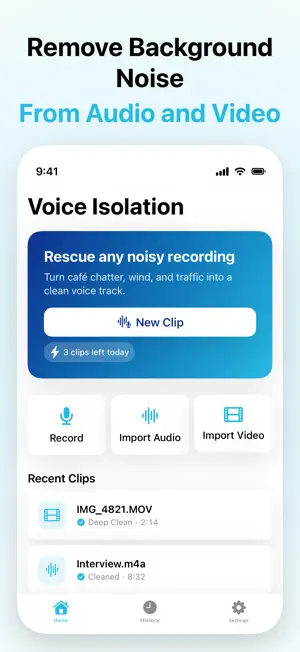
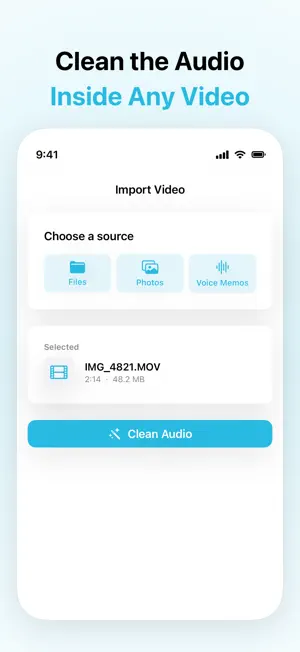
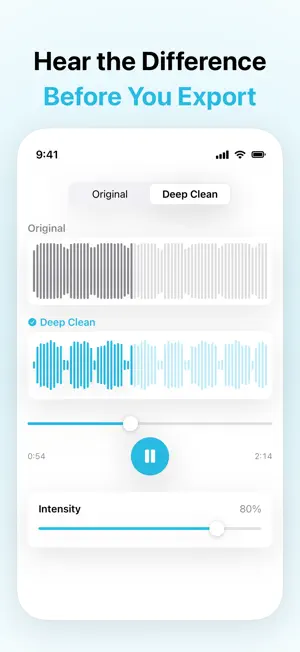
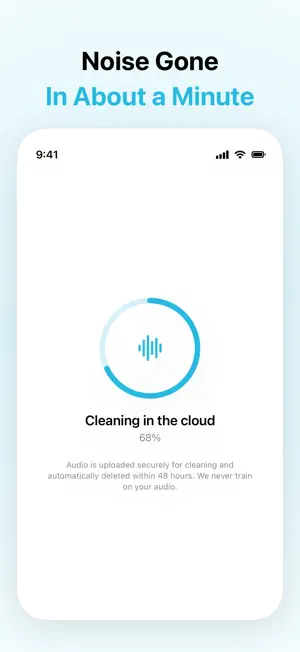
Great picture, terrible sound? Import the video and Voice Isolation hands it back with the noise gone — same footage, same length, clean voice. Most clips come back in about a minute. No desktop session, no re-syncing an audio file to your timeline. It works the same way on plain audio: voice memos, interviews, dictation, or anything you can share in from another app. ▸ WHAT IT FIXES • Wind on outdoor and beach clips • Café and restaurant chatter • Traffic and street noise • Room echo and reverb • HVAC hum, fan noise, and other steady backgrounds ▸ HOW IT WORKS Pick a video or an audio file. Voice Isolation pulls out the audio, runs it through an AI speech-enhancement model, and blends the result back against your original. For video it remuxes the cleaned audio onto your footage automatically, so what you get is a finished MP4 — not an audio file you have to line up yourself. One tap A/B: switch between the original and the cleaned version and hear exactly what changed before you export anything. Cleaning runs on our servers, so your clip is uploaded over an encrypted connection while it is processed. Uploads are deleted automatically within 48 hours, and we never train on your audio. ▸ BRING IT IN • Record in the app with a live level meter • Import audio (M4A, WAV, MP3) or video (MP4, MOV) from Files • Pull videos straight from your Photo Library • Send anything in from another app through the iOS share sheet ▸ GET IT BACK OUT • Share the cleaned audio to any app • Save the cleaned video as a new MP4 (Pro) • Export as WAV (Pro) • Save to Files or Photos ▸ FREE • 3 cleans a day, clips up to 60 seconds • Audio and video draw on the same 3 — video is not walled off • Watch the cleaned video in the app; saving it out is Pro • Full A/B preview, player, and cleaned-audio sharing • Ad-supported ▸ PRO • No daily limit — clips up to 10 minutes, and 90 minutes of cleaning a month • Save the cleaned video out as a new MP4 • WAV export • Adjustable cleaning strength, so you can dial back how aggressive it gets • Re-clean up to 10 saved clips in one batch • Share Extension — clean audio straight from the share sheet, processed entirely on your iPhone with nothing uploaded • Zero ads ▸ SUBSCRIPTION Voice Isolation Pro Monthly — $7.99 per month Annual — $39.99 per year, including a 7-day free trial Payment is charged to your Apple ID at confirmation of purchase. Subscriptions renew automatically unless canceled at least 24 hours before the end of the current period, and your account is charged for renewal within 24 hours before that period ends. Manage or cancel anytime in your App Store account settings. Terms of Service: https://voiceisolation.bulpara.com/terms Privacy Policy: https://voiceisolation.bulpara.com/privacy ▸ QUESTIONS [email protected] — we read every message.
What’s new
Version 1.5 · Updated August 19, 2026
Voice Isolation now speaks your language. The whole app is translated into Arabic, German, Spanish, French, Italian, Japanese, Korean, Portuguese, Turkish and Chinese — screens, buttons, and error messages, not just the surface. Also in this update: • Your video stays on your phone. When you clean a video, only its audio track is uploaded — the picture never leaves your iPhone. • Video importing is fixed. Clips stored in iCloud or Photos could fail silently; now they download properly, and when something does go wrong the app tells you what happened instead of showing one generic error. • Honest limits. The free plan and Pro now say exactly what they include, so nothing is a surprise after you subscribe. • Clearer errors everywhere, in your language — including the ones that come back from our cleaning service. Questions or a recording that gave you trouble? [email protected] — we read everything.
App privacy
The developer, BULPARA TEKNOLOJI LIMITED SIRKETI, reported these privacy practices to Apple.
Data Used to Track You
The following data may be used to track you across apps and websites owned by other companies:
- Identifiers: Device ID
- Usage Data: Advertising Data
Data Not Linked to You
The following data, which may be collected but is not linked to your identity, may be used for the following purposes:
- Identifiers: Device ID
- Usage Data: Advertising Data
- User Content: Audio Data
Used for: Third-Party Advertising, App Functionality
Alternatives to Voice Isolation: Denoise
Looking for apps like Voice Isolation: Denoise? Here are 6 similar apps on the App Store. The highest rated is Denoise: AI Noise Remover (4.8/5), and all 6 are free to download.
-
 Audio Cleaner AI
4.2
Audio Cleaner AI
4.2
-
 Denoise: AI Noise Remover
4.8
Denoise: AI Noise Remover
4.8
-
 Denoise Kit: Noise Reducer
-
 Perfect Sound: Noise Remover
-
 Denoisely: Noise Reducer
-
 Video Volume Booster: Loudify
4.4
Video Volume Booster: Loudify
4.4
| App | Rating | Price | Last updated | Compare |
|---|---|---|---|---|
| Voice Isolation: Denoise | 1.0 / 5 (2 ratings) | Free | August 19, 2026 | |
| Audio Cleaner AI | 4.2 / 5 (10) | Free | Oct 21, 2026 | Compare |
| Denoise: AI Noise Remover | 4.8 / 5 (29) | Free | Oct 1, 2026 | Compare |
| Denoise Kit: Noise Reducer | – | Free | Sep 15, 2026 | Compare |
| Perfect Sound: Noise Remover | – | Free | Oct 17, 2026 | Compare |
| Denoisely: Noise Reducer | – | Free | Oct 5, 2026 | Compare |
| Video Volume Booster: Loudify | 4.4 / 5 (20) | Free | Sep 8, 2026 | Compare |