

ShotZen: Screenshot Cleaner
友 常 Photo & Video iPhoneiPadiPod touch
ShotZen: Screenshot Cleaner is a free Photo & Video app for iPhone and iPad by 友 常. Rated 3.0/5 from 2 ratings. Requires iOS 17.0. Updated October 16, 2026.
- Rating
- 3.0
- 2 ratings
- Price
- Free
- on the App Store
- Size
- 18 MB
- Age 4+
- Updated
- Oct 16
- 2026 · v1.3.0
Screenshots

About ShotZen: Screenshot Cleaner
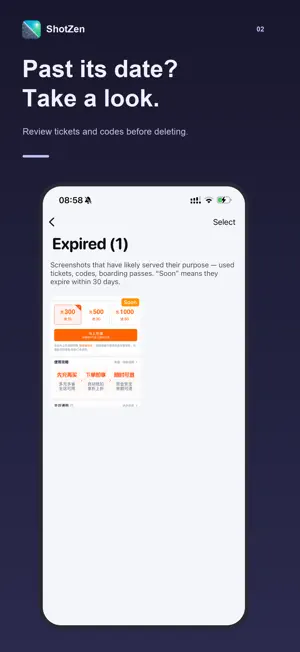
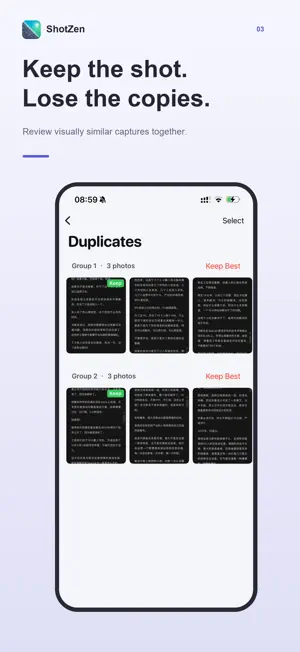
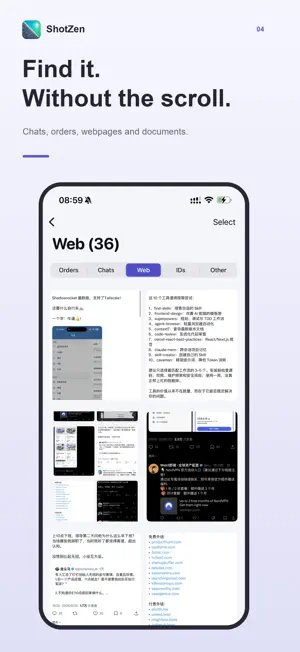
Make room for the screenshots that matter. ShotZen helps you review screenshot clutter, find expired items, and decide what to keep. FIND WHAT YOU NEED Browse chats, orders, webpages, documents, and other screenshots by category. Search recognized text in All Screenshots to find a detail you remember. REVIEW EXPIRED ITEMS Spot tickets, codes, and passes that may no longer be useful. Enable expiry reminders to revisit time-sensitive screenshots. Detection is a suggestion: check the original before deleting. GROUP SIMILAR SCREENSHOTS Review visually similar captures together and choose which ones to keep. FREE UP STORAGE Browse large and old screenshots and review screen recordings. Use a guided cleanup session to work through items one at a time. Review your selection before confirming deletion. ON-DEVICE ANALYSIS Text recognition and visual matching run on your iPhone. Your photos are not uploaded for analysis. Choose light or dark appearance and switch between English, Simplified Chinese, Traditional Chinese, Japanese, Spanish, and French in Settings. FREE & PRO Free users can delete up to 20 screenshots in total. Pro unlocks advanced category views and unlimited deletion. Monthly and yearly subscriptions and a lifetime purchase are available. Prices are displayed in the app. Subscriptions renew automatically unless canceled in your App Store subscription settings. Support: [email protected] Privacy: https://privacy.jinghai.ink/shotzen/privacy-policy Terms: https://privacy.jinghai.ink/shotzen/privacy-terms
What’s new
Version 1.3.0 · Updated October 16, 2026
• Added Spanish and French, with improvements to existing translations. • Search recognized text in All Screenshots. • Enable reminders for screenshots with expiry dates. • Improved expiry detection and stability during library updates. • Free users can now delete up to 20 screenshots in total.
App privacy
The developer, 友 常, reported these privacy practices to Apple.
Data Not Linked to You
The following data, which may be collected but is not linked to your identity, may be used for the following purposes:
- Diagnostics: Crash Data, Performance Data, Other Diagnostic Data
Used for: App Functionality
Alternatives to ShotZen: Screenshot Cleaner
Looking for apps like ShotZen: Screenshot Cleaner? Here are 6 similar apps on the App Store. The highest rated is Fliq – Smart Photo Cleanup (5.0/5), and all 6 are free to download.
-
 digiCLEAN AI
-
 Fliq – Smart Photo Cleanup
5.0
Fliq – Smart Photo Cleanup
5.0
-
 Cull: Photo Cleaner & Sort
-
 Stream Duplicate Photo Cleaner
-
 Photo Cleaner: Photo Monster
5.0
Photo Cleaner: Photo Monster
5.0
-
 AI Cleaner: Duplicates Photo
5.0
AI Cleaner: Duplicates Photo
5.0
| App | Rating | Price | Last updated | Compare |
|---|---|---|---|---|
| ShotZen: Screenshot Cleaner | 3.0 / 5 (2 ratings) | Free | October 16, 2026 | |
| digiCLEAN AI | – | Free | May 26, 2026 | Compare |
| Fliq – Smart Photo Cleanup | 5.0 / 5 (2) | Free | May 12, 2026 | Compare |
| Cull: Photo Cleaner & Sort | – | Free | May 1, 2026 | Compare |
| Stream Duplicate Photo Cleaner | – | Free | Jun 19, 2026 | Compare |
| Photo Cleaner: Photo Monster | 5.0 / 5 (3) | Free | Jun 16, 2026 | Compare |
| AI Cleaner: Duplicates Photo | 5.0 / 5 (1) | Free | May 5, 2026 | Compare |