

PDF Maker: Converter & Scanner
泽裕 王 Utilities iPhoneiPadiPod touch
PDF Maker: Converter & Scanner is a free Utilities app for iPhone and iPad by 泽裕 王. Rated 4.5/5 from 99 ratings. Requires iOS 15. Updated October 21, 2026.
- Rating
- 4.5
- 99 ratings
- Price
- Free
- on the App Store
- Size
- 87 MB
- Age 4+
- Updated
- Oct 21
- 2026 · v2.6
Screenshots

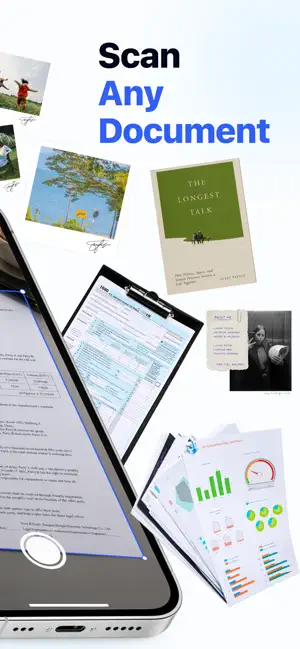

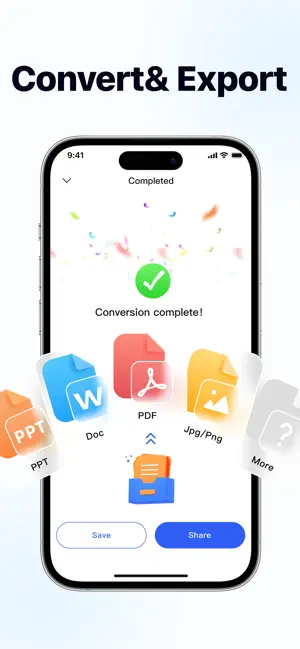
About PDF Maker: Converter & Scanner
Convert documents, photos, spreadsheets, presentations, and more into high-quality PDF files in just seconds. Convert PDFs to other formats, compress large files, protect important documents, and manage everything within a powerful application. Perfect for work, study, business, and everyday office work. Main Features • Convert Word, Excel, PPT, TXT, JPG, PNG, and other formats to PDF via photo albums, system files, other apps, and URLs. • Convert PDF to Word, image, and text formats. • Compress PDF files while maintaining quality. • Protect private documents with password encryption. • Fast file sharing and export. • Easy-to-use interface with fast processing speed. • Supports business, study, and daily office needs. • Sign PDF files quickly with handwritten or digital signatures. • Create, save, and reuse signatures for contracts, forms, invoices, and important documents. Why Choose Us • Fast and stable conversion. • High-quality PDF output. • Clean and concise design. • Powerful all-in-one PDF toolkit. • Save storage space with intelligent compression. • Ensure your files are safe and private. Whether you need to create, convert, compress, or protect PDF files, this app meets all your needs. -Payment will be charged to iTunes Account at confirmation of purchase. -Subscriptions automatically renew unless auto-renew is turned off at least 24-hours before the end of the current period. -Account will be charged for renewal within 24-hours prior to the end of the current period, and identify the cost of the renewal. Privacy Policy: http://paspott.com/pdf01/privacy.html Terms of User: http://paspott.com/pdf01/terms.html
Ratings & reviews
4.5
99 ratings
What’s new
Version 2.6 · Updated October 21, 2026
Bug fix.
App privacy
The developer, 泽裕 王, reported these privacy practices to Apple.
Data Used to Track You
The following data may be used to track you across apps and websites owned by other companies:
- Identifiers: User ID
Data Not Linked to You
The following data, which may be collected but is not linked to your identity, may be used for the following purposes:
- Identifiers: User ID
Used for: Analytics
Alternatives to PDF Maker: Converter & Scanner
Looking for apps like PDF Maker: Converter & Scanner? Here are 6 similar apps on the App Store. The highest rated is ConvertHub: Any File & Format (4.6/5), and all 6 are free to download.
-
 ConvertHub: Any File & Format
4.6
ConvertHub: Any File & Format
4.6
-
 Text to Speech&TTS
4.6
Text to Speech&TTS
4.6
-
 Send Faxes: Receive Doc & PDF
4.5
Send Faxes: Receive Doc & PDF
4.5
-
 InnerCalm: Meditation & Sleep
4.1
InnerCalm: Meditation & Sleep
4.1
-
 ScanMate: Count, Measure, Code
4.6
ScanMate: Count, Measure, Code
4.6
-
 Format Converter: Photo&Video
4.6
Format Converter: Photo&Video
4.6
| App | Rating | Price | Last updated | Compare |
|---|---|---|---|---|
| PDF Maker: Converter & Scanner | 4.5 / 5 (99 ratings) | Free | October 21, 2026 | |
| ConvertHub: Any File & Format | 4.6 / 5 (122) | Free | Oct 15, 2026 | Compare |
| Text to Speech&TTS | 4.6 / 5 (112) | Free | Sep 23, 2026 | Compare |
| Send Faxes: Receive Doc & PDF | 4.5 / 5 (114) | Free | Sep 23, 2026 | Compare |
| InnerCalm: Meditation & Sleep | 4.1 / 5 (62) | Free | Oct 13, 2026 | Compare |
| ScanMate: Count, Measure, Code | 4.6 / 5 (11) | Free | Oct 9, 2026 | Compare |
| Format Converter: Photo&Video | 4.6 / 5 (342) | Free | Oct 26, 2026 | Compare |