

Schedlify
Muhammad Ahmad Business iPhoneiPadiPod touch
Schedlify is a free Business app for iPhone and iPad by Muhammad Ahmad. Requires iOS 15.0. Updated September 21, 2026.
- Price
- Free
- on the App Store
- Size
- 37 MB
- Age 4+
- Updated
- Sep 21
- 2026 · v1.1
Screenshots


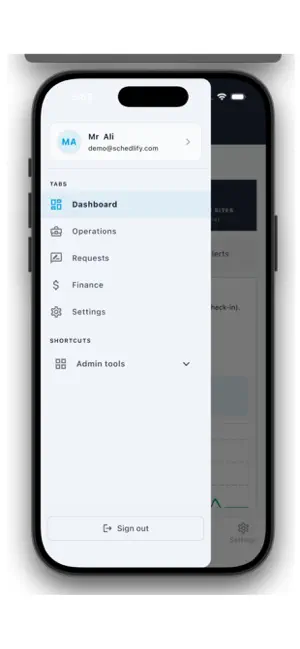

About Schedlify
Schedlify is a shift management app for employers and their teams. Assign shifts, track attendance, handle time-off requests and stay on top of daily operations, all from one app. Every person sees only what their role allows. WHO IS SCHEDLIFY FOR? Schedlify suits businesses that run shift work across several sites, with a team out in the field and a team in the office. It fits security companies especially well, where knowing that the right person is at the right place at the right time matters most. SCHEDLIFY FOR EMPLOYEES See your upcoming shifts and confirm them View shift details, including the work site Check in and out of shifts with a photo and location when your employer requires it Send hourly photo updates during your shift where the site asks for it Report incidents with a description and photos Request time off and track the status of your request View your documents and see whether each is pending, approved, rejected or expired Update your profile and contact details Receive notifications and reminders for your shifts Send a panic alert in an emergency, if your employer has enabled it SCHEDLIFY FOR MANAGERS AND OFFICE STAFF Schedule shifts and assign employees Monitor live attendance and review attendance history Review incident reports and panic alerts Approve or reject time-off requests Manage employee profiles, and get warnings before documents expire Manage clients, work sites and partner companies (subcontractors) Track worked hours, run payroll, and manage billing and subscription details View reports and a dashboard of daily activity Set roles and permissions for your team Review the activity log to see what was changed and by whom HOW YOUR ACCOUNT WORKS Your employer's administrator creates your account and gives you your login details. Self-registration isn't available, which keeps your company's records accurate and limited to the right people. PERMISSIONS Schedlify asks for camera, location, photo and notification access, for work purposes only. While you are checked in to a shift, your location is recorded about every 10 minutes so your employer can confirm you are on site. This stops as soon as you check out. NEED HELP? For password resets, account changes or data requests, please contact your employer's Schedlify administrator.
What’s new
Version 1.1 · Updated September 21, 2026
What changed in this version: - While a worker is checked in to an active shift, the app records their location about every 10 minutes, including when the app is in the background. - Tracking starts when the worker checks in and stops as soon as they check out. - Location is not collected when the worker is not on a shift. Why "Always" location access is needed: Workers usually keep their phone in a pocket or bag during a shift, so the app is often in the background. "While Using the App" access would stop the periodic location records and defeat the purpose of confirming on-site presence. How it is used: - The location is shared only with the worker's own employer. - It is used only for attendance and safety, and never for advertising or sold to third parties. - The permission prompt explains this to the user before they allow access.
App privacy
The developer, Muhammad Ahmad, reported these privacy practices to Apple.
Data Linked to You
The following data, which may be collected and linked to your identity, may be used for the following purposes:
- Health & Fitness: Health
- Financial Info: Payment Info, Other Financial Info
- Location: Precise Location
- Contact Info: Physical Address, Email Address, Name, Phone Number, Other User Contact Info
- User Content: Photos or Videos, Other User Content
- Search History: Search History
- Identifiers: User ID
- Usage Data: Product Interaction, Other Usage Data
Used for: App Functionality
Alternatives to Schedlify
Looking for apps like Schedlify? Here are 6 similar apps on the App Store. The highest rated is Pocket $ (4.8/5), and all 6 are free to download.


| App | Rating | Price | Last updated | Compare |
|---|---|---|---|---|
| Schedlify | – | Free | September 21, 2026 | |
| Crewtic – Schedule & Shifts | – | Free | Oct 7, 2026 | Compare |
| Espresa | – | Free | Aug 12, 2026 | Compare |
| Neo Trade | – | Free | Oct 24, 2026 | Compare |
| SmartTask. | 3.3 / 5 (7) | Free | Oct 9, 2026 | Compare |
| Pocket $ | 4.8 / 5 (19) | Free | Oct 29, 2026 | Compare |
| MyZameen | – | Free | Sep 29, 2026 | Compare |
Compare Schedlify with the top alternatives: ratings, updates, ASO score and keyword gaps →