

Outflow Expenses
Guilherme Ribeiro Finance iPhoneiPadiPod touch
Outflow Expenses is a free Finance app for iPhone and iPad by Guilherme Ribeiro. Rated 5.0/5 from 1 ratings. Requires iOS 17.6. Updated June 23, 2026.
- Rating
- 5.0
- 1 ratings
- Price
- Free
- on the App Store
- Size
- 16 MB
- Age 4+
- Updated
- Jun 23
- 2026 · v1.2.2
Screenshots

About Outflow Expenses
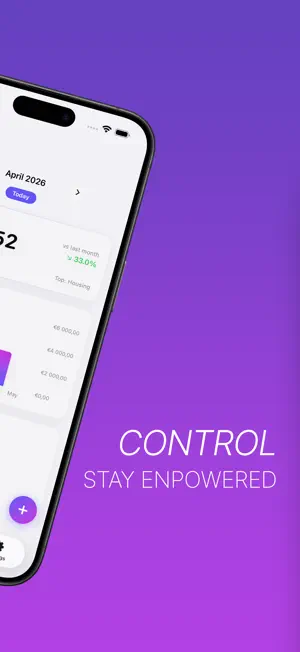
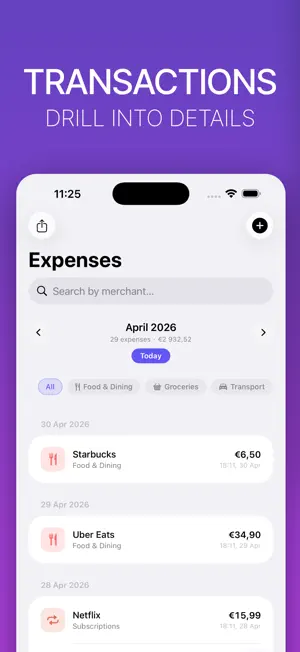
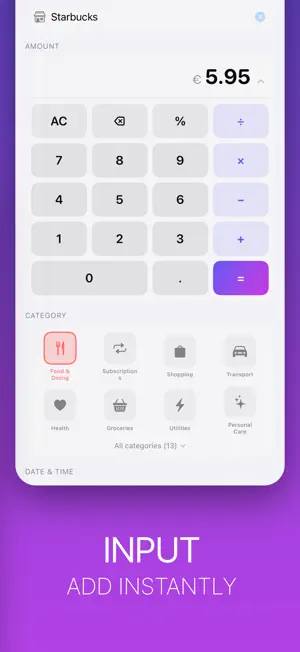
Outflow Expenses — Spend Smarter Take control of your finances with the cleanest expense tracking experience on iOS. No subscriptions, no clutter — just a beautiful, fast way to understand where your money goes. Smart Expense Entry Type a merchant name and the app remembers it. Autocomplete suggests past merchants and pre-fills the category, so adding an expense takes seconds. Powerful Dashboard Get a clear picture of your spending at a glance. See your monthly total, track trends across the last 6 months, and understand exactly which categories are driving your spend. Categories That Make Sense 13 built-in categories — from Groceries and Dining to Travel and Healthcare. Create your own with a custom icon and colour to match how you actually spend. Recurring Expenses Set up rules for subscriptions and regular bills. Expense Tracker adds them automatically so your totals are always accurate, even when you forget. Synced Across All Your Devices Sign in with Google and your expenses are available everywhere, instantly. Add on your iPhone, review on your iPad — always in sync. iOS Shortcuts & Siri Beyond automation, add expenses hands-free with Siri or build powerful automations in the Shortcuts app. Ask for your monthly summary without even opening the app. Simple. Fast. Always in your pocket. Terms of Use: https://www.apple.com/legal/internet-services/itunes/dev/stdeula/
What’s new
Version 1.2.2 · Updated June 23, 2026
- Home Screen Widgets: Add widgets to your home screen for a quick overview of your monthly spending. The medium widget also displays your top three spending categories. - Category Budgets: Create a budget for your overall expenses and individual budgets for each category. - Savings Goals: Planning a special trip? Set up dedicated saving goals to help you stay on track. - Customisable Home Screen: Now you can fully customise your home screen by enabling or disabling cards and reordering them to suit your preferences.
App privacy
The developer, Guilherme Ribeiro, reported these privacy practices to Apple.
Data Not Linked to You
The following data, which may be collected but is not linked to your identity, may be used for the following purposes:
- Purchases: Purchase History
- Financial Info: Other Financial Info
- Contact Info: Email Address, Name
Used for: App Functionality
Alternatives to Outflow Expenses
Looking for apps like Outflow Expenses? Here are 6 similar apps on the App Store. The highest rated is NorthLedger: Budget & Wealth (5.0/5), and all 6 are free to download.
-
 NorthLedger: Budget & Wealth
5.0
NorthLedger: Budget & Wealth
5.0
-
 ExLog
ExLog
-
 Kronkoll: Budget Planner
-
 QuickSpend: Expense Tracker
5.0
QuickSpend: Expense Tracker
5.0
-
 MoneyTag: Income & Expense
-
 Cash Drawer Count: Till Log
| App | Rating | Price | Last updated | Compare |
|---|---|---|---|---|
| Outflow Expenses | 5.0 / 5 (1 rating) | Free | June 23, 2026 | |
| NorthLedger: Budget & Wealth | 5.0 / 5 (1) | Free | Sep 14, 2026 | Compare |
| ExLog | – | Free | Aug 1, 2026 | Compare |
| Kronkoll: Budget Planner | – | Free | Sep 6, 2026 | Compare |
| QuickSpend: Expense Tracker | 5.0 / 5 (1) | Free | Jun 9, 2026 | Compare |
| MoneyTag: Income & Expense | – | Free | Oct 9, 2026 | Compare |
| Cash Drawer Count: Till Log | – | Free | Sep 14, 2026 | Compare |
Compare Outflow Expenses with the top alternatives: ratings, updates, ASO score and keyword gaps →