

ZFiles
之铭 刘 Productivity iPhoneiPadiPod touch
ZFiles is a free Productivity app for iPhone and iPad by 之铭 刘. Requires iOS 26.0. Updated October 29, 2026.
- Price
- Free
- on the App Store
- Size
- 31 MB
- Age 4+
- Updated
- Oct 29
- 2026 · v1.0.4
Screenshots
About ZFiles
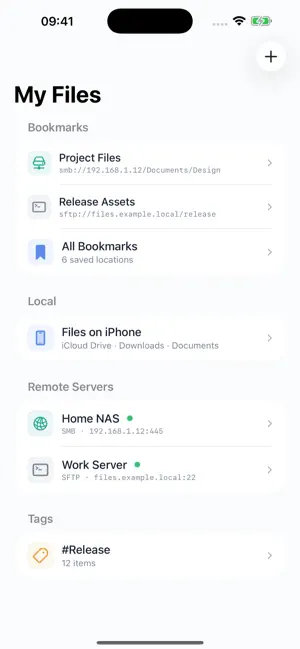
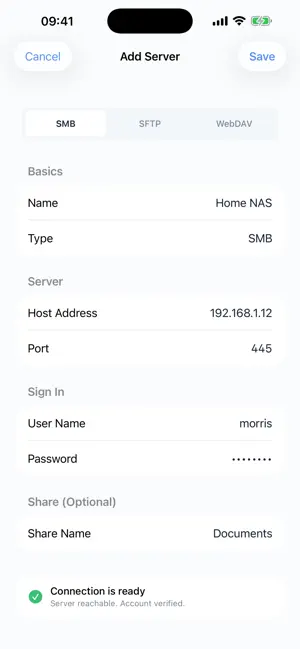
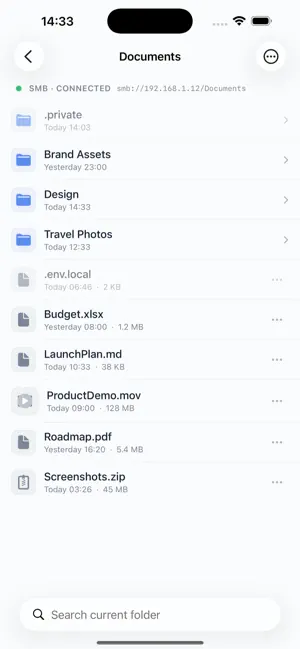
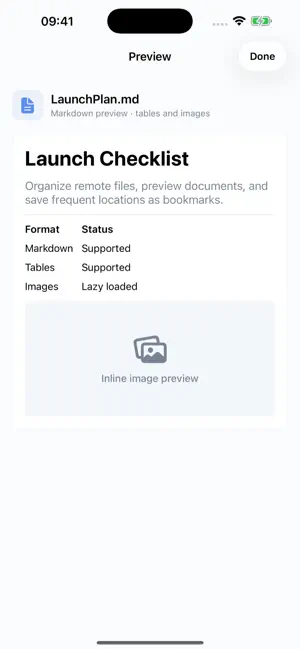
ZFiles is an iOS file browser for personal file management. Browse the iOS Files app, SMB shares on your local network, SFTP servers, WebDAV servers, and hidden files and folders. After downloading, all included features are available with no subscriptions or in-app purchases. Save frequently used servers, jump back into folders with bookmarks, preview images, videos, Markdown, JSON, and common documents, and manage transfers from one place. ZFiles has no ads and does not track users. Server settings and bookmarks stay on your device, and passwords are stored in the system keychain.
What’s new
Version 1.0.4 · Updated October 29, 2026
ZFiles 1.0.4 adds MKV video playback and improves file transfers and browsing stability. - Play MKV videos from local storage, SMB, SFTP, and WebDAV, with pause, seeking, and replay controls - Improve SFTP video range reads for better server compatibility - Fix transfer state handling after cancellation or pause and reduce leftover partial files - Improve media cache cleanup so additional file formats stay within the cache budget - Reduce unnecessary folder reloads after previews and improve file operation error messages
App privacy
The developer, 之铭 刘, reported these privacy practices to Apple.
Data Not Collected
The developer does not collect any data from this app.
Alternatives to ZFiles
Looking for apps like ZFiles? Here are 6 similar apps on the App Store. The highest rated is Captured! (5.0/5), and all 6 are free to download.
-
 Captured!
5.0
-
 Prompt Hub: AI Prompt Manager
-
 Cat Scratches
4.0
-
 Screenshot Search: CaptureMind
-
 Snapwell: Inspiration Library
5.0
-
 Extension WishMark
| App | Rating | Price | Last updated | Compare |
|---|---|---|---|---|
| ZFiles | – | Free | October 29, 2026 | |
| Captured! | 5.0 / 5 (2) | Free | Jun 10, 2026 | Compare |
| Prompt Hub: AI Prompt Manager | – | Free | Jun 8, 2026 | Compare |
| Cat Scratches | 4.0 / 5 (4) | Free | Jul 11, 2026 | Compare |
| Screenshot Search: CaptureMind | – | Free | Sep 7, 2026 | Compare |
| Snapwell: Inspiration Library | 5.0 / 5 (2) | Free | Oct 26, 2026 | Compare |
| Extension WishMark | – | Free | May 22, 2026 | Compare |
Compare ZFiles with the top alternatives: ratings, updates, ASO score and keyword gaps →