

VoiceCue- teleprompter
广俊 张 Photo & Video iPhoneiPadiPod touch
VoiceCue- teleprompter is a free Photo & Video app for iPhone and iPad by 广俊 张. Requires iOS 17.0. Updated May 26, 2026.
- Price
- Free
- on the App Store
- Size
- 324 MB
- Age 4+
- Updated
- May 26
- 2026 · v1.0.1
Screenshots



About VoiceCue- teleprompter
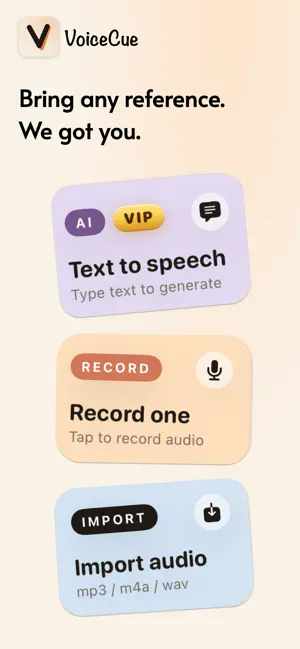
VoiceCue is an audio-first mobile teleprompter app that helps you record talking-head videos that feel natural, chill, and refreshingly human. A free teleprompter, no-watermark teleprompter, for both short-form and long-form video, ready to publish to TikTok, Rednote, Bilibili, YouTube Shorts, Instagram Reels, and beyond. No scrolling text to stare at. Just listen to the reference audio in your headphones and speak to the camera in your own voice. 1. A DIFFERENT KIND OF TELEPROMPTER Traditional teleprompter apps make you lock onto scrolling text. Eyes go stiff, tone goes flat, viewers can tell you're reading. VoiceCue takes a different approach: put on your headphones, look naturally at the camera, and just talk. The idea comes from "shadow reading", a technique language learners use to sound fluent. Applied to video: - Eyes stay on the camera, not on rolling text - Tone and pacing feel like a real conversation - No memorizing long scripts - Your voice, your expression, your rhythm 2. ALWAYS FREE - Front-camera 1080p video recording, no watermark, no ads - Aspect ratios: 9:16 (vertical for Rednote / TikTok / Reels / Shorts), 3:4, 1:1 - Import audio from any app (mp3 / m4a / wav) - Save to Photos, share to TikTok, Rednote, Bilibili, YouTube Shorts, Instagram Reels - Adjustable playback speed from 0.7x to 1.3x - Works fully offline. No account, no sign-in, no data collection. 3. 7-DAY FREE TRIAL, THEN ONE-TIME PURCHASE - AI Text-to-Speech: paste a script, get a natural-sounding reference audio instantly - Smart Edit: AI detects filler words and silent pauses, trim them with one tap. Supported languages: Mandarin Chinese, Japanese, Korean, English, French. No watermark. No ads. No account required. Buy once, yours forever. 4. HOW TO RECORD 1) Prepare a reference audio: record yourself, use Text-to-Speech, or import an existing MP3 / M4A / WAV from Files, Voice Memos, or any app on your phone 2) Put on headphones. Wired EarPods, AirPods, or any Bluetooth headphones work 3) Tap the record button. Listen to the reference audio in your headphones and speak to the camera naturally 4) Save to Photos. Final video contains only your voice 5) (Optional) Open Smart Edit. AI auto-trims pauses and filler words from the recording with one tap 6) Save and publish to TikTok, Rednote, Bilibili, YouTube Shorts, Instagram Reels 5. PERFECT FOR - Talking-head teleprompter: creators on Rednote, TikTok, Bilibili, WeChat Channels, Instagram Reels, YouTube Shorts - Short video teleprompter: vloggers, podcast hosts, Reels / Shorts creators - Vlog teleprompter: long-form YouTube creators recording talking-head segments - Indie creators and personal-brand builders tired of teleprompter "reading eyes" Download VoiceCue, the free audio teleprompter app. Record talking-head videos that feel natural and chill.
What’s new
Version 1.0.1 · Updated May 26, 2026
- Unified visual details across cards - Paywall copy and layout polished - Misc improvements
App privacy
The developer, 广俊 张, reported these privacy practices to Apple.
Data Not Collected
The developer does not collect any data from this app.
Alternatives to VoiceCue- teleprompter
Looking for apps like VoiceCue- teleprompter? Here are 6 similar apps on the App Store.
-
 Shot Zala
-
 DuoCue
-
 Agave Teleprompter
-
 FramePair: Dual Camera
-
 Teleprompter: CueRoll
-
 The Self Recording App
| App | Rating | Price | Last updated | Compare |
|---|---|---|---|---|
| VoiceCue- teleprompter | – | Free | May 26, 2026 | |
| Shot Zala | – | Free | Mar 16, 2026 | Compare |
| DuoCue | – | Free | Aug 26, 2026 | Compare |
| Agave Teleprompter | – | Free | Aug 24, 2026 | Compare |
| FramePair: Dual Camera | – | Free | Sep 24, 2026 | Compare |
| Teleprompter: CueRoll | – | Free | Sep 11, 2026 | Compare |
| The Self Recording App | – | Free | Aug 22, 2025 | Compare |