

Authenticator© App
To Ngoc Mai Utilities iPhoneiPadiPod touchApple Watch
Authenticator© App is a free Utilities app for iPhone and iPad by To Ngoc Mai. Rated 4.6/5 from 778 ratings. Requires iOS 17.0. Updated October 2, 2026.
- Rating
- 4.6
- 778 ratings
- Price
- Free
- on the App Store
- Size
- 107 MB
- Age 17+
- Updated
- Oct 2
- 2026 · v1.1.4
Screenshots


About Authenticator© App
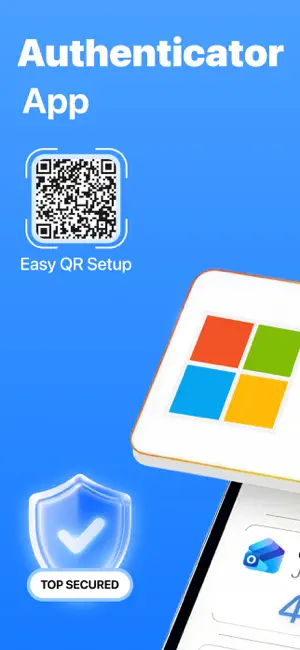
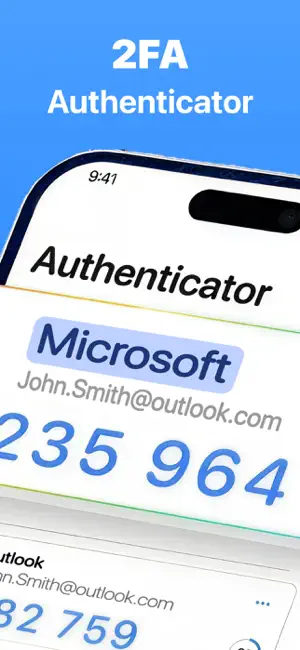
Authenticator© App – Secure Your Accounts with 2FA & OTP Protection Keep your online accounts secure with Authenticator, an easy-to-use app for two-factor authentication (2FA). Whether you’re logging into your email, social media, or banking apps, Authenticator provides the additional layer of security you need by generating time-based one-time passwords (TOTP) directly on your device. Unlike SMS codes, TOTP codes are not vulnerable to interception, ensuring that your accounts are safe even in the event of a phone hack or SIM swap. Key Features: Secure 2FA and OTP Verification Authenticator generates time-sensitive one-time passwords that enhance the security of your online accounts. The app supports a wide range of platforms, including Google, Microsoft, Facebook, Instagram, Twitter (X), LinkedIn, PayPal, Amazon, eBay, Dropbox, Snapchat, Pinterest, Reddit, and many more. These dynamic verification codes automatically refresh every 30 seconds to ensure your account stays protected. Easy Account Setup Setting up your accounts is a breeze. Simply scan a QR code or enter a secret key manually to quickly integrate any supported service with two-factor authentication. Get started with enhanced security in just a few easy steps. Seamless Access Anytime, Anywhere Authenticator generates your verification codes directly on your device. No internet connection? No problem! Whether you're at home, on the go, or in an area with weak service, your 2FA codes are always ready to help you sign in securely. Full Control Over Your Accounts Organize and manage all your accounts with ease. Edit account names, update secret keys, or remove accounts that are no longer needed – all from one centralized location in the app. Advanced Security with Biometrics or PIN Protect your authentication codes with Face ID, Touch ID, or a PIN. You can also enable auto-lock to automatically secure the app when it's not in use, ensuring that your data stays private and safe from unauthorized access. Password Storage and Management Keep your website and app login details organized in a dedicated password storage section. Easily create, edit, and manage credentials for quick access, so you don't have to remember every password. Private In-App Browser Browse securely with the app's built-in browser, which does not track your browsing history or save cookies. This ensures that your online activity remains private, especially when accessing sensitive information like bank accounts or email. Customizable Settings Tailor your experience to fit your preferences. Adjust app settings, control security options, and review app behavior with ease, ensuring you’re always in full control of your account protection. Subscription Information: • Payment will be charged to your iTunes Account upon purchase confirmation. • Subscriptions automatically renew unless auto-renew is turned off at least 24 hours before the current period ends. • Your account will be charged for renewal within 24 hours before the end of the current period. • You can manage or cancel your subscription in your Account Settings. • If a trial is offered, the full subscription price will be charged after the trial ends unless canceled in advance. Disclaimer: Authenticator App is not affiliated with or endorsed by any third-party brands or services. All trademarks and logos belong to their respective owners. Privacy Policy: https://begamob.com/policy.html Terms of Use: https://begamob.com/ofs-termofuse.html
Ratings & reviews
4.6
778 ratings
What’s new
Version 1.1.4 · Updated October 2, 2026
- UI/UX Improvements: A more intuitive and polished interface. - Performance & Fixes: Enhanced speed and stability with minor bug fixes.
App privacy
The developer, To Ngoc Mai, reported these privacy practices to Apple.
Data Used to Track You
The following data may be used to track you across apps and websites owned by other companies:
- Identifiers: User ID
- Usage Data: Product Interaction
- Diagnostics: Crash Data, Performance Data, Other Diagnostic Data
Data Not Linked to You
The following data, which may be collected but is not linked to your identity, may be used for the following purposes:
- Contact Info: Name
- Identifiers: User ID
- Usage Data: Product Interaction
- Diagnostics: Crash Data, Performance Data, Other Diagnostic Data
Used for: Third-Party Advertising, Analytics
Alternatives to Authenticator© App
Looking for apps like Authenticator© App? Here are 6 similar apps on the App Store. The highest rated is Authenticator App-2FAS・MFA・OTP (4.6/5), and all 6 are free to download.
-
 Authenticator ℠ App
4.3
Authenticator ℠ App
4.3
-
 Authenticator App-2FAS・MFA・OTP
4.6
Authenticator App-2FAS・MFA・OTP
4.6
-
 Authenticator™ App
4.0
Authenticator™ App
4.0
-
 Authenticator ·
4.6
Authenticator ·
4.6
-
 Authenticator App • 2FA • MFA
4.6
Authenticator App • 2FA • MFA
4.6
-
 SmartClean AI: Storage Cleaner
4.4
SmartClean AI: Storage Cleaner
4.4
| App | Rating | Price | Last updated | Compare |
|---|---|---|---|---|
| Authenticator© App | 4.6 / 5 (778 ratings) | Free | October 2, 2026 | |
| Authenticator ℠ App | 4.3 / 5 (5,643) | Free | Sep 23, 2026 | Compare |
| Authenticator App-2FAS・MFA・OTP | 4.6 / 5 (675) | Free | May 4, 2026 | Compare |
| Authenticator™ App | 4.0 / 5 (469) | Free | Oct 15, 2024 | Compare |
| Authenticator · | 4.6 / 5 (26,343) | Free | Oct 1, 2026 | Compare |
| Authenticator App • 2FA • MFA | 4.6 / 5 (910) | Free | Sep 9, 2026 | Compare |
| SmartClean AI: Storage Cleaner | 4.4 / 5 (1,438) | Free | Sep 11, 2026 | Compare |
Compare Authenticator© App with the top alternatives: ratings, updates, ASO score and keyword gaps →