

Framelo: Video to Photos
WeiRong Yu Photo & Video iPhoneiPadiPod touch
Framelo: Video to Photos is a free Photo & Video app for iPhone and iPad by WeiRong Yu. Requires iOS 16.6. Updated October 18, 2026.
- Price
- Free
- on the App Store
- Size
- 20 MB
- Age 4+
- Updated
- Oct 18
- 2026 · v1.2
Screenshots


About Framelo: Video to Photos
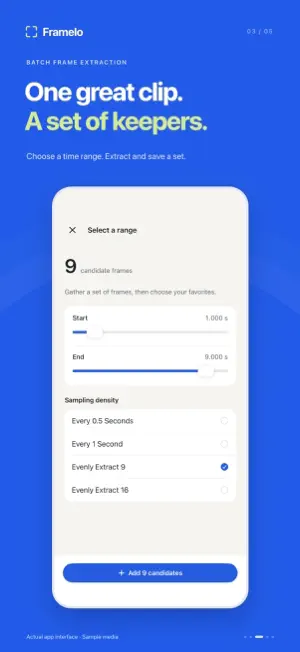
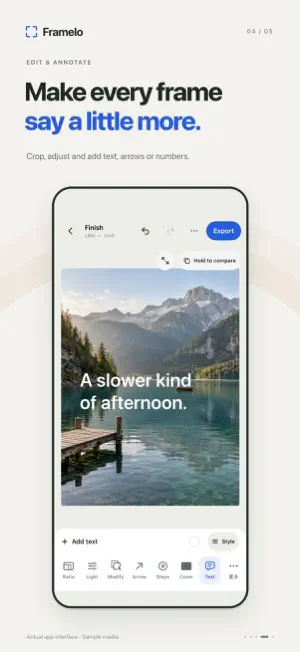
Your favorite photo might still be inside a video. Framelo helps you find it — and the moments around it. Turn travel clips, family videos, pet antics and performances into photos you can keep, edit and share. FIND THE RIGHT MOMENT Scrub through your video or move one frame at a time. Pinch to enlarge the preview across the screen, pan to inspect details, and double-tap to restore the view. COLLECT YOUR FAVORITES Collect frames as you browse, or extract a sequence from a selected time range. Review your selection and save multiple photos together. Export frames at the source video's resolution. MAKE EACH PHOTO YOURS Crop, change the aspect ratio and adjust the look. Add arrows, numbered markers, text or privacy masks to explain an idea or prepare a clear visual guide. A dedicated edit tool lets you adjust existing annotations without interrupting new ones. TELL A STORY IN A COLLAGE Arrange your chosen photos in a single image. Adjust the layout, spacing, background and image placement for a composition that feels like yours. PICK UP WHERE YOU LEFT OFF Return to recent video projects and continue your selection. Open videos from Photos or Files and work without creating an account. Videos stored in iCloud may need to download before you can use them. From a fleeting expression to a sequence worth sharing: find the photos in your videos with Framelo. FREE & FRAMELO PRO Hand-pick frames and save video-frame photos at up to 1024 pixels on each side for free. Single-photo editing and basic collage remain available. Framelo Pro is an optional one-time purchase for full-resolution video-frame saves, edited photo sets, photo book PDFs, numbered step-story images and reusable group styles. Three successful full-resolution or artwork export trials are included per installation; a complete batch counts once. Previewing, failed exports and cancellations do not consume trials. You can view the purchase and restore options immediately from Home > Pro or Settings > Framelo Pro.
What’s new
Version 1.2 · Updated October 18, 2026
- Improved Settings navigation and touch response on iPad. - Open Framelo Pro directly from the home screen or from Settings. - Sharper photo previews and smoother group editing, photo book PDF and step-story workflows.
App privacy
The developer, WeiRong Yu, reported these privacy practices to Apple.
Data Not Collected
The developer does not collect any data from this app.
Alternatives to Framelo: Video to Photos
Looking for apps like Framelo: Video to Photos? Here are 6 similar apps on the App Store. The highest rated is Ocean: Video Editor (5.0/5), and all 6 are free to download.
-
 Ocean: Video Editor
5.0
-
 Shots - Screenshot Beautifier
-
 Typography: Font & Text Art
5.0
-
 Media Editor: by NS Apps
-
 MagicZoom
-
 SoloSnap Studio
1.0
| App | Rating | Price | Last updated | Compare |
|---|---|---|---|---|
| Framelo: Video to Photos | – | Free | October 18, 2026 | |
| Ocean: Video Editor | 5.0 / 5 (1) | Free | Jun 11, 2026 | Compare |
| Shots - Screenshot Beautifier | – | Free | Jun 16, 2026 | Compare |
| Typography: Font & Text Art | 5.0 / 5 (1) | Free | Aug 14, 2026 | Compare |
| Media Editor: by NS Apps | – | Free | Jun 22, 2026 | Compare |
| MagicZoom | – | Free | Apr 15, 2026 | Compare |
| SoloSnap Studio | 1.0 / 5 (1) | Free | Oct 19, 2026 | Compare |