

MorseUs
Mehmet SIMSEK Utilities iPhoneiPadiPod touch
MorseUs is a free Utilities app for iPhone and iPad by Mehmet SIMSEK. Requires iOS 15.6. Updated June 3, 2026.
- Price
- Free
- on the App Store
- Size
- 16 MB
- Age 4+
- Updated
- Jun 3
- 2026 · v1.1
Screenshots
About MorseUs
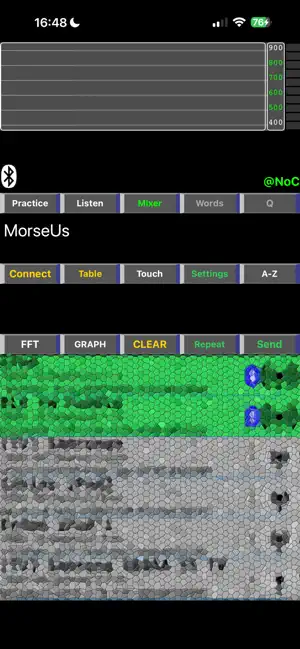
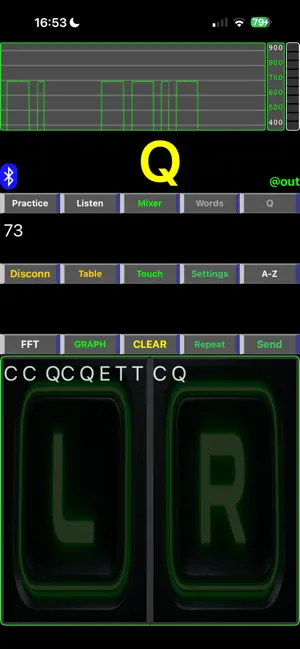
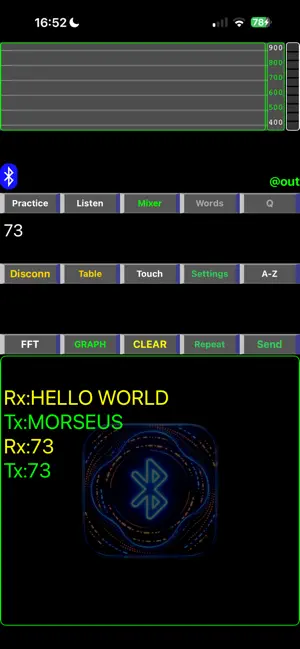
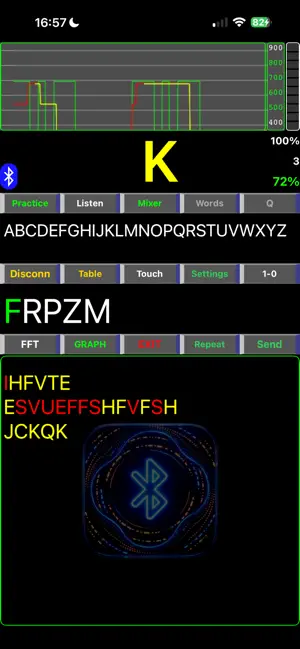
MorseUs supports BLE (Bluetooth Low Energy) CW Morse keyer connections for learning and practicing Morse code wirelessly. You can connect and practice CW Morse training between any iOS device running MorseUs or a Mac running the MorseDX application. MorseUs supports both iambic paddles (Type A/B) and straight keys. MorseUs includes a real-time FFT decoder that converts Morse audio tones into letters. A controllable sliding graphic display shows dits and dahs visually. In Graphic Mode, you can enable the Paddle Draw option to display iambic or straight paddle touches together with the dit/dah graphics. If no paddle input is detected, the graphic animation pauses after a short delay to save power. With the Practice feature, you can practice sending letters and words using: * Mixed text generated from entered characters * 4300 built-in common English words * 1450 Turkish words (depending on your system language) At the end of Practice Mode, achievement statistics are displayed. With the Listen Groups feature, you can practice Morse listening using selected groups of letters and words. The Q button displays a list of common Q codes. Professional keyer controls include: * Tone control * WPM adjustment * Character spacing * Iambic paddle type selection (A/B) * Paddle swap function * Keyer weight adjustment The QRM feature adds background noise for realistic CW listening practice. QRM volume can be adjusted independently from CW audio volume. If the device includes a flashlight/torch, the Light option automatically appears in the setup list. When enabled, the torch flashes according to dits and dahs. The Touch Button feature enables on-screen left and right paddle controls for iambic CW practice. When connected to another iOS or Mac device, paddle touches can also be transmitted wirelessly. If the BleTX option is enabled, you can send direct messages to another device using the Send button. If you type “show help” and press ENTER, the ESP32 programming help guide will be displayed, including Arduino sample code and wiring diagrams for the wireless MorseUs CW paddle. Additional wireless BLE keyer code examples and documentation are available on: "Bluetooth iambic CW Paddle Morse Keyer TX only" GitHub Repository.
What’s new
Version 1.1 · Updated June 3, 2026
- FFT decode filter improved, - BLE TX error message filtered for FFT, - BLE TX added for Listen, Mixer, Words and Q code functions - Listen mode line space adjusted. - minor corrections
App privacy
The developer, Mehmet SIMSEK, reported these privacy practices to Apple.
Data Not Collected
The developer does not collect any data from this app.
Alternatives to MorseUs
Looking for apps like MorseUs? Here are 6 similar apps on the App Store. The highest rated is MorseLight Pro (5.0/5), and all 6 are free to download.
-
 HoloChat Pro
-
 MorseMe
-
 MorseLight Pro
5.0
MorseLight Pro
5.0
-
 QSO Globe — Ham Radio Log
-
 Morse Buddy
-
 Find My Headphones: Pingback
| App | Rating | Price | Last updated | Compare |
|---|---|---|---|---|
| MorseUs | – | Free | June 3, 2026 | |
| HoloChat Pro | – | Free | Oct 24, 2026 | Compare |
| MorseMe | – | Free | May 14, 2026 | Compare |
| MorseLight Pro | 5.0 / 5 (1) | Free | Feb 3, 2025 | Compare |
| QSO Globe — Ham Radio Log | – | Free | Aug 14, 2026 | Compare |
| Morse Buddy | – | Free | May 19, 2026 | Compare |
| Find My Headphones: Pingback | – | Free | Aug 5, 2026 | Compare |
Compare MorseUs with the top alternatives: ratings, updates, ASO score and keyword gaps →