

Doc Scanner OCR & PDF scan
Nexora LLC Utilities iPhoneiPadiPod touch
Doc Scanner OCR & PDF scan is a free Utilities app for iPhone and iPad by Nexora LLC. Rated 4.5/5 from 146 ratings. Requires iOS 15.5.
- Rating
- 4.5
- 146 ratings
- Price
- Free
- on the App Store
- Size
- 60 MB
- Age 4+
- Updated
- Oct 29
- 2026 · v1.0.7
Screenshots



About Doc Scanner OCR & PDF scan
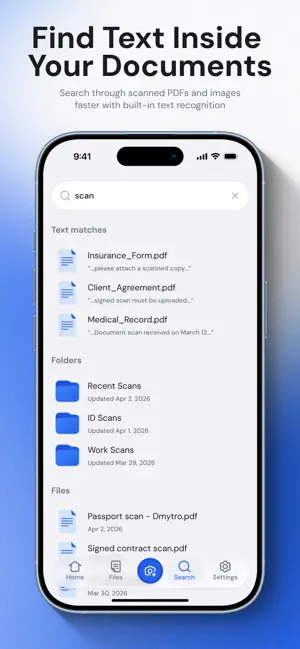
Doc Scanner: PDF & OCR is the ultimate tool for digitizing and organizing your documents on the go. With its intuitive interface and advanced features, this app is perfect for converting, scanning, and signing documents with ease. Seamlessly convert images to PDF format, creating professional-looking documents in seconds. Use the built-in PDF editor to customize your files, add annotations, and make quick edits on the fly. Key Features: --> Get the real feel of scanning offline. --> Navigate easily with our user-friendly interface. --> Scan multiple pages smoothly. --> Sign documents with ease using the e-signature feature. --> Convert scanned documents into editable text formats using OCR. --> Print PDFs directly from the app for extra convenience. --> Compress PDF files for easy emailing. The OCR (Optical Character Recognition) feature allows you to convert scanned documents to text, making it easy to search and extract information from your files. Enjoy the convenience of a pocket scanner in the palm of your hand, enabling you to capture and digitize documents anytime, anywhere. Sign PDFs electronically, eliminating the need for printing and scanning physical documents. Whether you're a student, professional, or business owner, Doc Scanner is your all-in-one solution for document conversion, scanning, and signing on the fly. Download now and streamline your document management process with Doc Scanner: PDF & OCR. Contact: [email protected]
Ratings & reviews
4.5
146 ratings
What’s new
Version 1.0.7 · Updated October 29, 2026
Fixed photo and file import from the gallery, improved the subscription flow, and resolved several scanning crashes. General stability improvements.
App privacy
The developer, Nexora LLC, reported these privacy practices to Apple.
Data Used to Track You
The following data may be used to track you across apps and websites owned by other companies:
- Identifiers: Device ID
Data Linked to You
The following data, which may be collected and linked to your identity, may be used for the following purposes:
- Identifiers: Device ID
- Contact Info: Email Address
Used for: Analytics, App Functionality
Alternatives to Doc Scanner OCR & PDF scan
Looking for apps like Doc Scanner OCR & PDF scan? Here are 6 similar apps on the App Store. The highest rated is MasterCleaner · AI ClearSpace (4.7/5), and all 6 are free to download.
-
 PDF Reader - Viewer
4.6
-
 Cleaner X: Storage Cleanup
4.6
-
 CleanLess: Smart Cleanup
3.7
-
 MasterCleaner · AI ClearSpace
4.7
-
 Pics Clean Lite: AI Cleaner
4.5
-
 PDF ProX: PDF Reader & Editor
4.1
| App | Rating | Price | Last updated | Compare |
|---|---|---|---|---|
| Doc Scanner OCR & PDF scan | 4.5 / 5 (146 ratings) | Free | October 29, 2026 | |
| PDF Reader - Viewer | 4.6 / 5 (93) | Free | Nov 5, 2026 | Compare |
| Cleaner X: Storage Cleanup | 4.6 / 5 (1,006) | Free | Oct 17, 2026 | Compare |
| CleanLess: Smart Cleanup | 3.7 / 5 (10) | Free | Oct 13, 2026 | Compare |
| MasterCleaner · AI ClearSpace | 4.7 / 5 (1,129) | Free | Oct 13, 2026 | Compare |
| Pics Clean Lite: AI Cleaner | 4.5 / 5 (194) | Free | Oct 8, 2026 | Compare |
| PDF ProX: PDF Reader & Editor | 4.1 / 5 (41) | Free | Nov 7, 2026 | Compare |